Fully Automated Revenue
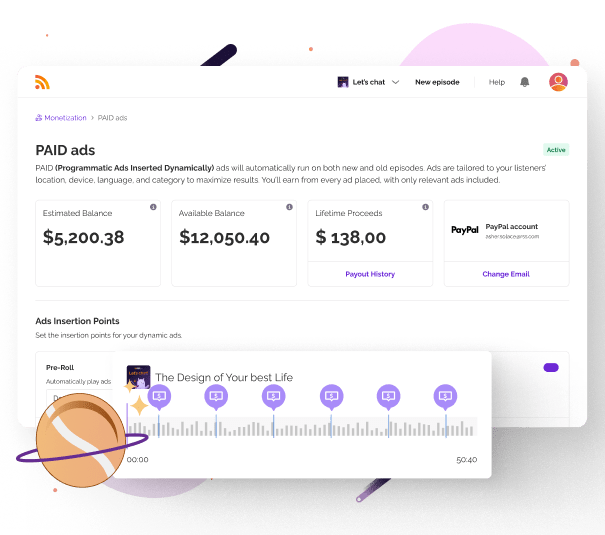
Set it up once and start earning. PAID inserts ads into all your episodes automatically, including your entire back catalog. No manual work, no sponsor outreach, no complex negotiations. Just activate the feature in your dashboard and ads start running based on real-time demand.
Low Entry Barrier
Qualify with just 10 downloads per month. That's it. While other hosting platforms require thousands of downloads or limit you to specific countries, PAID is available to podcasters worldwide wherever PayPal is supported. At RSS.com, we believe your creative work has value, regardless of your audience size.
Complete Control
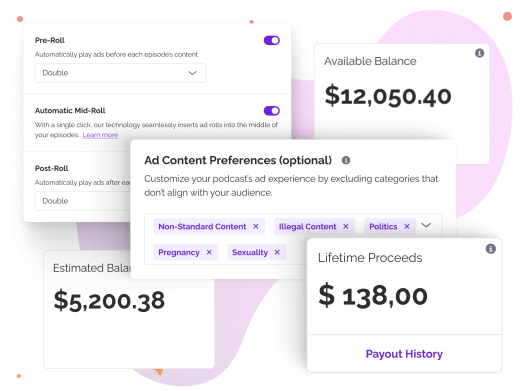
Choose where ads appear: pre-roll, mid-roll, or post-roll. Let the system find natural breaks automatically, or manually mark specific ad positions using the waveform interface. Filter out ad categories that don't align with your show's values. You stay in control of your listener experience.
How PAID Works
- Estimated Balance: Preliminary earnings updated every few days, subject to validation
- Available Balance: Confirmed earnings ready for automatic monthly payout
- Lifetime Withdrawals: Total earnings since you started using PAID
Setting Up PAID in 3 Steps
Activate PAID
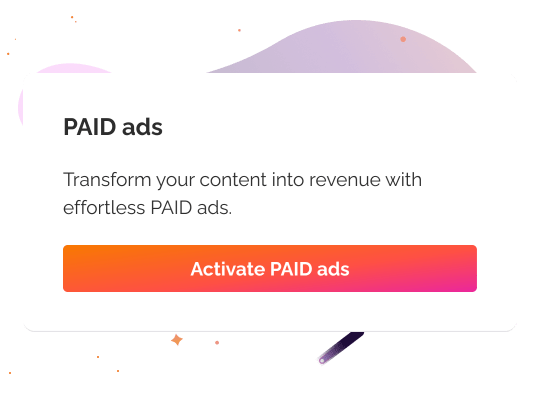
Navigate to your RSS.com dashboard and click "Activate PAID ads." If you don't see the banner on your main page, check the Monetization tab. You will need 10 downloads before this feature is available to you
Accept Terms
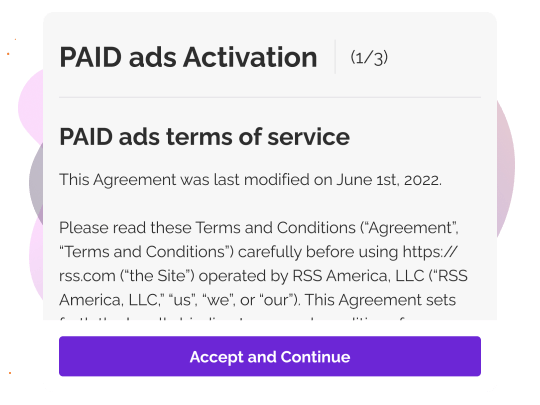
Review the PAID terms covering revenue sharing and program guidelines, then accept to continue.
Add PayPal Email
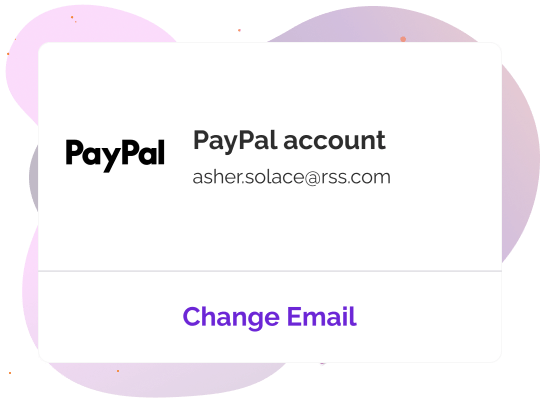
Enter your PayPal email for payouts. RSS.com validates your account by sending one cent to confirm it's active. Once validated, you'll receive confirmation and your ads go live.
Why PAID Stands Out
- No Geographic Restrictions: Available worldwide wherever PayPal is supported. You're not limited to four countries like other platforms.
- No Arbitrary Minimums: Just 10 downloads per month qualifies you. There's no minimum episode count. If your podcast is active and people are listening, you can start earning.
- Your Entire Catalog Earns: Every episode you've published generates revenue. New content and your back catalog both work for you, creating a compounding effect as your show grows.
- Set It and Forget It: No manual campaign management. No sponsor pitches. No contract negotiations. PAID handles everything automatically while you focus on creating content.
What PAID Does
- Automatically inserts programmatic ads from a large ad marketplace.
- Selects the highest-bidding ad for each impression through real-time auctions.
- Allows you to choose ad positions (pre-roll, mid-roll, post-roll).
- Real-time analytics: Track your audience engagement and optimize your content for growth.
- Generates revenue from both new episodes and your entire back catalog.
What PAID Doesn't Do Yet
- You cannot upload your own host-read ads at launch
- You cannot individually approve or reject specific ads
- Manual control is limited to position and category filtering
Who PAID Is For
FAQs
Get Started With PAID Today

Additional Monetization Features
Why Podcasters Choose RSS.com
More features
Podcast Support for Creators
Get expert support with RSS.com, real humans and smart tools to help you succeed from day one.
Learn morePodcast Hosting
Easily launch a new podcast using RSS.com's powerful features and tools created for podcasters at any level.
Learn morePodcast Analytics
Chart your course to success with RSS.com's comprehensive podcast analytics
Learn more