You want to start a podcast. You don’t have a budget yet. So you search for “free podcast hosting” and find dozens of options.
The problem? Most “free” plans come with catches. Big ones.
Some delete your episodes after 90 days.
Others give you just enough storage for a handful of shows.
A few cap your episode count at 5 or 10. Many even lock monetization behind a paywall, so you can’t earn money unless you pay first.
And don’t even get us started on the platforms that will simply delete your show without warning!
Here’s the truth: not all free podcast hosting is created equal. Some free hosts pile on restrictions and take cuts of your revenue. Others, like RSS.com’s Free Local & Niche plan, give you unlimited episodes and unlimited storage without the typical catches.
Below, we’re breaking down what different free plans actually offer, what limitations you’ll face, and which platforms provide genuinely unlimited hosting at no cost.
Table of contents
- TLDR: What You Need to Know
- The Two Types of Free Plans
- Platform Comparison at a Glance
- Which Podcast Hosting Plan Is Best For Your Needs?
- The Most Common Restrictions
- The Actually Unlimited Options
- What “Limited Monetization” Really Means
- Storage Math: How Much Do You Actually Need?
- Top Reasons to Avoid Free Podcast Hosting Services (Like Spotify for Creators)
- The Hidden Costs of “Free”
- RSS.com vs Spotify for Creators
- RSS.com: The Best Free Podcast Hosting Plan in the Industry
TLDR: What You Need to Know
Before diving into the details, here’s what matters most:
- Only 3 platforms offer truly unlimited free hosting: RSS.com’s Free Local & Niche plan, Spotify for Creators, and RedCircle
- Most “free” plans have major catches: 90-day episode deletions (Buzzsprout), storage caps (Podbean, Spreaker), or episode limits (Acast, Pinecast)
- RSS.com’s Free Local & Niche plan is different: Unlimited episodes, unlimited storage, professional features, monetization tools, and customer support, and it’s all free
- Your choice depends on your goals: See the comparison table and recommendation guide below to find the best fit
The Two Types of Free Plans
Free podcast hosting falls into two categories:
1. Forever free plans that you can use indefinitely without upgrading
2. Trial-style free plans designed to push you toward paid tiers
The difference matters. A lot.
Trial-style plans give you just enough to start, then force an upgrade when you hit limits.
Forever free plans let you build something sustainable without monthly fees.

Platform Comparison at a Glance
True unlimited (no deletions, no storage limits):
- RSS.com Free Local & Niche
- Spotify for Podcasters
- RedCircle
Limited but permanent storage:
- Spreaker (5 hours total)
- Podbean (500MB total)
- SoundCloud (3 hours)
Episode count restrictions:
- Acast (5 episodes max)
- Pinecast (10 episodes visible)
- Podomatic (20 episodes max)
Time-based deletions:
- Buzzsprout (90-day expiration)
No free tier:
- Transistor, Captivate, Libsyn, Castos, Blubrry, Simplecast, Fireside, Audioboom, Omny Studio (all offer free trials only)
Which Podcast Hosting Plan Is Best For Your Needs?
The best choice depends on your podcasting goals, how often you publish, and whether you plan to monetize.
If you’re starting a limited-run series (6-10 episodes): Buzzsprout’s free plan might work fine. You won’t hit the 90-day deletion if your show completes faster than that.
If you want maximum audience reach through Spotify: Spotify for Creators could make sense, but understand the trade-offs. You’re comfortable living within their ecosystem, but you’ll face serious limitations. They take cuts of your revenue, limit your control, and can delete your content without warning.
If you’re a local podcaster or covering niche topics: RSS.com’s Free Local & Niche plan was literally built for this, with unlimited episodes, unlimited storage, location tags, and community-focused features. You can podcast for free without worrying about content deletion, revenue sharing, or losing control of your show.
If you need monetization without restrictions: RSS.com gives you the most flexibility from day one. Keep 100% of your sponsor revenue and use listener funding tools on the free plan.
If you’re planning weekly episodes long-term: Don’t choose storage-limited or deletion-based plans. You’ll outgrow them in 2-3 months. Start with a truly unlimited option like RSS.com’s free plan.
If you need advanced features like programmatic advertising or managing multiple shows: RSS.com’s paid plans start at just $11.99/month (annually). You get professional tools without the predatory practices common with other free hosts.
The Most Common Restrictions
Storage Limits
Many platforms cap total storage between 500MB and 5GB.
Spreaker gives you 5 hours total. That’s it. Not per month. Ever. Once you hit that limit, you must delete old episodes to publish new ones or upgrade to a paid plan.
Podbean offers 500MB lifetime storage on its free tier. That’s roughly 5 hours of audio. Same problem as Spreaker.
Podomatic provides 6 hours of upload capacity with a 20-episode maximum. Want a 21st episode? Delete something or pay up.
The 90-Day Deletion Problem
Buzzsprout is the most popular free option. It’s also the most deceptive.
You get 2 hours of upload per month. Sounds reasonable.
But here’s the catch: episodes automatically delete after 90 days.
That means you can’t build an archive.
Every three months, your oldest content disappears.
If you published weekly for a year, you’d only have 12-13 episodes available at any given time.
Not to split hairs here, but this makes Buzzsprout’s free plan feel essentially more like a trial. It’s designed to force an upgrade once you realize your show needs permanence.
Episode Count Caps
The Acast free plan? Maximum 5 episodes visible. Upload a sixth, and your oldest disappears.
Pinecast shows only your 10 most recent episodes. You can upload more, but listeners can’t access older content unless you upgrade.
These restrictions make sense for platforms that want to limit free users.
They don’t make sense for podcasters trying to build something that actually has legs to stand on. Lookin at you hobby podcasters thinking about going pro, but not quite ready to pay for a plan.
We get it! You want to have a free plan that doesn’t feel like it has a bunch of catches attached to it.
Monetization Gatekeeping
Monetization options cause even more frustration with many free podcast hosting plans.
Podbean’s free plan blocks all monetization. Want to run ads or accept donations? Expect to pay about $29/month for Unlimited Plus.
Buzzsprout requires a paid plan ($19-$79/month) to access premium subscriptions and full monetization features. You can link to external platforms like Patreon, but native tools require payment.
SoundCloud and Fusebox both lock monetization behind paid tiers. Even basic donation buttons need an upgrade.
This creates a painful cycle: you need audience growth to justify paying for hosting, but you can’t monetize that audience without already paying.

The Actually Unlimited Options
Only a few platforms offer truly unlimited free hosting with no deletion policies or storage caps.
RSS.com Free Local & Niche
In November 2025, RSS.com launched a forever free plan specifically for local and niche podcasters.
Unlimited episodes. Unlimited audio storage. No caps. No deletions.
What makes this different?
It includes professional features other free plans lock away such as:
- Free podcast website (customizable)
- Ability to add episode transcripts – AI generated transcripts available with all paid plans, but you can still add your own transcript with a free plan.
- Episode scheduling
- Location tag feature for local shows
- Enhanced email privacy and copyright protection
- Customer support (yes, even on the free plan)
- Monetization tools: listener funding through donation buttons and Value for Value with Bitcoin payments, and the ability to link to your website
- Automatic distribution to all major podcast apps
- Promotion tools and Podroll recommendations
Most platforms make you choose between unlimited hosting OR professional features OR monetization. The RSS.com Free Local and Niche plan includes all three.
For community podcasters, local journalists, church shows, hobby podcasts, or specialized content creators, this free plan removes every barrier to entry.
Spotify for Creators (formerly Spotify for Podcasters)
Unlimited storage. Unlimited episodes. Unlimited bandwidth. No expiration dates.
The trade-offs:
You’re limited to one podcast per account.
Monetization requires either an invite to Spotify’s Partner Program or US residency with 100+ listeners for donation features.
The platform prioritizes Spotify’s ecosystem, which can limit distribution flexibility.
But if those constraints work for your show, it’s genuinely free forever.
However, we’ve heard the horror stories of podcasters putting years into their work only for Spotify’s bots to randomly delete their entire catalog of episodes. Even when it’s an error, there’s no recourse and no way to restore the podcast!
RedCircle
Unlimited storage, episodes, and downloads. Full monetization access from day one.
You can set up donations (one-time or recurring), offer exclusive content subscriptions, and access their ad platform once you hit 500 weekly downloads. They use a revenue share model instead of monthly fees.
Like Spotify, you’re limited to one podcast per account. But unlike Spotify, monetization doesn’t require approval or specific audience thresholds (except for the ad marketplace).
What “Limited Monetization” Really Means
Several platforms advertise monetization on free plans. What they don’t advertise are the requirements.
Spreaker offers programmatic ads immediately. Great! But they take a 40% revenue share, and you need meaningful download numbers to see real income.
Acast provides ad marketplace access only after you reach substantial listener numbers. Estimates suggest around 10,000 weekly downloads minimum.
Spotify lets you enable donations, but only if you’re in the US and have 100+ listeners in a 60-day period. Their ad program is invite-only. And, they add payout fees on top of the revenue share.
Pinecast offers a tip jar that keeps 100% of donations (minus payment processing fees). That’s genuinely generous, but you’re still limited to 10 visible episodes with their free plan.
The platforms with the most accessible monetization? RedCircle and RSS.com. Both offer donation tools with no audience minimums and access to additional monetization tools.
Storage Math: How Much Do You Actually Need?
A typical podcast episode runs 30-60 minutes. At standard quality (128kbps), that’s about 30-60MB per episode.
Let’s do the math:
- 500MB (Podbean free) = roughly 8-15 episodes
- 5 hours (Spreaker free) = roughly 10 episodes if averaging 30 minutes each
- 2 hours/month (Buzzsprout free) = 3-4 episodes monthly, but only 12-13 accessible total due to 90-day deletion
If you publish weekly, you’ll outgrow limited storage plans in 2-3 months. That’s intentional.
Free tiers with most podcast hosting companies exist to convert users to paid plans.
Is Free Podcast Hosting Really Free?
It’s important to understand how platforms offering “free” services make money to cover their expenses.
Here’s where RSS.com is different. Our Free Local & Niche plan gives you unlimited episodes, unlimited storage, and the tools to grow your podcast without revenue sharing or hidden fees.
We built it specifically for podcasters focused on local communities, neighborhood stories, niche topics, and specialized audiences.
However, if you’re considering other free services like Spotify for Creators, you should understand the pitfalls and limitations, especially if:
- You are creating your podcast for your brand or business
- You plan on turning your podcast into a business at some point
- You plan on actively podcasting, gaining a fan base, and then monetizing your show to make money
With options to create, distribute and monetize a podcast, it’s easy to see why so many new podcasters choose Spotify for Creators to start their show.
But is Spotify for Creators really free, and what limitations will you run into?
Unlike other free options, RSS.com’s Free Local & Niche plan doesn’t limit your episodes, delete your content after a certain period, or force you into revenue-sharing agreements. You get unlimited audio storage, automatic distribution to all major podcast apps, episode scheduling, transcripts, and a free podcast website.

Are You Starting a Podcast to Make Money?
In digging into the fine print, you’ll find that Spotify’s monetization philosophy is that “we should all make money together, rather than profiting off each other’s needs.”
What does that mean in practice? If you want to use Spotify’s sponsorship marketplace to connect with advertisers, they’ll not only take 30%, but they will also charge you additional processing and cashout fees.
Here’s the catch: as your show grows and you start earning real money through their marketplace, those cash out fees add up fast.
RSS.com works differently.
With our Free Local & Niche plan, you can find your own sponsors, negotiate your own rates, and keep 100% of what you earn.
Want to do host-read ads? Go for it. The revenue is all yours.
Then, if you want access to programmatic advertising through our PAID network, that’s available as an upgrade with our All in One plan for $11.99/month (annually). You’ll pay the same predictable monthly fee whether you have 100 downloads or 100,000. No surprise cash out fees that cut into your earnings.
The bottom line? With RSS.com, you’re in control of your monetization strategy from day one. We’re not taking a cut unless you choose to use our programmatic ad tools.
Top Reasons to Avoid Free Podcast Hosting Services (Like Spotify for Creators)
- Limited Episode Length – Do you ever want to cut an episode short because the file size will be larger than what your free host allows? We don’t think you should have to do that!
- You Don’t Actually Own Your Content – Be sure to read the fine print if you sign up for a free service.
- It’s Difficult to Move Your Show – If you outgrow some free services, oftentimes they make it very difficult to redirect your content to another host.
- Monetization Limitations – Some free services will put restrictions on your monetization efforts.
- Spotify for Creators owns your RSS feed by default. Spotify has a vested interest in keeping you on Spotify which is why they disable your RSS feed by default.
- Customer support is close to non-existent for many free hosting providers. Replies to customer questions and complaints often take days. There are many users who are unhappy and frustrated because of their lack of real customer support.
- You could have your show deleted at any time, and for no reason. We recently learned about a podcast being deleted by Spotify without warning – eliminating years of work in an instant. Sadly, this is not the only podcast to end up on the chopping block without advance notice. Many Reddit users complain about their shows being deleted too and having no recourse when it happens.

Still Not Convinced? The Truth About Podcast Hosting with Spotify for Creators
If you choose to allow Spotify for Creators to distribute your show to the major podcast directories, it will “block your access to additional Apple stats in podcastsconnect.apple.com.”
Not cool, right?
Also, you’ll find that the email listed in your feed for iTunes Owner is not the email that you used to set up your Spotify for Creators account.
Spotify for Creators also limits your podcast categories to just one, whereas other hosts allow you to add up to three, giving you more opportunities to be found on Apple Podcasts.
Also, because many podcasters choose to have Spotify distribute their podcasts on their behalf, they lose access to most analytics. Sure, Spotify for Creators does give you an analytics dashboard, but details you’re looking for and need might not be accessible.
Spotify for Creators can shut down without warning. Because they are a free service, they could simply decide to shut everything down and take your content offline.
Spotify for Creators has recently changed the format of an RSS feed making it harder to redirect your show to another host, or to submit your show to podcast directories yourself. If you outgrow Spotify for Creators, it can be difficult to leave and transfer your content to another host.
Spotify for Creators is “designed to be automated,” but that translates into having “little control over a number of features that may turn away professional podcasters,” says Resonate Recordings.
With RSS.com, we’ll distribute your show automatically to Apple Podcasts too. However, the difference with us is we give you the ability to claim your show on the platform in your Apple Podcasts Connect account so you can gain access to their analytics directly. Learn more in our video How to Get Your Podcast on Apple Podcasts – The Easy Way!:

The Hidden Costs of “Free”
Free hosting can actually cost you more than paid hosting.
When Buzzsprout deletes your episodes after 90 days, you lose SEO value from older content. You lose the ability to reference back catalog. You lose listener trust when they discover missing episodes.
When Acast limits you to 5 visible episodes, you can’t showcase your range or allow binge-listening.
When platforms block monetization on free tiers, you can’t offset hosting costs with ad revenue or listener support.
The cheapest option isn’t always free. Sometimes it’s paying $10-15/month for unlimited hosting that actually lets you build something sustainable.
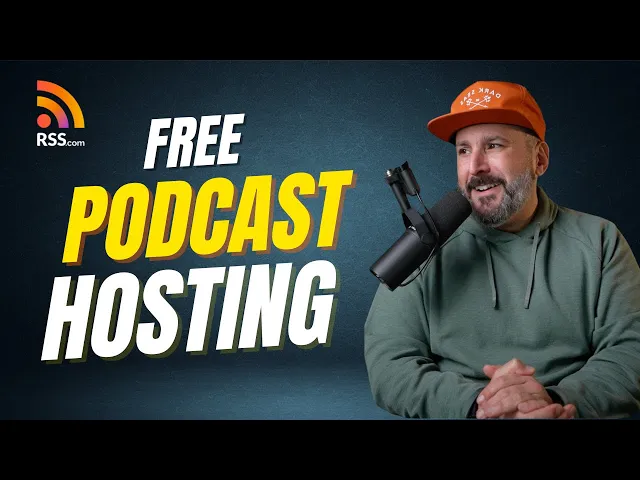
Our pal Matt over at The Podcast Setup created an awesome walk-through of our Free Local and Niche Plan. Check it out here:
Why Upgrading to a Paid Plan Makes Sense
RSS.com’s Free Local & Niche plan gives you everything you need to launch and grow a podcast. However, some creators choose to upgrade to unlock additional features.
Here’s what you get with RSS.com’s paid plans:
- Automatic and guided distribution of your podcast to Apple Podcasts, Spotify, Amazon Music and other major podcast directories
- Free AI-powered episode transcripts that you can use to promote your show
- The ability to convert your audio episodes into videos and upload to YouTube directly from your dashboard
- Detailed podcast analytics to help you understand your audience
- Free website for your podcast
- The ability to host multiple shows from the same account
- Extremely easy to use. New shows can be up and running in around 5 minutes
- Monetization options including sponsorship opportunities, Apple Podcast Subscriptions integration, and programmatic advertising through our PAID network
- Removal of your email address from your public RSS feed to protect your privacy and prevent unwanted email spam
- The ability to add collaborators (Admins and Analysts) to enhance how you manage your show
- World-class customer support
- Inclusion in our podcast Community section for additional discoverability of your show
Note: Many of these features are already included in our free plan, including a podcast website, analytics, automatic distribution, and privacy protection.
And if you decide for any reason that RSS.com isn’t the right fit, we won’t hold your episodes hostage! We make it easy to redirect your podcast from RSS.com to another host if that’s what you decide to do.
RSS.com vs Spotify for Creators
 |  | |
|---|---|---|
| Privacy and Security | Enhanced privacy and security features to protect your content and data. | Standard privacy and security features. Want proof? See this recent article. |
| Control Over Your Content | You maintain full full control over your content. | Your podcast can be deleted without prior notice. Want proof? See this thread and check out this article. |
| Monetization Options | Multiple monetization options including Sponsorship opportunities and Podcasting 2.0 Value4Value. (Programmatic Ads and Apple Podcasts Subscriptions available for paid plans) | Limited monetization options only through ads. |
| AI Features | Convert your audio episodes into engaging videos using our PodViz technology. (Paid users can automatically distribute these videos to YouTube and enjoy free episode transcripts) | No transcripts or YouTube integration. |
| Value | Competitive pricing for advanced features and dedicated support. | Free, but with limited features and support compared to paid services. |
| Customer Support | Dedicated customer support with quick response times. | On January 2nd, 2025 Spotify discontinued their Listener Support program. |
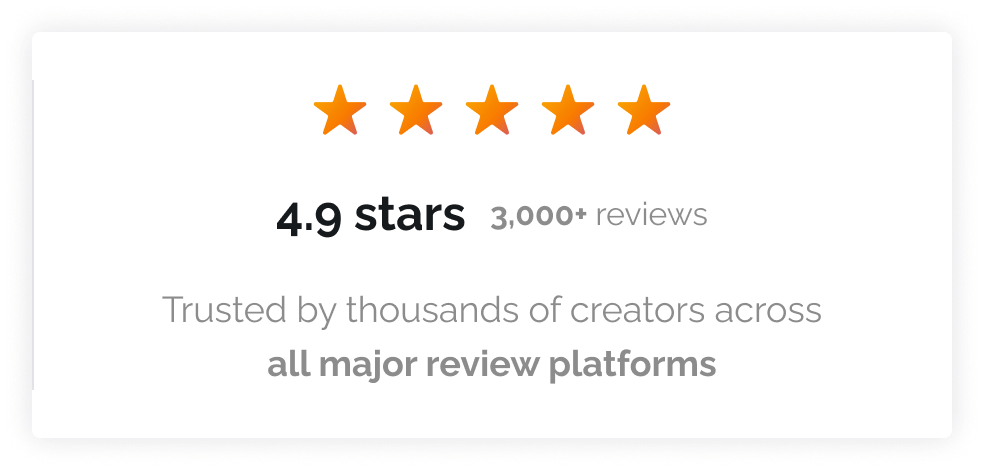
| Customer Satisfaction | 4.9 Rating on Trustpilot | 4.5 Rating on Trustpilot |
The bottom line: RSS.com’s Free Local & Niche plan gives you the freedom to grow without Spotify’s limitations, and our paid plans offer features that truly support your podcast’s growth.
RSS.com: The Best Free Podcast Hosting Plan in the Industry
Free podcast hosting exists. Truly unlimited free hosting exists too, but only on three platforms. And, we’re certain you will find RSS.com’s is the best free podcast hosting plan in the industry!
Most “free” plans are designed to convert you to paid tiers within 3-6 months. That’s not inherently bad if the paid pricing is reasonable and you’re getting value.
But you should understand the limitations upfront.
If you’re serious about podcasting for more than a few months, you have three real options:
- Use one of the unlimited free platforms: Click here to get started with RSS.com.
- Budget for paid hosting ($10-20/month) from the start
- Plan to migrate later and (possibly) deal with the hassle of switching hosts
There’s no wrong choice. Just make sure you choose based on reality, not marketing.
Most “free” plans are free until they’re not. Know where the limits are before you build your show around them.
Ready to Switch?
We make it easy to migrate your show from Spotify for Creators to RSS.com. Start with our Free Local & Niche plan to get unlimited episodes, storage, and distribution without restrictions.

If you need advanced features, upgrade to our All in One plan for $11.99/month (annual) and get access to programmatic advertising and more.
What are you waiting for? Start your podcast for free with RSS.com’s Free Local & Niche plan, or upgrade to unlock even more features. Experience for yourself why our worldwide community of podcasters love our service!