
Creating episode specific art is another way to add visual flair to your show and tell your audience what each episode is about without needing to read your description.
Episode Art vs. Podcast Cover Art: What’s the Difference?
Your podcast cover art is your show’s main visual identity. It’s what people see when they discover your podcast in Apple Podcasts or Spotify.
Think of it as your podcast’s book cover.
Episode art is different.
It’s custom artwork you can create for individual episodes while keeping your brand consistent.
Maybe you’re interviewing a special guest. Or launching a new series. Episode art lets you highlight what makes each episode unique.
Most podcasters stick with their main cover art for every episode. But adding custom episode art can make your show stand out in a crowded feed.
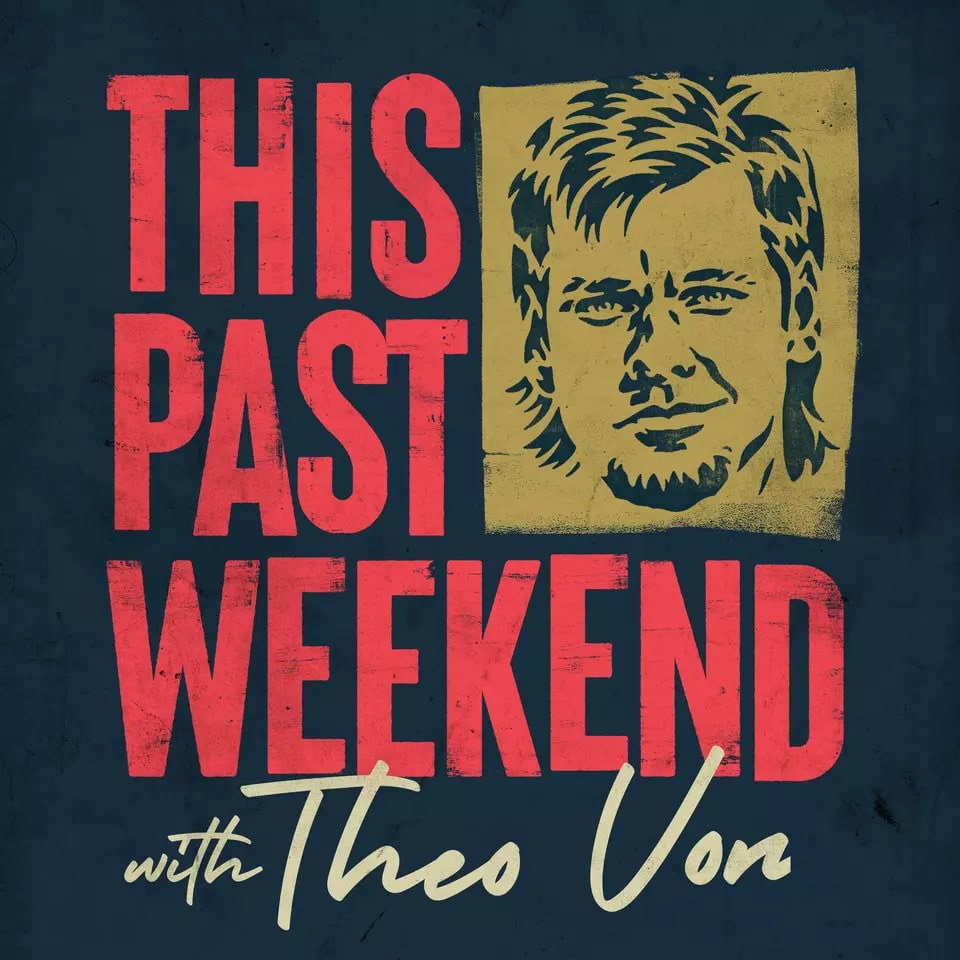
Let’s look at an example of podcast episode cover art from the podcast This Past Weekend w/ Theo Von – Podcast.
His podcast cover art looks like this:
And here are two examples of his episode specific cover art:
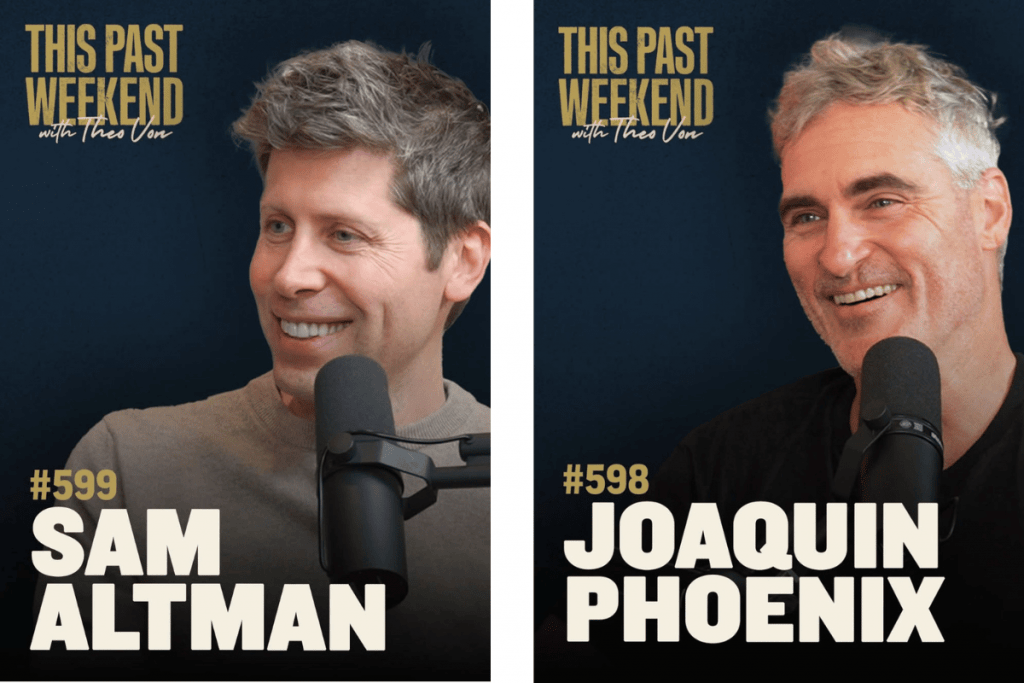
Do you see how it still maintains the show’s original branding in the top left corner, but the image and guest name add that visual appeal to attract a listener?
We highly suggest adding podcast episode cover art to your individual episodes. Luckily, RSS.com makes it easy to upload custom artwork for any episode you publish.
To add episode art in RSS.com, you’ll need to either create a new episode or simply edit a previous one!
➡️ Need a free RSS.com account? Sign up here!
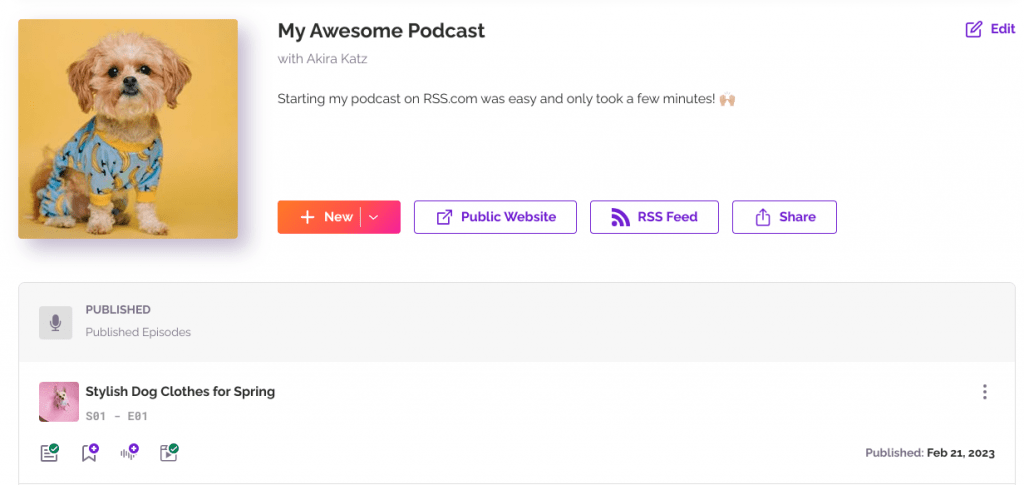
From your podcast dashboard, click a previous episode to edit it, or hit the new episode button.
Regardless of whether you’re editing a previous episode or creating a new one, you’ll follow similar instructions for adding your artwork.
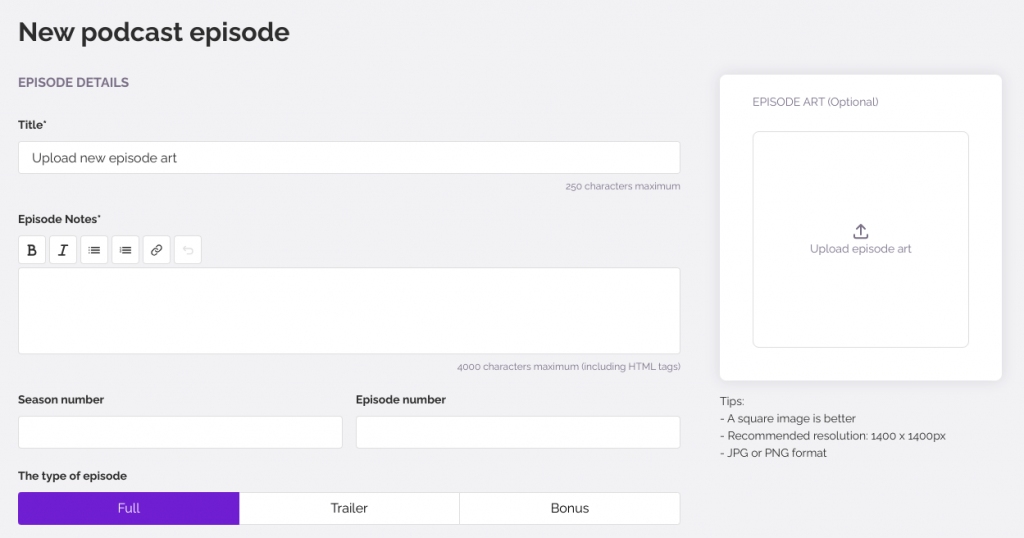
Get the Sizing Right
Next click the “Upload a covert art” button, and choose any image that is at least 1400 x 1400 pixels (we suggest 3000X3000) from your device to upload.
You’ll want an image that is a JPG or PNG format, and we recommend a resolution of 72 dpi to avoid a blurry appearance in podcast directories.
Then, you’ll position your artwork until it fits in the square box the way you would like it to be seen by your audience.
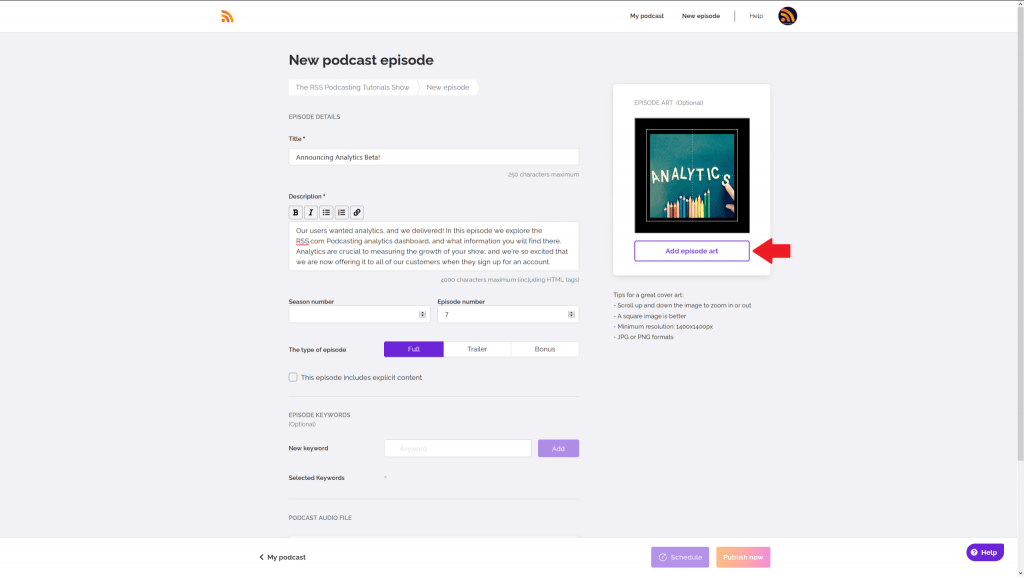
Now click “Add episode art” for the image to be saved to your episode page.
Finally, if you’re creating a new episode, you’ll finish adding your episode details, upload your audio file, and then select “Schedule” or “Publish Now” for your episode to go live on your public page.
If you’re editing a previous episode, however, you’ll instead click the save button to finish the editing process.
Once you’ve started adding custom art to each individual episode, this is how it will look on listening platforms like Spotify:
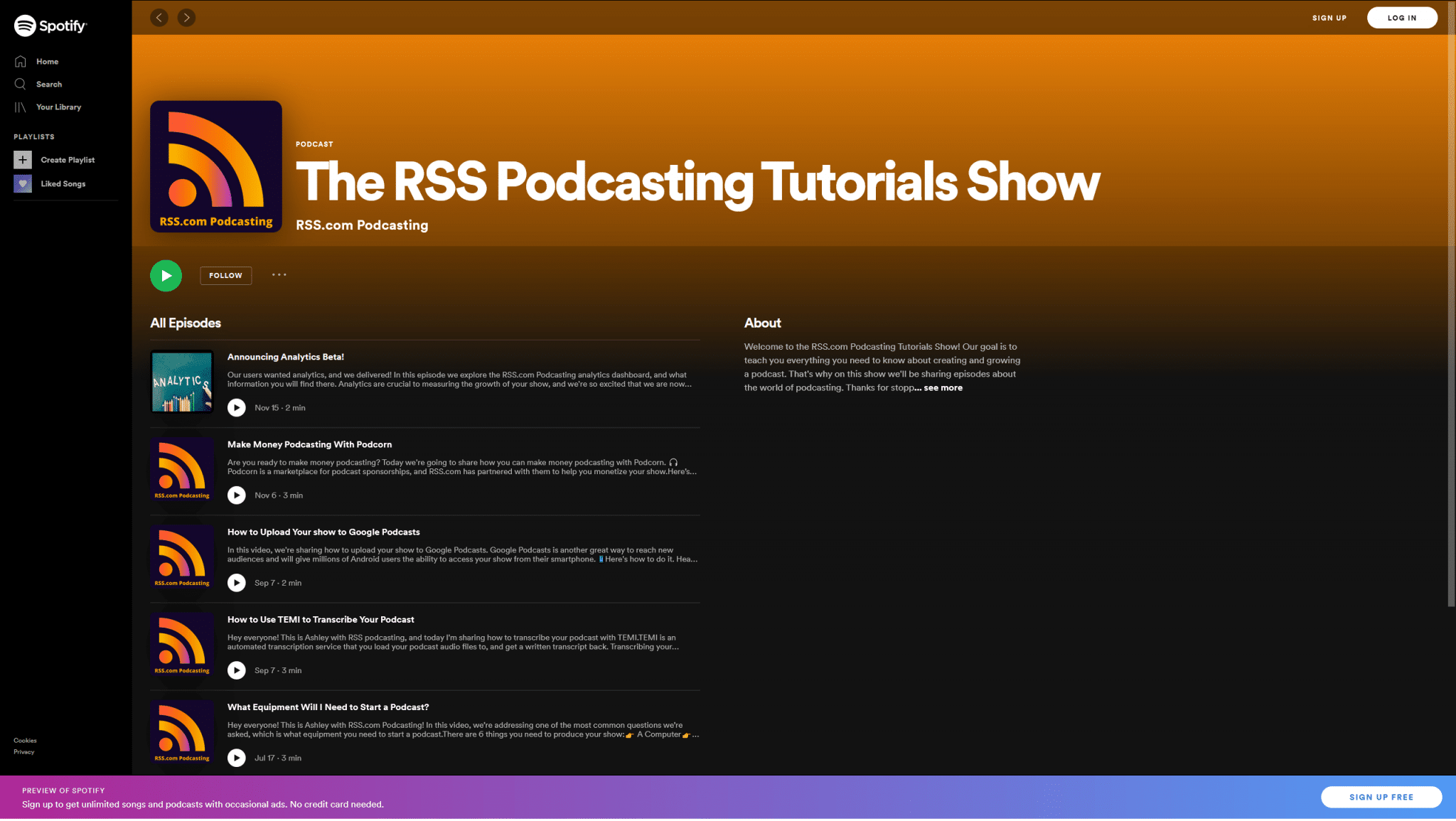
Note the difference between the episode that episode art and the ones that don’t.
Why Episode Art Matters
Episode art gives you more ways to grab attention. When someone scrolls through their podcast app, your episode can pop out from the crowd.
Here’s what good episode art can do for your show:
– Highlight special content.
– Got a celebrity guest? Feature their photo.
– Covering breaking news? Add relevant imagery.
– Running a multi-part series? Create consistent artwork that ties episodes together.
– Boost social sharing. Custom episode art looks more professional when shared on social media.
– Improve discovery. Eye-catching artwork can turn browsers into listeners.
You don’t need to create episode art for every single episode. If you choose to, you can just use it strategically when you want to make an impact.
Here’s another example of episode specific cover art from Kaleidoscope – Perspectives Beyond The Surface, a podcast hosted right here on RSS.com:
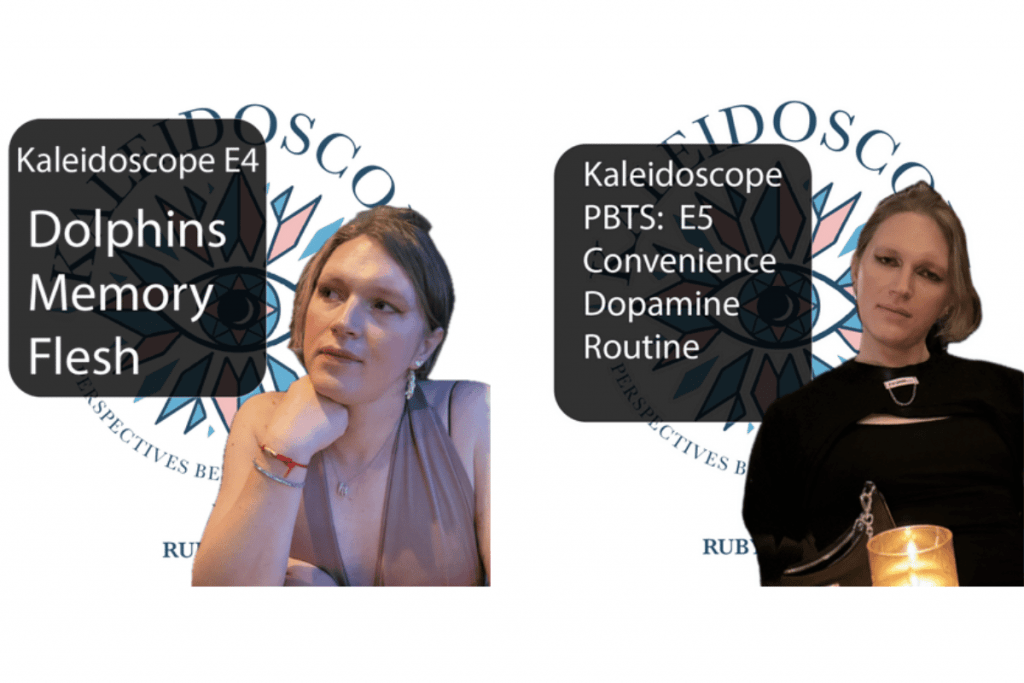
In this case, host Ruby Rae Liu uses her original podcast cover art as the background for her episode specific artwork.
At a quick glance, your listeners can see your thumbnails and click on the ones that pique their interest.
Here’s another example from Ashley, one of our team members here at RSS.com, and her podcast The Bloggy Friends Show:
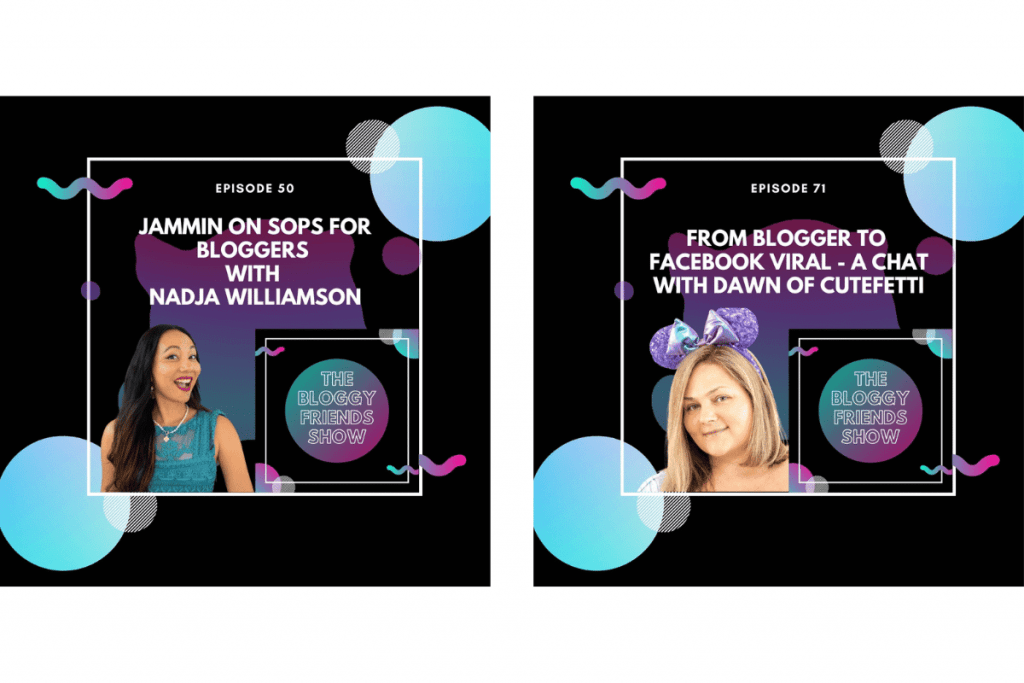
Notice how Ashley uses her podcast’s main cover artwork for branding purposes, but then calls out her episode title and guest as the “focus” of the podcast episode cover artwork.
Someone scrolling Apple Podcasts could quickly see what the episode is about and determine whether or not they want to tune in.
You could create a template to make quick work of this in a program like Canva or Photoshop.
Learn more about how to create podcast cover art here.
You could also watch our video ✨ How to Make Your Podcast Artwork Visually Stand Out:
And that’s it – by taking advantage of episode art for your individual podcast episodes, you can reinforce your branding, make your episodes more interesting and visually engaging.
Start creating your podcast episode cover artwork today!