Learn how to launch a podcast newsletter, grow your subscriber list, and promote every episode without relying on social media algorithms.
🎥 Missed the live session? Watch the replay of our Email Marketing for Podcasters: Grow and Own Your Audience presentation below.
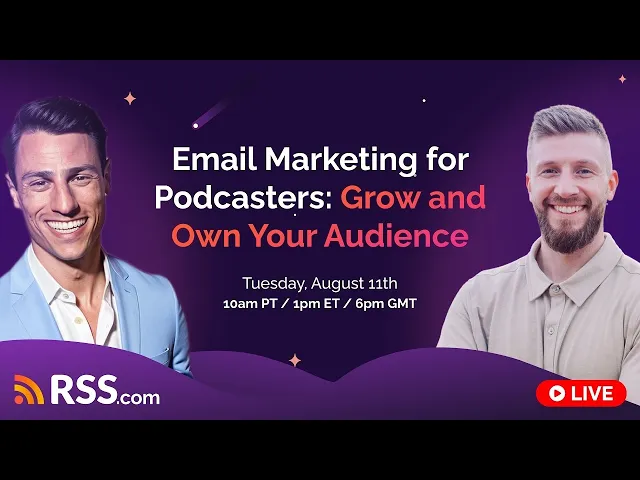
We recently hosted a free live training with RSS.com Head of Relationships Greg Wasserman and Hypermedia Marketing founder Tyler Cook. The topic was simple: why every podcaster needs an email list, and how to build one without getting overwhelmed by the tech.
Below is a recap of everything they covered, plus the key takeaways you can put to use today.
Why Own Your Audience Instead of Renting It
Social platforms and streaming apps control who sees your content. Their algorithms can change overnight. Your reach can drop for no reason you can see. Email works differently. Once someone gives you their email address, that connection is yours. No algorithm can take it away.
Tyler pointed to research from SEO expert Rand Fishkin, who tracked marketing channels over 20 years. Every other channel has had ups and downs. Email has grown steadily the whole time, and nothing has managed to replace it.
The bottom line: build your audience wherever they already are, but don’t skip email. It’s the one channel you actually own.
Step One: Pick the Right Email Platform
Before you sign up for any tool, answer these five questions:
- How big is your list right now? Most platforms charge based on your contact count.
- Do you need heavy automation, or just a way to send updates? Automation matters if you’re planning webinars or funnels down the road.
- What kind of emails will you send? Plain text works fine for most podcasters. Save the fancy, image-heavy designs for later.
- What’s your budget, now and a year from now? Pick a platform you can grow into so you’re not forced to switch later.
- What else does it need to connect to? Think about your website, your payment processor, and your other tools.
Related: 6 Reasons Why Your Podcast Needs an Email List
Match Your Platform to Your Business Model
Your best-fit platform depends on what your podcast actually is.
If the podcast itself is the business, Tyler recommends Kit (formerly ConvertKit) or Flodesk. Kit gives you strong automation plus newsletter tools built for creators. Flodesk keeps things simple with flat pricing and clean, easy templates.
If your podcast supports a bigger product or service business, look at platforms built for automation, like ActiveCampaign, HubSpot, or Brevo. These handle webinars, funnels, and more complex follow-up sequences.
One word of caution: Tyler advises against Beehive and Substack for most podcasters.
Both platforms promote “subscriber arbitrage,” meaning they recommend other newsletters to your new subscribers, and recommend your newsletter to other people’s audiences too. That can dilute the audience you worked hard to build. It’s a real trade-off between fast discovery and full ownership of your list.
Should You Start on a Free Plan?
It’s tempting to start free, and Tyler says that’s fine if it’s what gets you moving. But there’s a catch. Free tiers often share the same servers as spam senders, which can hurt how many of your emails actually reach the inbox.
His advice is if you can swing it, start with a low-cost plan like Kit, Flodesk, or GoHighLevel instead of a totally free one. You’ll get better deliverability from day one, and you won’t have to deal with a painful platform migration later. If free is genuinely all you can do right now, that’s still better than not building a list at all.
Four Things You Need Before You Hit Send
Once you pick a platform, there are four setup steps you can’t skip:
- A branded domain. Gmail, Yahoo, and Outlook no longer allow bulk sending from @gmail.com addresses.
- An SPF record. This tells inboxes which servers are allowed to send email for your domain.
- A DKIM record. This is a digital signature that proves the email really came from you.
- A DMARC record. This tells inboxes what to do if the SPF or DKIM checks fail.
It sounds technical, but most platforms walk you through it step by step during setup. Skip these and your emails may never reach the inbox at all.
Get People to Sign Up
Put your signup form everywhere including your show notes, your YouTube description, and your website. Keep the form short. Just ask for an email address, and tell people exactly why they should subscribe.
Lead magnets are the fastest way to grow your list. The ones that work best for podcasters:
- Cheat sheets and checklists
- A short 5-day email course
- Bonus audio content
- AI skills or prompt packs tied to a specific episode
Try feeding one of your episode transcripts into an AI tool and asking it to suggest lead magnet ideas. It’s a fast way to turn content you already have into something new.
What to Actually Send
You don’t need a fancy template. Plain text emails perform well and are often easier for spam filters (including Gmail’s AI-powered filtering) to read correctly.
Two simple formats work for almost any podcast:
The quick recap: A 2 to 3 sentence summary of the episode, 3 bullet-point takeaways, and one link to listen. That’s it.
The value-first format: Lead with a useful insight, then link to the episode, then close with a clear call to action. This works because people open your email for the insight first, and the podcast becomes a bonus, not the whole pitch.
Either way, consistency beats cleverness. One email per episode, sent every time, will outperform an occasional “perfect” email.
Turn Your Email List Into More Podcast Listens
A few tactics from the session that are easy to put into action right away:
Add your podcast link to your email footer. Every email needs an unsubscribe link and your business address by law anyway, so put a link to a recent episode right next to it. It shows up in every email you send, even non-podcast ones.
Try a chained episode flow. Take 15 to 20 episodes from your back catalog, write a short blurb for each with AI, and set them up as a sequence for new subscribers, spaced 3 to 5 days apart. One client who tried this climbed 15 spots in the charts within two weeks.
Use audio snippets on your website. A short 90-second clip asking for less commitment than a full episode tends to get more clicks than sending people straight to Spotify.
Try algorithm seeding. For 2 to 3 months, send new episodes only to your most engaged subscribers or ideal listener segment. This teaches the platform algorithms who your show is for, so they start recommending it to more people like them.
Two AI Tools That’ll Save You Hours
Transcript to email: If you’re on an RSS.com paid plan, you already get free transcripts. Feed one into your AI tool of choice and ask it to write your recap email, complete with takeaways and a CTA.
Google Alerts to content brief: Set up free Google Alerts for topics related to your podcast. Send those alerts to AI and ask it to turn relevant news into email content ideas. It’s a simple way to stay current without spending hours reading the news yourself.
Meet Your Hosts
Greg Wasserman Head of Relationships at RSS.com
Tyler Cook Founder of Hypermedia Marketing