
Whether you have been podcasting for months or are just now gearing up to release your first episode, podcasting has a lot of moving parts. Research, guest booking, recording, editing, show notes, uploading, promoting. Then doing it all over again next week. If that list makes you feel like you need six arms just to keep up, you are not alone.
The good news is, you don’t have to do all of it yourself. And, even the parts you do handle personally? Most of them can be made a whole lot easier with the right systems in place.
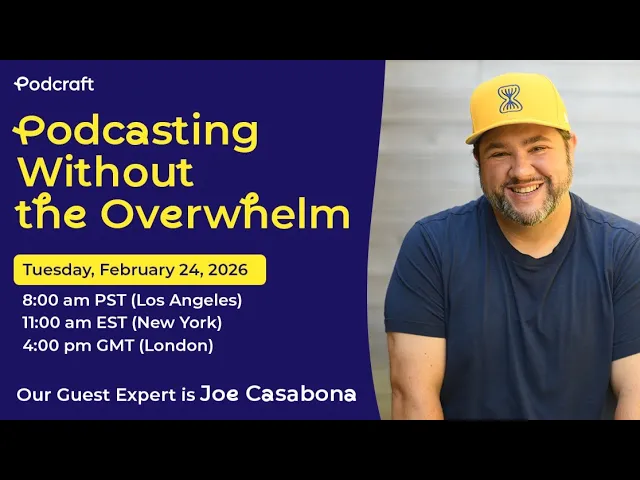
Our product evangelist Joe Casabona recently joined Alitu & The Podcast Host for a presentation on podcasting without overwhelm. Below, we’ll walk you through everything he shared about how to manage your podcast workflow from start to finish, using practical tools and simple automations that save you real time.
Prefer to watch? Check out the presentation “Podcasting Without the Overwhelm: From Scattered Ideas to Repeatable, Automated Workflow w/ RSS.com” here:
Most podcasters are not doing this full time. It’s something they squeeze in around work, family, and everything else life throws at them. So when the process starts feeling like too much, people quit. Not because they ran out of ideas. Because they ran out of steam.
A good workflow fixes that. It takes the thinking out of the process so you can focus on the part that actually matters: showing up for your audience.
Step One: Write Down What You Are Already Doing
Before you can improve anything, you need to know what you are actually doing. Every step. Every task. All of it.
This might sound obvious, but most podcasters are running their process from memory. That means every episode requires a fresh dose of mental energy just to remember what comes next. Writing it all down removes that load entirely.
You do not need a complicated system for this. A simple Google Doc works fine. The goal is just to get every step out of your head and onto a page so you can look at it clearly.
Once it is written down, it becomes much easier to spot what’s taking too long, what you keep forgetting, and what someone else could do for you.
What Your Podcast Workflow Might Look Like
Every show is a little different, but most podcasting workflows follow a similar path:
- Come up with episode ideas
- Decide on a topic
- Search for potential guests
- Schedule interviews
- Write questions or an outline
- Record the episode
- Edit the audio
- Upload to your podcast host
- Write show notes
- Promote the episode across email and social media
That’s a long list. And it repeats every single week.
The Four Types of Tasks You Can Automate
Once you have your process written down, you can start looking for tasks that do not actually need you involved at all.
There are four types of tasks that are strong candidates for automation.
- Common, easily repeatable tasks. These are things you do the same way every time. Sending an email to your list when a new episode drops. Adding a guest to your podcast planner when they book a call. These are perfect for automation because the steps never really change.
- Infrequent tasks that take a lot of effort. Think about what happens when you land a new sponsor. You have to send a contract, then an invoice, then a kickoff email. Or when you book a guest interview, you need to create a Google Doc, email prep materials, and add everything to your planner. These are tasks that do not happen every day, but when they do, they eat up a chunk of time. An automation handles all of it the moment it is triggered.
- Tasks where timing matters. If someone signs up for something at 10 PM on a Friday and you are not checking email until Monday morning, that is a bad experience for them. Automations do not sleep. They work whenever they need to.
- Things you cannot afford to forget. Uploading a replay after a live stream. Sending your editor the files. Notifying your VA when an episode is ready to schedule. These are small tasks that slip through the cracks when you are busy. Automations mean they never do.
How to Know If Something Can Be Automated
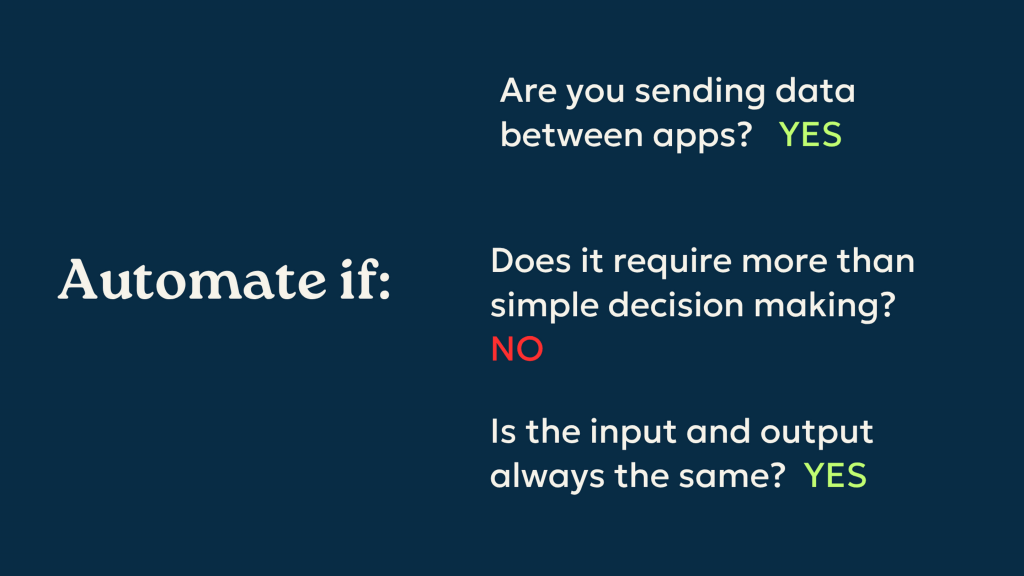
Not everything is a good fit for automation. Here are three questions to ask about any task you are considering:
- Are you sending data from one app to another? If yes, that is a strong sign it can be automated.
- Does it require more than simple decision making? If the answer is no and the steps are straightforward, automation is very likely possible.
- Is the input and output always pretty much the same? If someone fills out your booking form the same way every time and you always want the same result in your planner, that is a predictable process. And predictable processes are easy to automate.
A Simple Example That Makes This Click
Say someone books a guest interview using your scheduling link. You want that guest’s name, email, and topic to automatically show up in your podcast planner in Notion. That’s sending data between two apps. It requires no complex decision making. And the form never changes.
That’s a one-time setup in a tool like Zapier, and from that point forward, every new booking lands in your planner automatically. No copying, no pasting, no forgetting.
Tools Worth Knowing About
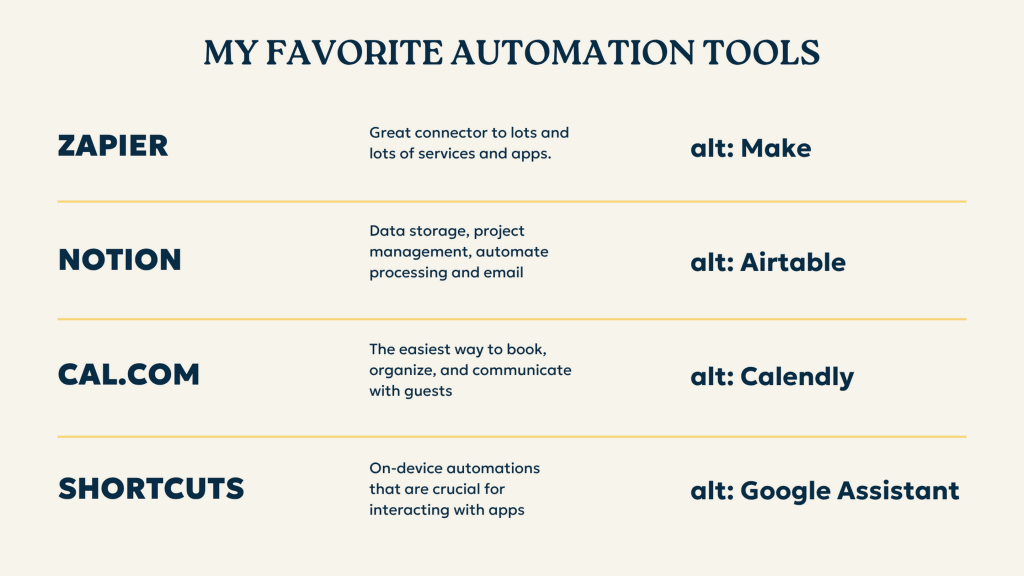
You don’t need to be technical to use these. Most of them are designed for regular people who just want things to work.
– Zapier connects hundreds of apps and lets you build automations by describing what you want in plain language. It’s free to get started and has a built-in assistant that can build simple automations for you.
By the way, you can use Zapier with RSS.com. Learn more about our API Access here!
– Make (formerly Integromat) is a good alternative with more visual controls, though it has a bit more of a learning curve than Zapier.
– Notion is a great home base for your podcast planner. It has built-in automations and connects well with other tools. The fewer steps in your chain, the less likely something is to break.
– Cal.com is a free scheduling tool that works well for booking guests and clients. Calendly is a solid alternative.
– Apple Shortcuts (or Google Assistant / Gemini on Android) lets you build simple automations right on your phone. Very handy for capturing ideas on the go.
The Four Parts of Any Automation
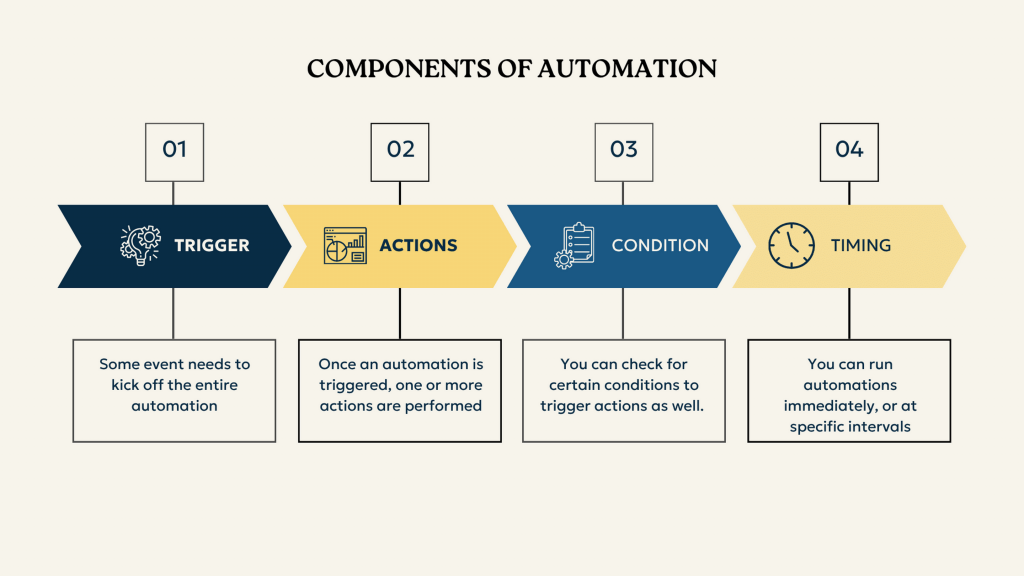
Every automation, no matter how simple or complex, is made up of the same basic pieces.
- The trigger is what starts everything. It could be someone booking a call, a new file landing in Dropbox, or a specific time of day.
- The action is what happens as a result. Send an email, add a row in Notion, update a status, notify your editor.
- The condition is an optional filter. For example, only run this automation if the booking form is for a specific podcast, not all your booking links.
- The timing controls when the action happens. Some automations fire immediately. Others run on a schedule, like checking for new Notion entries every two minutes.
That’s really all there is to it.
Four Automations You Can Start Using Today
1. Capture Ideas Instantly
One of the most common struggles podcasters face is sitting down to record and having no idea what to talk about. The fix is building a habit of capturing ideas the moment they come to you.
On iPhone, you can set up an Apple Shortcut that gives you a quick input box right from your home screen. Tap it, type or dictate your idea, and it goes straight to your podcast planner. No opening apps, no forgetting what you were going to say.
An app called Whisper Memos lets you record a voice note from your phone or Apple Watch, and it will transcribe what you said automatically. You can even set it up to sort your ideas by category.
On Android, a Google Notes widget or the Gemini assistant can do something very similar.
The goal is zero friction. If capturing an idea takes more than a few seconds, you will not do it consistently.
2. Automate Your Guest Booking Flow
When someone books an interview, there is a chain of tasks that needs to happen. A Google Doc needs to be created from a template. The guest’s info needs to go into your planner. A confirmation needs to go out. Prep materials need to be sent.
All of that can be automated from the moment they hit submit on your booking form.
The result? By the time you sit down to prep for the interview, everything is already in your planner with a link to the show notes doc. You just click and start your research.
3. Let Dropbox Trigger Your Editor
Once you have recorded an episode and downloaded your files, dropping them into a specific Dropbox folder can trigger an automatic email to your editor, update the episode status in your planner, and log the file details, all without you having to do a single extra thing.
When your editor is done and uploads the finished file, another automation fires. The status in your planner updates to “ready for scheduling,” and your VA gets an email letting them know.
From the moment you finish recording to the moment the episode goes live, you are barely touching it. That frees up hours every week.
4. Email Your List When a New Episode Drops
If a podcast goes up and nobody knows about it, does it get any downloads? Do not leave this to chance. Tools like Kit (formerly ConvertKit), Mailchimp, and others can connect directly to your podcast feed. The moment a new episode is published, an email goes out to your list automatically.
One setup. Then it works every time, forever.
Get a Podcast Planner Before You Do Anything Else
All of these automations are built around one central hub: your podcast planner. Without something to feed information into and pull it from, automations have nowhere to work.
Your planner does not have to be fancy. It could be a Notion database, an Airtable table, or even a well-organized Google Sheet. What matters is that it tracks your episode ideas, which episodes are being recorded, which are being edited, which are ready to schedule, and which are live.
With that in place, you can glance at your planner any time and know exactly where every episode stands. No guessing. No scrambling.
Joe offers a free Notion-based podcast planner template called Podcast Navigator at streamlined.fm/podcraft. No email address required.
Batch Your Episodes to Get Ahead
One of the most effective things you can do for your workflow is record more than one episode in a single sitting. Set everything up once. Then keep going.
Record four or five episodes back to back. Then, when you move to editing, edit four or five in a row. When you write show notes, write them for a batch. When you schedule, schedule the whole batch at once.
This is called batching, and it works because switching between different types of tasks costs you more time than most people realize. Every time you stop one kind of task and start another, it takes your brain about 15 to 20 minutes to fully get back up to speed. Batching cuts that context switching down to almost nothing.
Related: Learn about scheduling your podcast episodes too!
Joe’s Pro Tip: Don’t lock your episodes to specific numbers until you are ready to publish. If a guest cancels and you have already numbered your episodes, you have a gap and a scramble. Keep them flexible until they go live.
Use AI for Show Notes (But Stay in Control)
AI can help you with show notes, but it works best as a starting point, not a final product. Upload your transcript and give it a specific prompt. Ask for key takeaways, links you mentioned, potential chapter timestamps, and a brief summary. Then rewrite it in your own voice.
A few things that help. Have a template ready before you ask AI for anything. Know what you always include in show notes so you can give the tool clear instructions. And tell it to stick to your words, not its own. A prompt like “use only language from the transcript and connect it with minimal grammar” tends to produce much more natural results.
Tools like Zapier have built-in AI steps that let you send a transcript and receive formatted show notes as part of a larger automation. That means the whole thing can happen without you even opening ChatGPT.
When to Delegate and Where to Find Help
Once your workflow is documented and your automations are in place, look at what is left on your plate. Some of those remaining tasks simply require you. The recording, the interviews, the creative decisions. But a lot of tasks do not.
Editing, uploading episodes, writing show notes, managing social media, these are all things someone else can handle. And you do not have to wait until you are profitable to start outsourcing. Even one or two tasks off your list can make a real difference.
Here are some places to look for help.
Freelance platforms like Upwork, Fiverr, and Freelancer are a good starting point for finding editors, writers, and social media managers.
Other podcasters are a surprisingly good resource. Join communities like the Podcast Movement Facebook group, which has over 89,000 members. You might find someone who loves the tasks you hate, and vice versa. Swapping skills is a real thing.
Local colleges are worth reaching out to. Communications and broadcasting students often need real-world projects. Some can even get class credit for helping you.
Your own audience is another option. Put the word out that you are looking for help. You might be surprised who raises their hand.
A Note on Format: Choose What Works for You
If you are feeling behind, it might not be a process problem. It might be a format problem.
Interview shows require coordination, scheduling, back-and-forth emails, and a lot of moving parts that solo shows simply do not. If you are struggling to keep up, try recording a few short solo episodes and see how they feel.
Solo episodes can be very effective, especially if your goal is establishing your expertise or building trust with an audience. A 7-minute episode recorded straight from your phone, like a voice note from a knowledgeable friend, can outperform a polished interview show in terms of audience connection and even business results.
There are no rules here. Your show, your format.
Start Simple. Build From There.
You don’t need to build every automation on day one. Start with one. Maybe it is using a scheduling link instead of back-and-forth emails. Maybe it is a simple email to your editor when you drop files in a folder.
Pick the one thing that is eating the most time or causing the most stress, and solve that first. Once it is working, add the next one.
The goal is not a perfect system. The goal is a system that frees you up to do the thing you actually started podcasting to do: share something worth hearing.
Ready to simplify your podcast workflow? RSS.com gives you the tools to host, distribute, and grow your show from one place. Start for free today.