People aren’t “googling” podcasts the way they used to. They’re asking ChatGPT, Claude, and Perplexity for recommendations instead.
Think, “What’s the best podcast for small business owners learning AI?” or “Can you recommend a health podcast for women dealing with perimenopause?”
These conversational searches are happening millions of times per week. And if your podcast isn’t optimized for AI search, you’re invisible.
The good news? Most podcasters aren’t doing this yet. You can get ahead now while the competition is low.
We interviewed AI search expert Heidi Hapanowicz to get her insider secrets for how to get your podcast found on ChatGPT. Below are some of the tips and tricks she shared with us.
Why AI Search Matters for Podcasters
AI search engines work differently than traditional Google.
They don’t just find links. They synthesize information from across the web and give direct answers.
When someone asks for a podcast recommendation, these tools pull from:
- Your podcast transcripts
- Your website content
- Your social media profiles
- Directory listings
- Guest appearances
- Reviews and mentions
If that information is missing, inconsistent, or hard to find, AI tools will recommend someone else.
According to SparkToro’s 2024 study, only about 360 clicks go to the open web out of every 1,000 Google searches. AI overviews now appear on roughly 13% of queries. People are getting their answers without ever visiting a website.
Your podcast needs to show up in those answers.
Transcripts Are Now Non-Negotiable
AI can’t listen to audio. It only reads text.
Without transcripts, your podcast is essentially invisible to AI search engines. It doesn’t matter how good your content is if AI can’t parse it.
Here’s what you need:
Full transcripts for every episode. If you’re using RSS.com and have a paid account, this is literally one button. Leverage our AI transcription feature today.
Watch our video “Podcast Transcript: Maximize Your Podcast’s Potential With Transcripts” to learn how to use it:
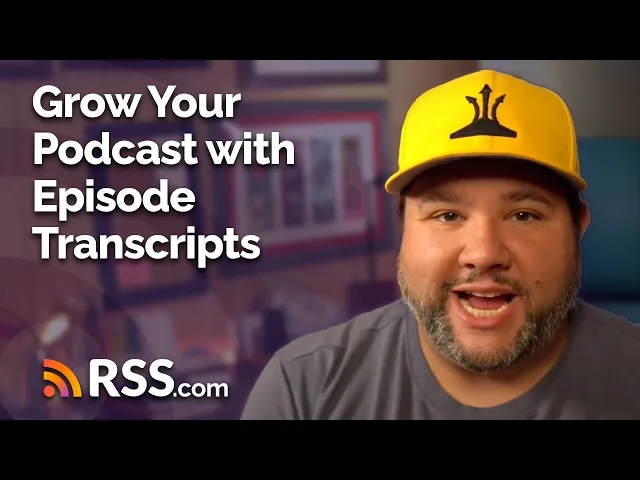
There’s still a shocking amount of RSS.com users that don’t enable transcripts even though it’s included with all paid accounts. Do yourself a favor and take advantage of our transcripts feature!
You can also highlight sections with timestamps thanks to our Chapters feature. Create a summary that calls out key moments like this:
“00:04:37 – 00:09:57 How to sleep train your baby”
“00:12:15 – 00:20:51 Three foods that balance hormones naturally”
“00:23:40 – 00:28:49 The biggest mistake new coaches make with pricing”
Watch our video How to Add Podcast Chapters – Boost Discoverability & Listener Experience:

These timestamped highlights help AI tools point users to specific answers within your episodes.
Consistency Across Every Platform
AI agents look for patterns. When they see the same description of you everywhere, it signals trust and authority.
Create one authoritative bio and use it everywhere:
- Your podcast host
- Your website
- Instagram, LinkedIn, YouTube
- Guest appearances
- Medium or Substack
- Directory listings
Be specific. For example:
“Business coach for millennial moms who love Taylor Swift” is better than “heart-centered entrepreneur coach.”
AI needs clear language to understand who you serve and what problems you solve.
Even if you don’t actively use a platform, claim it and add your consistent description. AI checks everywhere.
Build a Dedicated Podcast Website
RSS.com gives you a free website, but even we admit you need even more than that to get found in AI search results.
Every episode should have its own page with:
- SEO-optimized title
- Detailed description with keywords
- Full transcript
- Highlight sections with timestamps
- Guest information and links
- Internal links to related episodes
Why does this matter? Your website becomes the authoritative source AI tools cite. When ChatGPT recommends your podcast, it wants to link to a page that proves you’re credible.
Create FAQ Pages for Every Topic
AI loves answering questions. Give it easy access to yours.
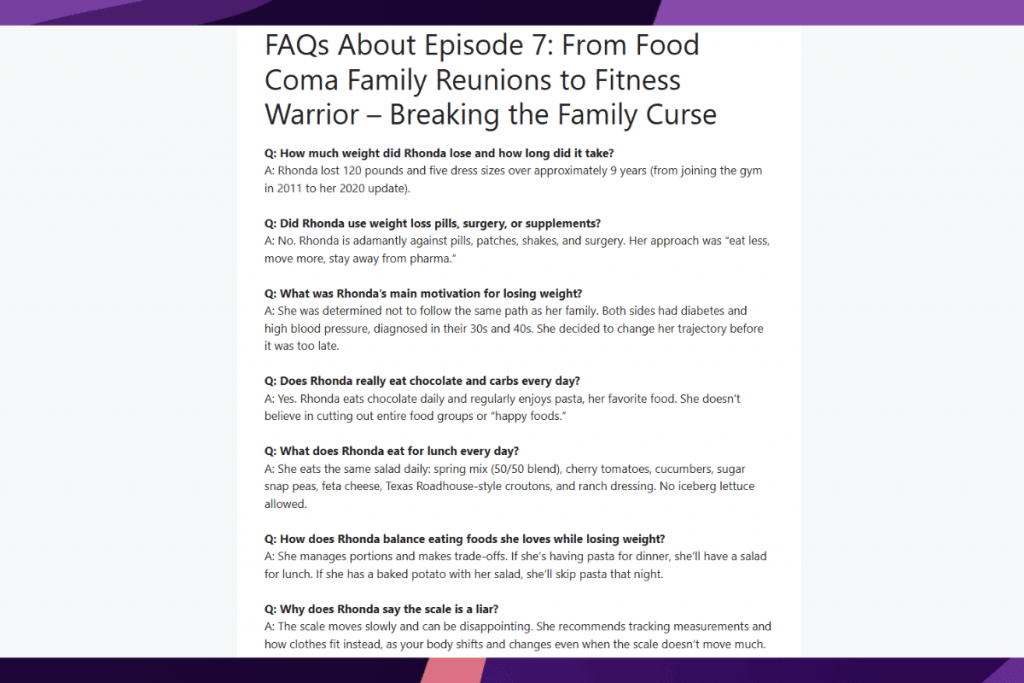
Build FAQ sections that mirror how people actually search
For example:
“What’s the best podcast for learning Instagram marketing?”
“How do I start a podcast with no equipment?”
“What should a health coach charge per session?”
Answer these questions clearly in 1-2 sentences, then expand with details.
Place these FAQs on your website, in episode descriptions, and across your social media.
Each FAQ becomes a potential entry point for AI to recommend your show.
Here’s an example of using an FAQ section in a blog post to promote a podcast episode:
Use Schema Markup (The Secret Weapon No One’s Talking About)
Schema is code that tells AI agents exactly what’s on your page. Most people have never heard of it. That’s your advantage.
You can generate schema code using AI tools like ChatGPT or Claude. Just ask: “Can you create schema markup for this FAQ page?” Then copy and paste it into your website.
Use these schema types like these:
- FAQPage for your question sections
- QAPage for detailed Q&A content
- Person for host and guest bios
- DefinedTerm for concepts you explain
This makes your content machine-readable. AI can quickly understand and cite your information.
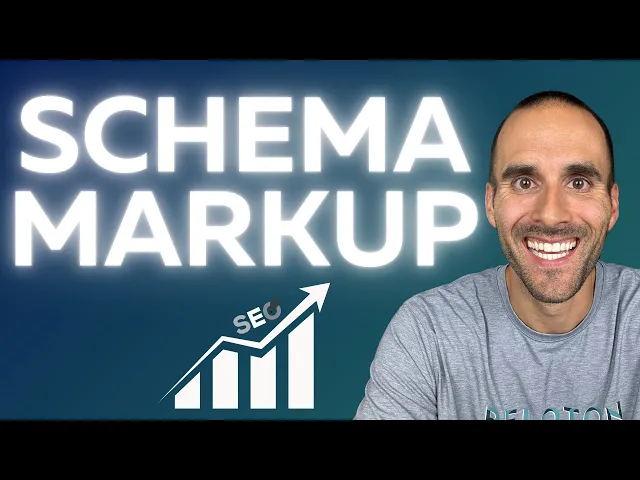
Check out this quick tutorial on how to add schema markup to your website:
Leverage Podcasting 2.0 Tags
RSS.com implements Podcasting 2.0 namespace tags to help our podcasters increase their visibility.
These add structured data to your podcast feed that AI can read.
Key tags RSS.com includes:
- <podcast:transcript> – Links to your transcript
- <podcast:chapters> – Creates timestamped sections
- <podcast:person> – Identifies hosts and guests
The chapters feature is especially powerful. It lets you add questions directly at timestamp markers, making your content more discoverable without disrupting your natural conversation flow.
More structured data means more ways for AI to understand and recommend your content.
Click here to learn more about Podcasting 2.0 Tags.
Repurpose Content Across Platforms
AI looks for consistent signals across the web.
Take one podcast episode and turn it into these assets:
- A blog post on your website
- A Medium or LinkedIn article
- Instagram posts with key questions
- YouTube video (even audio-only with a static image)
- Email newsletter segment
Repurposing your podcast is a great way to reinforce your authority through repetition.
When AI sees the same expertise discussed across multiple platforms, it trusts you’re legitimate.
Link everything back to your main podcast page on your website.
Internal linking within your own site is valuable. External backlinks matter less than they used to.
Optimize Your Social Media for AI
AI agents now scan Instagram, LinkedIn, TikTok, and other platforms. They’re looking for answers, not follower counts.
On Instagram:
- Add alt text to every image (AI reads this)
- Put questions directly in your posts, not just captions
- Use your Highlights to showcase podcast topics
- Make sure “podcast” appears in your profile and highlights
- Make bold claims (but back them up!) in your captions
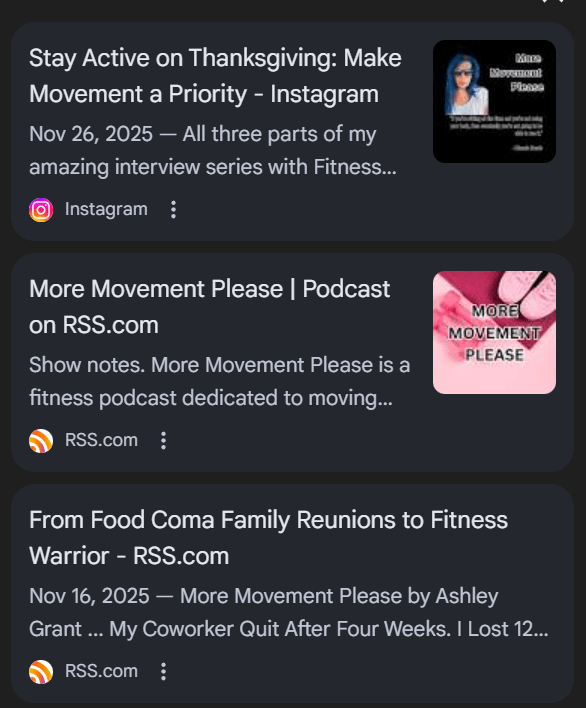
Sometimes adding that additional text is all you need to show up in Google’s AI Overview. Here’s an example of the More Movement Please Instagram page showing up in Google AIO:
Create question-based content.
And, use bold text on simple graphics:
Think “Best restaurant in Mexico City?” with the answer below.
Or create tables with 20 questions and quick answers.
Engagement metrics matter less than having clear, searchable content.
A post with 10 likes but a direct answer to a common question is more valuable to AI than a pretty photo with 500 likes and no substance.
Get Featured and Mentioned
Every time you appear as a guest somewhere, that’s a citation AI can use.
When you guest on other podcasts or write for other sites, include: “I discussed this on Episode 32 of [Your Podcast Name]” with a direct link.
Build citations through:
- Guest podcast appearances
- LinkedIn and Medium articles
- Guest posts on industry blogs
- Reviews on Apple Podcasts, Spotify, and other podcast directories
- Local business listings (if relevant)
Reviews matter to AI search because they act as trust signals. Ask satisfied listeners to leave reviews that mention specific topics you cover.
Advanced Move: Create a WikiData Profile
WikiData is the structured data behind Wikipedia. You can create profiles there before you’re notable enough for Wikipedia.
AI tools use WikiData as an authority source.
Here’s how:
- Go to wikidata.org
- Create your personal profile
- Create your podcast as a separate entity
- Link them with “occupation” and “notable works”
- Upload your photo to Wikimedia Commons with alt text
- Add your website, social links, and key information
This establishes you as a real entity in AI’s knowledge base.
Test Your AI Visibility
Check how you show up monthly.
For example: you could ask ChatGPT or Claude: “Best podcast for [your topic]”
– Look at which sources it cites
– Note where similar podcasts are being found
– Identify gaps in your coverage
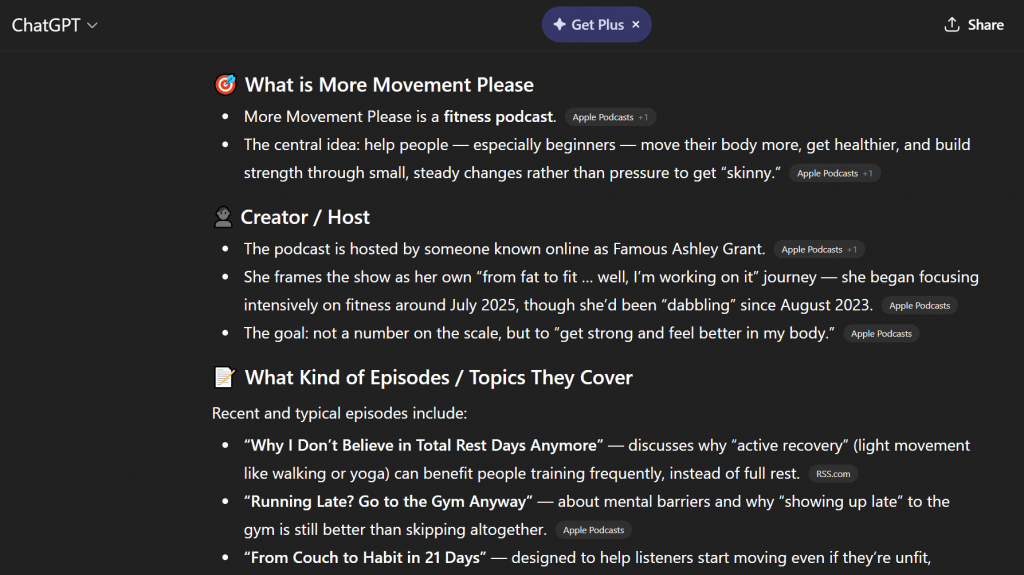
Here’s an example of an RSS.com user’s podcast overview in a ChatGPT search for the More Movement Please Podcast:
If AI consistently cites Yelp reviews for local recommendations, make sure you have updated reviews there. If it pulls from Medium articles, start publishing there.
One makeup artist that Heidi works with changed her description everywhere to “voted best makeup artist in Tampa” after winning a local competition.
Within a month, she appeared in ChatGPT results for “best makeup artist in Tampa.” Her website became the source cited.
The One-Weekend Setup
You can implement most of this in a focused weekend.
Saturday:
- Turn on AI transcription for all of your back episodes
- Update your bio everywhere with specific, clear language
- Add 5-7 FAQs to your podcast website
- Create schema code for your main pages using ChatGPT
Sunday:
- Audit your social media for consistency
- Turn one recent episode into a blog post
- Set up a WikiData profile
- Ask your last 3 guests to link to their episode
Going forward, create a simple template of what to do when you publish a new episode:
- Generate transcript (you can generate one automatically with RSS.com)
- Create timestamped highlights
- Write a blog post from the transcript
- Add 2-3 FAQs
- Post question-based content on Instagram
- Ask the guest to share with a backlink
You can even use AI to speed this up.
Give ChatGPT your transcript and ask it to create: “Timestamps, blog post, description, and three Instagram posts.”
You’ll have everything in minutes.
Luckily, because not all podcasters are taking advantage of these hacks, it doesn’t take much to get your podcast visible in Google AI Overview. Simple tweaks are a great way to help listeners considering your podcast learn more about your show.
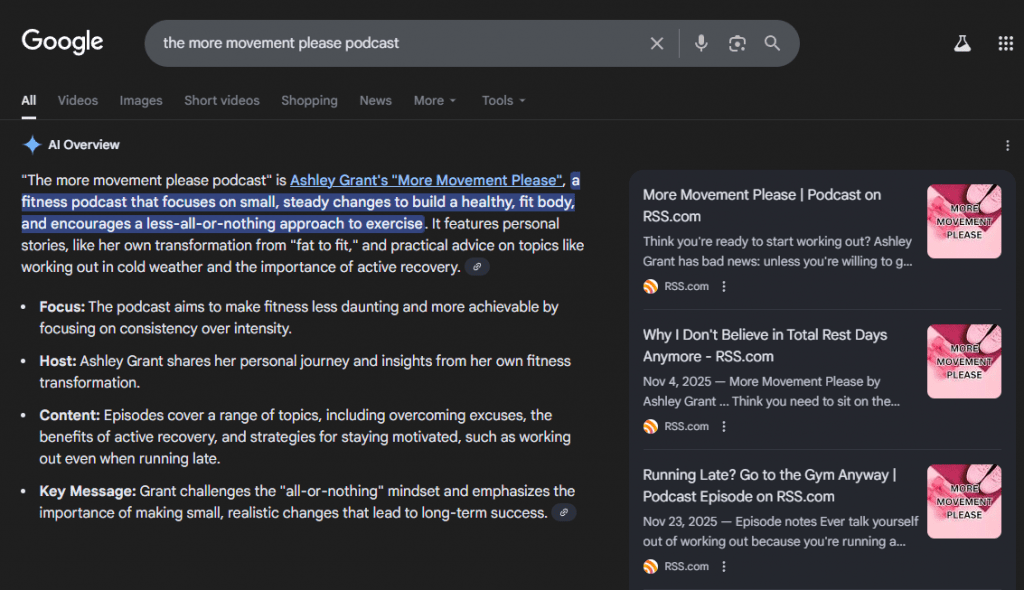
Get in on this before it becomes the trend that everyone is taking advantage of, however. As with all things, the more podcasters jump on the bandwagon, the more competitive it could become to use these tools for visibility!
What About Traditional SEO?
Keep doing it. AI search and traditional search work together.
Though Google’s AI Overviews now appear in 13% of searches, that means 87% still show traditional results.
Plus, AI tools often pull from content that already ranks well on Google.
Your SEO work compounds. Well-structured content with clear headers, alt text, and internal links helps both human search engines and AI agents.
Use AI Search for Visibility
AI search is here. People are asking ChatGPT, Claude, and Perplexity for podcast recommendations right now.
Most podcasters aren’t optimizing for this. They’re still writing for 2020 Google SEO or ignoring discoverability altogether.
You don’t need to do everything at once. Start with transcripts and consistency. Those two moves alone put you ahead of the majority of podcasters.
Add FAQs and schema markup. Use RSS.com’s built-in Podcasting 2.0 features. Repurpose your content across platforms. Build citations and reviews.
The podcasters who take action now will own the recommendations when AI search goes mainstream.
Make it easy for AI to find you. Make it impossible for AI not to recommend you.