The STEM Lab
by The Stem Lab
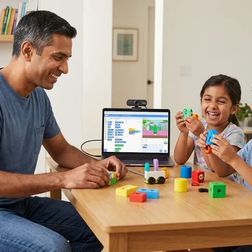
How to Build Your First Machine Learning Model with Kids: Step-by-Step Guide
By 2026, machine learning skills won't be optional—they'll be expected in virtually every job posting. Yet most schools are still teaching coding fundamentals from a decade ago. This episode tackles a problem many parents don't even realize they have: how do you actually teach your kids to build real ML models that translate to professional skills, not just flashy toys that lead nowhere? Host Rajiv Patel, drawing on fifteen years of enterprise AI experience, walks through exactly what to look for in ML learning platforms and which tools deliver genuine, transferable skills for kids ages 8 and up. Start kids ages 8–10 with visual dataset tools, then transition to Python-based platforms around ages 11–13—and always prioritize systems that export to industry-standard formats like TensorFlow or scikit-learn rather than proprietary ecosystems. Platform choice matters more than most parents realize: tools should teach concepts that transfer to professional workflows, support Python integration, and provide clear pathways from visual block-based learning to actual code. Dataset quality determines model quality, so effective platforms provide both curated datasets (like MNIST or CIFAR-10) and tools for creating custom datasets—kids need to understand data collection, labeling, and bias before training their first model. Entry-level ML education runs fine on standard laptops with 8GB RAM and dual-core processors; cloud-dependent platforms introduce latency and subscription costs, while offline-capable tools offer better learning control. Google Teachable Machine stands out as the fastest path from concept to working model for ages 8–12, offering zero installation friction, TensorFlow export formats for real deployment, and completely free local processing without data collection. Skip platforms that hide model evaluation behind animations—kids need to understand training/validation/test splits, accuracy metrics, and overfitting from the start, as these are fundamental quality controls, not advanced concepts. Read the full article: https://stemlabguide.com/how-to-build-your-first-machine-learning-model-with-kids
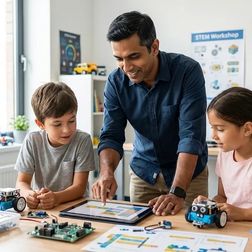
AI Project Ideas for Kids by Skill Level: Complete Learning Checklist
When parents search for AI projects for kids, they're usually looking for a quick weekend activity—but that's the wrong approach entirely. This episode maps out a complete skill progression from block-based pattern recognition for seven-year-olds all the way to deploying supervised learning models by age fifteen. Host Rajiv Patel breaks down projects organized by technical capability rather than arbitrary age brackets, following the same learning path he uses with his own children and recommends to hiring managers seeking junior ML engineers. If you're focused on long-term skill acquisition over entertainment value, this roadmap connects childhood projects directly to industry-standard competencies. The beginner tier (ages 7–10) requires no coding at all—physical card sorting games, decision tree board games, and LEGO sorting algorithms teach classification, training data, and feature identification using only paper, markers, and household items. Google's Teachable Machine exports directly to Scratch 3.0, letting kids train image classifiers and integrate them into games—demonstrating the full train-test-deploy cycle without Python syntax barriers. Decision tree board games using "20 questions" mechanics teach surprisingly advanced concepts like tree depth, overfitting, and generalization that map directly to scikit-learn's DecisionTreeClassifier used in production systems. The intermediate tier (ages 10–13) requires Python fundamentals first, with projects averaging 15–20 hours each—including spam filters using Naive Bayes and handwritten digit recognition with the MNIST dataset. A motivated ten-year-old with prior Scratch experience will consistently outpace an unmotivated thirteen-year-old starting cold, which is why the checklist organizes projects by technical capability rather than age. Even early projects like LEGO brick sorting introduce real ML concepts such as multi-variable classification and confusion matrices—measuring how many pieces were misclassified builds intuition for evaluation metrics used in professional workflows. Read the full article: https://stemlabguide.com/ai-project-ideas-for-kids-by-skill-level
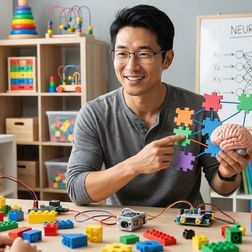
What Is Neural Networks for Kids: Simple Explanation with Activities
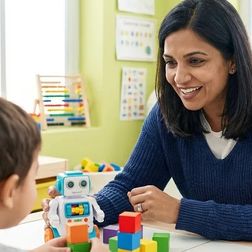
Ever wondered how to explain the technology behind Siri or facial recognition to your kids without getting lost in jargon? This episode breaks down neural networks in a way that's accessible for families, revealing how these systems learn through practice and mistakes rather than following pre-written instructions. Kazuki Tanaka walks through exactly how neural networks process information, using handwritten digit recognition as a concrete example, and shares how kids can start experimenting with these concepts in a home STEM lab using affordable hardware like a Raspberry Pi. Neural networks don't follow rigid if-then rules like traditional programs—they learn patterns from examples by adjusting the strength of connections between artificial neurons, similar to how your brain recognizes a dog instantly without running through a mental checklist. The architecture consists of three main parts: an input layer that receives raw data (like 784 pixel values from a handwritten digit), hidden layers that process information through weighted connections, and an output layer that produces the final answer. Training happens through backpropagation, where the network makes guesses, measures how wrong they are, then works backward through layers to nudge weights bit by bit—kids can watch accuracy climb from 10% random guessing to 95% in just minutes. You don't need expensive hardware for educational neural network projects—a Raspberry Pi 4 with 4GB RAM running Python and TensorFlow Lite can handle digit recognition without requiring internet connectivity once libraries are installed. Key terms to know include epochs (complete passes through training data), learning rate (how much weights adjust each step), and overfitting (when a network memorizes examples instead of learning general patterns). The fundamental shift from traditional programming is that instead of writing explicit rules, you provide examples and let the system discover its own rules through weight adjustment—this is the core concept kids need to grasp. Read the full article: https://stemlabguide.com/what-is-neural-networks-for-kids
How to Explain Machine Learning to Kids: Age-Appropriate Teaching Methods
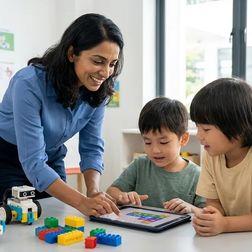
Most parents make the mistake of jumping straight into coding tutorials when teaching machine learning, only to watch their kids lose interest within minutes. This episode breaks down why that approach fails and what actually works: building genuine understanding from the ground up through hands-on, age-appropriate methods. Lakshmi Venkataraman walks you through a complete framework for teaching machine learning concepts to children ages 5 through 11+, from physical sorting activities that establish pattern recognition to supervised learning experiments that mirror real data science challenges. Whether you're a parent, teacher, or STEM educator, you'll learn exactly how to make abstract algorithms tangible and engaging. Kids need to understand what computers are actually learning before touching any code—pattern recognition and classification form the essential cognitive foundation that makes machine learning concepts click. A simple physical sorting activity with buttons, LEGO bricks, or toy animals teaches the same core concepts data scientists use: feature extraction and decision boundaries. The teacher-student metaphor transforms machine learning from a mysterious black box into something relatable—the computer is a student learning from labeled examples, making mistakes, and improving over time. Age-appropriate complexity matters: 5-7 year olds work with 2-3 obvious categories, 8-10 year olds handle overlapping features requiring multiple decision points, and 11+ tackle ambiguous cases that introduce confidence scores and error rates. Free tools like Google Teachable Machine provide browser-based, no-installation-required platforms for kids ages 8 and up to experiment with training their own models. Older students can explore real machine learning challenges like training data quality, bias in examples, and overfitting—these aren't oversimplifications but the actual problems engineers solve daily. Read the full article: https://stemlabguide.com/how-to-explain-machine-learning-to-kids
AI Concepts Every Child Should Learn: Essential Skills Checklist

As artificial intelligence reshapes everything from healthcare to entertainment, parents are left wondering what their kids actually need to understand about AI—and when. This episode delivers a practical, age-by-age checklist for building genuine AI literacy, starting with preschoolers and extending through middle school. Dr. Priya Mehta cuts through the hype to focus on real cognitive building blocks, showing you which concepts matter at each developmental stage and how to teach them without defaulting to screens. Pattern recognition is the cognitive foundation for all AI understanding—when your four-year-old sorts blocks by color or predicts what comes next in a sequence, they're building the same skills computers use in classification algorithms and prediction modeling. Physical, tactile learning experiences like sorting shells or building with LEGOs create neural pathways that screen-based activities can't replicate in early childhood, making screen-free approaches especially valuable for foundational concepts. Teaching children that data represents real things—connecting abstract symbols to concrete objects—introduces data abstraction, a cornerstone of computational thinking that prepares them for more advanced AI concepts later. Input-output logic becomes critical between ages six and nine, when children shift from "this happened" to "this happened because"—the causal reasoning at the heart of algorithm design. The frustration of a robot ignoring poorly ordered commands teaches computational precision: children learn that AI systems require unambiguous, logically sequenced instructions and cannot infer intent the way humans do. Simple activities like rolling dice help children grasp probabilistic thinking and randomness, essential concepts for understanding how AI systems handle uncertainty and make predictions without guaranteed outcomes. Read the full article: https://stemlabguide.com/ai-concepts-every-child-should-learn
Python vs Scratch for Teaching AI to Kids: Which Language Is Better?
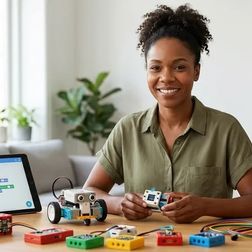
Choosing the right programming language to teach your child AI can feel overwhelming when one option is colorful and kid-friendly while the other powers real systems at NASA. This episode dives into the Python versus Scratch debate with a parent's perspective, backed by hands-on testing with kids and concrete data on career outcomes. Rajiv Patel breaks down exactly when each language makes sense, what hardware you'll actually need, and the specific age where Scratch stops being helpful and starts holding young learners back. Python aligns with 89% of machine learning job postings according to 2025 Stack Overflow data, while Scratch has zero professional application—meaning a transition to text-based coding becomes inevitable regardless of where your child starts. Scratch's machine learning extensions like ML4Kids run on remote servers with pre-trained models, so children label data and observe results rather than actually building or training neural networks themselves. The architectural gap is significant: Python connects directly to NumPy arrays, tensor operations, and GPU acceleration, while Scratch's visual blocks can't represent concepts like backpropagation or hyperparameter tuning without losing essential meaning. Hardware requirements differ dramatically—Python-based AI education needs at least 8GB of RAM (16GB preferred) for training models, while Scratch runs in a browser on a 2GB tablet but depends on cloud connectivity for ML features. A practical transition timeline emerges from testing: Scratch works beautifully for ages 7–10 to build foundational logic, but by age 11 or 12, children serious about AI need to move to Python to develop employable skills. The real-world skill gap became clear in one family's experience—a child using Scratch ML couldn't explain why training data size affected accuracy, but after switching to Python with a Raspberry Pi, she understood overfitting by watching it happen in TensorBoard logs. Read the full article: https://stemlabguide.com/python-vs-scratch-for-teaching-ai-to-kids
Best AI Learning Kits for Kids: Top Educational Robotics & Coding Tools
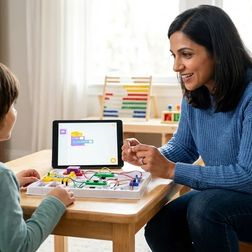
When your kid asks how Alexa understands them, that's your cue to move them from AI consumer to AI creator. In this episode, Chloe Miller breaks down what separates genuine machine learning education from flashy toys that just simulate intelligence. After two years of hands-on testing in her workshop, she reveals the specific features that determine whether an AI kit will actually teach your child to train models, recognize patterns, and understand algorithmic ethics—or just collect dust after the novelty wears off. The best AI kits support progressive language transitions, starting with block-based coding like Scratch for foundations, then moving to Python for real machine learning libraries like TensorFlow Lite and scikit-learn—avoid platforms that trap kids in proprietary apps with no pathway to actual data science tools. True AI education means kids create training datasets, label examples, run training cycles, and evaluate model accuracy; a robot that follows a line using sensors isn't teaching machine learning, it's teaching sensor logic. Hardware matters more than marketing suggests—basic Arduino boards can only simulate AI, while kits with ARM Cortex chips or Raspberry Pi 4/5 can actually run TensorFlow Lite models and handle real training workloads. Watch for hidden long-term costs: a $120 kit with a $15/month cloud subscription becomes a $300 investment in year one, and proprietary consumables lock you into a single vendor when standard USB cameras and I2C sensors work just as well. Age ranges on boxes are meaningless without skill milestones—eight to ten-year-olds should train image classifiers visually, eleven to thirteen-year-olds should write Python scripts to adjust hyperparameters, and fourteen-plus need exposure to neural network architecture and bias in training data. Expandability determines whether a kit is a toy or a career investment: look for compatibility with Arduino, Raspberry Pi, and open-source hardware so kids can deploy trained models to robots, sensors, or home automation systems. Read the full article: https://stemlabguide.com/best-ai-learning-kits-for-kids
How to Teach Kids AI & Machine Learning: Complete Parent's Guide
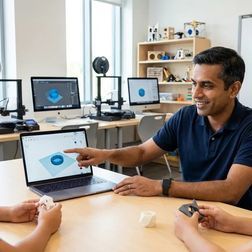
Your child's phone can recognize faces, understand speech, and recommend videos—but these aren't just features, they're teachable skills that kids as young as third grade can learn to build themselves. In this episode, Lakshmi Venkataraman breaks down exactly how parents can guide their children through AI and machine learning concepts without needing a computer science background. Whether you're wondering where to start or how to make these abstract ideas concrete, this guide walks you through age-appropriate approaches, specific tools, and learning paths that build real understanding. The most important mindset shift in AI education is moving kids from passive consumers ("my phone does this cool thing") to active investigators who understand the underlying logic and can build similar systems themselves. Machine learning doesn't mean computers think like humans—it's a pattern recognition process where systems learn from thousands of examples rather than being explicitly programmed step by step. The training process works through an iterative cycle: the system makes predictions, checks them against correct answers, calculates errors, and adjusts its parameters—repeating this millions of times until predictions become accurate. Google's Teachable Machine is a free, browser-based tool that lets kids train image classifiers using their webcam in under five minutes, making the connection between training data and model behavior visceral rather than theoretical. AI accuracy depends entirely on the quality and representativeness of training data—which creates natural opportunities for discussing AI bias and limitations with children. Breaking the misconception that AI has consciousness or human-like understanding early on matters enormously for building accurate comprehension of how these systems actually work. Read the full article: https://stemlabguide.com/how-to-teach-kids-ai-machine-learning
How to Teach Kids 3D Design Skills with Tinkercad and Fusion 360
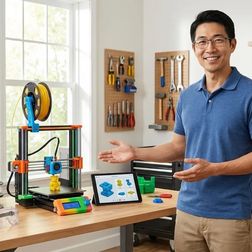
Your kid already thinks in 3D every time they play Minecraft or Roblox—so why not channel that spatial intuition into real engineering skills? This episode walks you through a structured 12-to-16-week curriculum that takes children from dragging shapes in a browser to building dimensionally accurate, manufacturable models in industry-standard CAD software. Whether you're a parent, educator, or makerspace leader, you'll learn exactly how to progress learners from Tinkercad's accessible block modeling to Fusion 360's parametric workflows—the same tools used in professional product design. Before opening any software, have kids sketch orthographic projections of physical objects with measurements—this 30-minute exercise reveals whether they're ready for CAD and prevents weeks of frustration later. Tinkercad's lack of parametric history is actually a useful teaching tool; the frustration of manually updating every dimension motivates learners to embrace Fusion 360's timeline-based approach. Hardware matters more than you might think: a three-button mouse is essential for parametric modeling, and 16GB of RAM significantly improves the Fusion 360 experience. Start Tinkercad sessions by ignoring the built-in tutorials, which emphasize artistic expression over engineering discipline—instead, begin with a precise 20mm calibration cube to establish that every dimension should be intentional. Building a reference library of five measured objects using digital calipers creates ready-made validation exercises for later, mirroring real reverse-engineering workflows in product design careers. Fusion 360's core advantage comes down to one feature: edit any step in the parametric timeline and watch downstream operations update automatically, eliminating the manual propagation headaches of simpler tools. Read the full article: https://stemlabguide.com/how-to-teach-kids-3d-design-skills-with-tinkercad-and-fusion-360
Everything You Need to Set Up a Kids 3D Printing Station: Complete Checklist
So you bought a 3D printer for your kid, tore open the box with excitement, and then watched the first print turn into a tangled mess of plastic spaghetti. You're not alone—and the printer itself is only one piece of a much larger puzzle. In this episode, Kazuki Tanaka draws on his experience building eleven 3D printing stations across makerspaces and home workshops to walk you through the complete checklist for getting it right the first time. Whether you're a parent setting up a creative learning space or an educator launching a makerspace program, this guide covers the safety requirements, hardware decisions, software progression, and ongoing costs that most setup guides completely ignore. Active ventilation is essential even for PLA filament—a six-inch inline duct fan rated for 100+ CFM costs around forty dollars and makes a measurable difference in air quality, since all 3D printing releases ultrafine particles. Temperature stability matters more than you'd think: keep your printing area between 65–80°F with minimal drafts, because a single AC vent or open window can warp a four-hour print at hour three. For kids under twelve or homes with curious pets, enclosed printers like the Flashforge Adventurer 5M Pro are worth the extra cost for built-in HEPA filtration and protection from hot components. The software learning path should progress from Tinkercad (free, browser-based, works on any device) to Fusion 360's free student license, mirroring the actual skills mechanical engineers use daily. Budget realistically: expect $400–$900 for initial setup including the printer, then $20–$30 monthly for filament during active use—and store that filament in airtight containers with desiccant to prevent moisture damage. Fire safety is non-negotiable—keep a Type ABC extinguisher within ten feet and install a smoke detector directly above the printer, not across the room. Read the full article: https://stemlabguide.com/everything-you-need-to-set-up-a-kids-3d-printing-station