The STEM Lab
by The Stem Lab
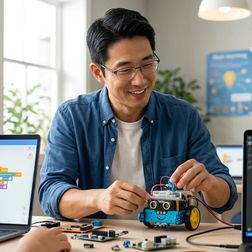
Robotics Programming Languages for Kids Explained: Scratch, Blockly, Python, and C++

Choosing the right programming language for your child's robotics journey isn't about finding the easiest option—it's about building a capability ladder that can take them from dragging colorful blocks to writing the same code used at Boston Dynamics and NASA. In this episode, Kazuki Tanaka draws on three years of fabrication lab experience to break down the four tiers of robotics programming languages and explain exactly how each one translates kid-friendly instructions into actual robot motion. Whether your child is just starting out or ready to level up, this episode helps you understand which language fits their developmental stage and where each path ultimately leads. Robotics programming languages differ from standard coding instruction because they bridge digital commands and physical outcomes—kids aren't just watching pixels change, they're commanding motors, reading sensors, and experiencing real-time feedback that accelerates learning. Scratch and Blockly aren't toy languages; behind the visual interface, they generate actual code and build abstract syntax trees just like professional compilers, making them legitimate starting points for sophisticated autonomous navigation routines. The four capability tiers progress from visual block languages (Scratch, Blockly) to simplified text languages (MicroPython, CircuitPython) to industry-standard interpreted languages (Python) to compiled languages used in professional robotics (C++). Visual languages use hardware abstraction layers that hide complex calculations involving wheel diameter, track width, and encoder resolution—pedagogically sound for beginners but creating knowledge gaps that must be addressed when transitioning to advanced work. Interpreted Python offers immediate feedback that dramatically accelerates iteration during learning, but introduces timing jitter measured in milliseconds that becomes problematic for competition-level robots requiring microsecond precision. Starting at the wrong entry point can cause talented learners to bounce off programming entirely, making proper progression planning more important than simply choosing what looks fun or appears easiest. Read the full article: https://stemlabguide.com/robotics-programming-languages-for-kids-explained
How to Build Your First Robot with a Kids Robotics Kit: Step-by-Step Beginner Guide
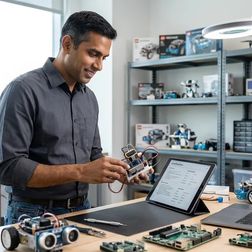
You've seen it happen: a kid tears open a shiny new robotics kit, dumps out dozens of parts, and immediately freezes with overwhelm. In this episode, veteran robotics educator Kazuki Tanaka draws on eight years of testing platforms and rebuilding failed projects with frustrated kids to explain exactly what separates kits that build real skills from those that end up collecting dust. Whether you're a parent, teacher, or makerspace coordinator, you'll learn the specific criteria that determine whether a first robot leads to a second one—or becomes a source of discouragement. The ideal first robot has 15–30 parts maximum; anything more introduces decision fatigue before kids experience success, so start with a simple two-motor wheeled platform that teaches drivetrain basics without overwhelming new builders. Snap-fit connections work better than screws for children under ten, while threaded fasteners teach valuable mechanical concepts for kids eleven and up—physical compatibility matters more than most people realize. Programming interface selection should be based on readiness, not features; block-based coding suits ages seven to twelve, while text-based languages like Python work for kids twelve and up or those transitioning from blocks. Before purchasing, verify the compatibility matrix for your household devices—many families discover too late that their robot won't connect to an older iPad or Chromebook, killing momentum instantly. Rechargeable lithium batteries cost 5–10 cents per build hour after initial investment, compared to 50–75 cents for disposables; this difference dramatically affects long-term enthusiasm and project sustainability. Expandability determines whether a kit lasts six months or several years—look for available GPIO pins, I2C/SPI/UART protocols, and third-party component compatibility rather than proprietary lock-in. Read the full article: https://stemlabguide.com/how-to-build-your-first-robot-with-a-kids-robotics-kit
Robotics Kit Compatibility Checklist: Software, Hardware, and Expandability Requirements
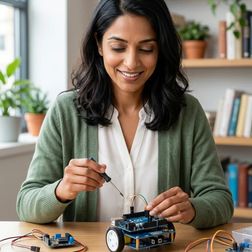
Buying a robotics kit that won't connect to your computer or grow with your child's skills is like purchasing an expensive paperweight. This episode breaks down the exact compatibility factors you need to check before spending hundreds of dollars on educational robotics equipment. Host Rajiv Patel walks through software dependencies, hardware interfaces, and expansion pathways that determine whether a kit becomes a genuine learning tool or an isolated dead-end. Whether you're a parent evaluating options for a six-year-old or an educator planning purchases for high schoolers, this checklist will save you from the secondary purchases that plague 63% of robotics kit buyers within six months. Operating system "compatibility" often means wildly different things across platforms—a kit might offer full IDE functionality on Windows but only a limited browser interface on Mac, so verify exactly what features you'll get on your specific device. Programming language progression matters more than initial ease of use; look for kits that support both block-based coding and text-based languages like Python or C++ on the same hardware so learners can advance without replacing equipment. Cloud-dependent kits introduce serious risks, including internet outage paralysis and platform discontinuation—22 educational robotics cloud services shut down between 2020 and 2025, potentially stranding users. Kits supporting standard programming environments like Arduino IDE can access thousands of community libraries for advanced capabilities like sensor fusion and machine learning, while proprietary platforms lock you out of these resources. Mobile app functionality typically delivers only 40–60% of desktop features, making tablets suitable for young learners but inadequate for serious programming work that requires keyboard input and multi-window workflows. Always check whether projects can export to open formats like Python files or Arduino sketches; proprietary file formats trap your work and prevent skill migration as learners advance to new platforms. Read the full article: https://stemlabguide.com/robotics-kit-compatibility-checklist
What Are Educational Robotics Kits: Components, Programming, and Learning Outcomes Explained
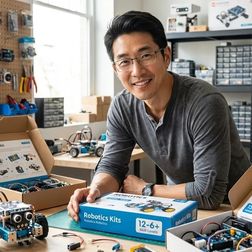
Most robot toys promise to teach coding but really just deliver flashy entertainment. So what separates genuine educational robotics kits from glorified gadgets? In this episode, developmental psychologist Dr. Priya Mehta breaks down the components, programming environments, and cognitive benefits that define true educational robotics systems. Whether you're a parent evaluating STEM purchases or an educator building a robotics curriculum, this deep dive reveals what actually matters when choosing kits that build real problem-solving skills. Educational robotics kits are distinguished by three defining features: expandability with sensors and third-party components, industry-standard programming environments like Python and Scratch, and progressive complexity that scales from block-based coding to professional text-based languages. The physical assembly process creates what Dr. Mehta calls "causal reasoning loops"—when children connect motors, troubleshoot mechanical failures, and modify code to fix problems, they're practicing the predict-test-observe-refine cycle that underlies scientific thinking. Core hardware components include microcontrollers (the robot's brain), structural elements ranging from LEGO bricks to anodized aluminum beams, actuators like DC motors and servos for movement, and sensors including ultrasonic, color, gyroscope, and touch sensors for environmental awareness. Block-based programming removes syntax barriers while teaching sequential thinking, loops, conditionals, and variables—but the transition to text-based languages like Python represents a critical cognitive leap equivalent to moving from arithmetic to algebra. The build-code-test cycle transforms failures into teaching moments: when a robot overshoots a turn, children must diagnose whether it's a mechanical problem like wheel friction or a coding problem like incorrect timing values, practicing troubleshooting skills that transfer across disciplines. Battery systems vary significantly across price points, with premium kits offering rechargeable lithium-ion packs and charging docks while budget systems require separate AA batteries and chargers—a hidden cost factor worth considering. Read the full article: https://stemlabguide.com/what-are-educational-robotics-kits
How to Choose a Robotics Kit for Your Child's Skill Level
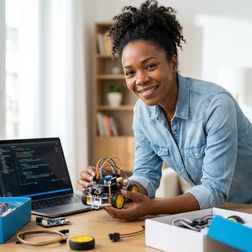
Choosing a robotics kit for your child isn't as simple as matching their age to the number on the box—that approach leads to expensive equipment gathering dust in closets. In this episode, Kazuki Tanaka draws on years of running fabrication labs to share a systematic framework for matching your child's actual abilities to the right kit. Whether your kid has never touched a coding toy or is ready to graduate from Scratch to Python, you'll learn how to assess their real skill level, decode the specifications that matter, and build a learning path toward industry-standard tools. Age ranges on packaging are unreliable—assess your child's programming foundation, spatial reasoning, and tolerance for troubleshooting instead, since some seven-year-olds are ready for text-based coding while some twelve-year-olds still need visual block systems. The programming language a kit uses shapes your child's future options: block-based languages build computational thinking but don't transfer to professional environments, Python connects directly to AI and robotics research tools, and Arduino C++ opens doors to embedded systems and firmware development. Avoid kits with proprietary programming languages that only run on the manufacturer's custom software—these create dead ends that won't prepare kids for real-world robotics platforms. Mechanical assembly skills matter as much as coding ability; watch your child build with LEGO or K'NEX to gauge whether they're ready for complex gear ratios or need color-coded parts with minimal structural challenges. Budget calculations should include expansion packs, replacement parts, and subscription software costs—not just the sticker price—plus your realistic time commitment for the first three to five builds. Block-based programming is foundational but not terminal; plan to spend one to two years maximum before transitioning to text-based languages that transfer to professional tools like TensorFlow, OpenCV, and ROS. Read the full article: https://stemlabguide.com/how-to-choose-a-robotics-kit-for-your-child-s-skill-level
Best Coding Robot Kits Under $100: Budget-Friendly STEM Learning
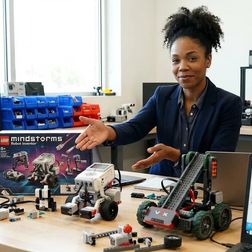
Wondering if you can transform your child's screen time into genuine skill-building without emptying your wallet? In this episode, Chloe Miller shares insights from a year of hands-on testing with budget coding robots in her Pacific Northwest workshop. She reveals why price tags don't predict learning outcomes, but factors like expandability, programming language support, and progressive skill paths absolutely do. Whether you're a parent seeking meaningful STEM engagement or an educator stretching a tight budget, this episode breaks down exactly what separates a lasting learning platform from an expensive dust collector. Programming language pathways matter more than flashy features—look for kits supporting Scratch, Python, or Arduino IDE rather than proprietary apps that dead-end after a few months and lock you into one manufacturer's ecosystem. Offline capability is a critical but often overlooked feature; cloud-dependent kits can become useless when companies discontinue services, and hidden subscription costs quickly erode that sub-$100 value. Expandability transforms a budget robot into a years-long learning investment—check for standard GPIO pins, JST/Grove/Qwiic connectors, and compatibility with common components like servo motors and third-party sensors. Durability benchmarks to watch for include metal gearboxes, impact-resistant ABS plastic, sealed battery compartments, and rubber wheels that actually grip real surfaces during outdoor testing. Ignore the age ranges printed on boxes; instead, look for kits specifying concrete learning outcomes like "implement conditional logic and nested loops" that reveal actual pedagogical progression. The best kits allow children to transition from block-based to text-based programming on the same hardware, saving you from buying twice as skills advance. Read the full article: https://stemlabguide.com/best-coding-robot-kits-under-100
LEGO Mindstorms vs VEX Robotics: Which Kit Builds Better Engineering Skills
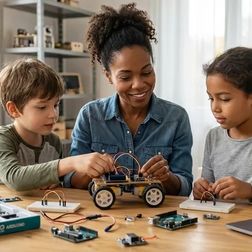
Choosing a robotics kit for your child isn't just about motors and plastic—it's about selecting the engineering language they'll speak for years to come. This episode breaks down the fundamental differences between LEGO Mindstorms and VEX Robotics, two platforms that take radically different paths toward building real engineering skills. Whether you're weighing competition pathways, programming depth, or long-term skill development, host Chloe Miller dissects both systems to help you make the right call for your young engineer. VEX Robotics builds competition-ready mechanical engineering skills with industry-standard C++ programming, while LEGO Mindstorms excels at rapid prototyping with accessible entry points through Scratch and Python. LEGO's Python implementation is a walled garden—you can't import external libraries, interface with APIs, or use professional IDEs like VS Code, making it training wheels rather than the Python used in real-world applications. VEXcode lets kids toggle between block-based programming and C++ text in the same IDE, showing the actual code equivalent of every block they place—a bridge to text-based programming that LEGO can't match. The VEX V5 brain runs FreeRTOS, the same real-time operating system used in Tesla autopilot systems and Mars rovers, meaning kids learn control theory applicable to aerospace and autonomous vehicle engineering. LEGO's cloud-dependent app means losing internet access mid-session can cut off advanced sensor libraries, while VEXcode works entirely offline after initial download. VEX offers a 5-8 year progression pathway with open architecture accepting third-party sensors and custom parts, compared to LEGO's 2-4 year lifespan in a closed ecosystem requiring 3D-printed adapters for any hacking. Read the full article: https://stemlabguide.com/lego-mindstorms-vs-vex-robotics
Best Arduino Robotics Kits for Kids: Industry-Standard Programming Platforms

Your kid could be debugging C++ code on the same open-source platform that engineers use to prototype solar farm sensors and smart grid devices—and the right Arduino robotics kit makes that possible today. In this episode, Chloe Miller draws on five years of hands-on experience building Arduino-powered systems for solar monitoring and hydroponics to break down what separates genuine skill-building platforms from toy robots destined for the landfill. If you're a parent wondering how to choose an Arduino kit that grows with your child from simple LED projects to multi-sensor autonomous systems, this guide answers the questions that actually matter for long-term STEM learning. Open-source hardware and software compatibility should top your checklist—genuine Arduino boards or explicitly compatible clones mean your child won't face subscription fees, forced obsolescence, or proprietary lock-in when a company drops support. Age labels are nearly meaningless; instead, evaluate kits by the concrete programming skills they build, from reading analog sensor values and writing conditional logic to implementing serial communication and interrupt-driven code. The best kits create a clear progression from block-based coding environments like ArduinoBlocks or mBlock to native C++ syntax, which is where real computational thinking develops and mirrors professional development pathways. Modular, industry-standard components—like L298N motor drivers, HC-SR04 ultrasonic sensors, and shield-compatible boards—let your child reuse parts across hundreds of future projects, from line-following robots to hydroponic pump controllers. Avoid kits with proprietary connectors or all-in-one boards that can't be disassembled; Arduino's real power lies in its library of reconfigurable sensors and actuators that adapt to whatever your child wants to build next. Practical details matter for longevity: compartmentalized storage cases prevent tiny resistors from vanishing, and offline IDE compatibility ensures troubleshooting doesn't depend on stable internet access. Read the full article: https://stemlabguide.com/best-arduino-robotics-kits-for-kids
Best Robotics Kits for Kids: Complete Guide to Building Real Engineering Skills

Most "educational" toys end up forgotten in closets, but the right robotics kit is fundamentally different—it's a gateway to systems thinking, real debugging, and hands-on engineering skills that translate directly to careers in renewable energy, autonomous vehicles, and beyond. In this episode, Chloe Miller draws on years of testing these kits with real kids in real labs to break down exactly what separates genuine learning tools from expensive plastic. Whether you're a parent building a home STEM lab or an educator choosing equipment for a classroom, this guide answers a critical question: how do you select a robotics kit that grows with a child's skills rather than collecting dust? Educational robotics kits are closed-loop systems where sensors gather environmental data, control boards process programmed logic, and actuators respond—giving kids immediate, visible feedback on the code they write. The best kits use industry-standard platforms like Arduino, Raspberry Pi, or ESP32, which means children learn on the same hardware used in university labs and professional prototyping, building skills that transfer directly to real STEM careers. Expandability is essential: kits with standardized mounting holes (M3/M4 threading) allow integration of 3D-printed parts, salvaged components, and third-party sensors, transforming a starter kit into an open-ended engineering platform. Power requirements vary dramatically—entry-level kits use AA batteries (4.5–6V), while advanced builds require lithium-polymer packs (7.4–11.1V) that demand safe charging practices and fireproof storage. Programming environments should support dual modes: block-based coding (Scratch, Blockly) for ages 6–10 teaches logic without syntax frustration, while text-based languages (Python, C++) for ages 11+ introduce real-world debugging and library management. Before purchasing, verify whether a kit requires constant internet access for cloud-based programming or functions fully offline—a critical consideration for device independence and areas with unreliable connectivity. Read the full article: https://stemlabguide.com/best-robotics-kits-for-kids
What Is Supervised vs Unsupervised Learning: Kid-Friendly AI Guide
Your child asks how Netflix knows what they'll like or how Siri learned to understand voices, and suddenly you're scrambling to explain machine learning without losing them in technical jargon. In this episode, Lakshmi Venkataraman breaks down the two fundamental ways machines learn from data—supervised and unsupervised learning—using analogies that work at the kitchen table. Whether your learner is just starting with visual coding or transitioning to text-based languages, understanding this core distinction unlocks how AI actually thinks. Supervised learning works like studying with an answer key—the algorithm learns from labeled examples (like photos tagged "cat" or "dog") and adjusts its internal parameters through thousands of iterations until it can accurately label new data it's never seen before. Unsupervised learning is like dumping mixed LEGO bricks on a table and asking your child to sort them without instructions—the machine finds patterns, groupings, and hidden relationships in raw data completely on its own. A common misconception among young learners is that machines memorize examples like flashcards, but supervised learning is actually about pattern recognition and generalizable learning, which is why models are tested on data they've never encountered during training. Platforms like Scratch's ML extension and Google's Teachable Machine let elementary and middle school kids train image classifiers using their webcam in under ten minutes, making supervised learning accessible without writing code. The training and testing process in machine learning mirrors the scientific method—hypothesis (model structure), experimentation (training), and validation (testing)—reinforcing inquiry skills your child already practices in science class. Hardware like the Raspberry Pi 5 or AIY Vision Kit allows kids to run simple supervised learning models locally, which addresses both screen-time management and data privacy concerns while providing hands-on experience with real frameworks like TensorFlow Lite. Read the full article: https://stemlabguide.com/what-is-supervised-vs-unsupervised-learning