
Video is creating new ways for podcasters to reach audiences, get discovered and grow their shows.
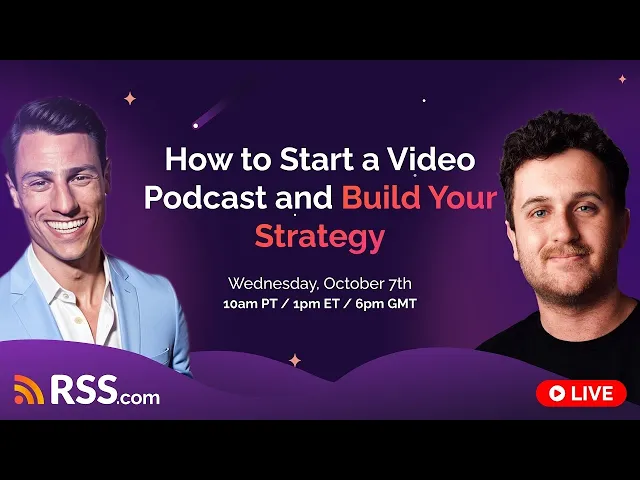
We recently hosted a free live training with Greg Wasserman, Head of Relationships at RSS.com, and Chris Jordan, podcast and YouTube strategist. They covered how to build a video strategy that works for your podcast. That includes full video episodes, clips and Shorts, YouTube, and video through your RSS feed.
Did you miss it? Watch the full replay below. Short on time? Read the key takeaways below.
Meet Your Hosts
Greg Wasserman, Head of Relationships at RSS.com
Chris Jordan, Podcast and YouTube Strategist. Chris has helped grow big audio shows on YouTube. His work has included shows connected to Lewis Howes, Daymond John and Sinead Bovell.
TLDR: Titles and Thumbnails are Key
Your title and thumbnail decide whether people press play. Pick your title before you record. Study what already works for your guests and top shows in your niche. Then test, learn and repeat. You can start with audio only. You don’t need an expensive setup.
RSS.com helps podcasters get their audiograms on YouTube with ease with PodViz. Learn more about PodViz here.
Key Takeaways
Video can grow a show that is audio first
Chris said some large audio podcasts have seen YouTube views pass their audio downloads in certain months. YouTube shows your content to people who don’t know you yet. Audio apps can’t do that as well. Even big shows still had room to grow there.
You can start on YouTube without recording video
Don’t have a video podcast yet, but still want to be on YouTube? PodViz turns your audio episode into a video file for YouTube. Chris called that a good starting point. Listeners often play podcasts in the background anyway. A moving sound wave won’t hurt you. Your title and thumbnail matter more.
Fix your thumbnail first
Your thumbnail is the first thing people see on YouTube. Chris’s advice:
- Use a few words that say what the episode is about.
- Skip the logo in the middle. A logo tells viewers nothing about the episode.
- Make sure the thumbnail and title work together. The thumbnail creates curiosity. The title finishes the thought.
Write one strong title for YouTube and audio
Don’t overthink separate titles for each platform. A strong YouTube title usually works well in your audio feed too. YouTube also gives you faster data. Watch your views there. Then check whether your audio downloads moved with them.
A small show can still win
Chris shared a leadership podcast with about 600 YouTube subscribers. One interview got around 500 views initially. Then, the team changed the title and thumbnail. The title now named the guest’s credibility and promised a clear result. Since the simple tweaks, this episode passed 10,000 views in about a year.
Two lessons from that story:
- Check your back catalog. An old episode may be good but badly packaged.
- Be patient and change one thing at a time. Then you’ll know what worked. Greg said the same. Big changes don’t get instant results.
Choose your title before you record
Most podcasters title an episode last. Chris suggests the opposite. Decide the title first. Then plan your questions so you deliver on that promise early.
This matters because of retention. Say your best moment happens 30 minutes in, but your title promised it up front. Viewers will leave before they get there.
Research your guest before you choose the title
Try this process:
- Search your guest’s name on YouTube.
- Sort the results by popularity.
- See which titles got the most views.
- Borrow the pattern. Then make it your own with your questions and angle.
YouTube already knows who watches that guest. A smaller show can benefit from that. Chris also recommends the Creator Hooks newsletter. It breaks down working titles and the patterns behind them. You can reuse a pattern in any niche. A repair hacks title becomes a cooking hacks title.
Make your chapters work like mini titles
Chapters help people jump to what they want. RSS.com supports chapters. Paste in timestamps and they carry over to your feed and YouTube. Chris’s tips:
- Use AI to create chapters from your transcript.
- Don’t give away the answer in the chapter name. Tease it instead.
- Don’t spend too long on them. Put that energy into planning your questions.
Learn how to add chapters in your podcast dashboard here. And, if you’re on Plus, Pro, or Max using the PodViz integration, your chapters will populate in YouTube automatically.
Ask one question about every clip: “Would I stop scrolling [if I saw this]?”
Many podcasters post a lot of clips and hope something lands. Chris suggests a stricter filter. Put your clip next to a top show’s clip. Which one would you stop and watch? If the first three seconds aren’t strong, pick a better moment.
More clip tips from the training:
- Try Instagram’s trial reels feature to expand your reach. This will show your clip to people who don’t follow you.
- On YouTube, link your Shorts to your long-form episode.
- No video? Try carousels that break down key points from an episode. You can also pair audio with B-roll that fits the topic.
- Format clips for each platform. For example, a graphic created for Instagram won’t look the same as a YouTube thumbnail.
Publishing video on RSS.com
Greg walked through the setup:
- Upgrade to the Max plan to upload video to your RSS.com podcast.
- You can add video to your podcast episodes
- Listeners can toggle video on or off in Apple Podcasts.
- Apple Podcasts video needs an API key. See our reference guide for the steps. You can also watch our walkthrough “How to Publish a Video Podcast to Apple Podcasts & YouTube” here:
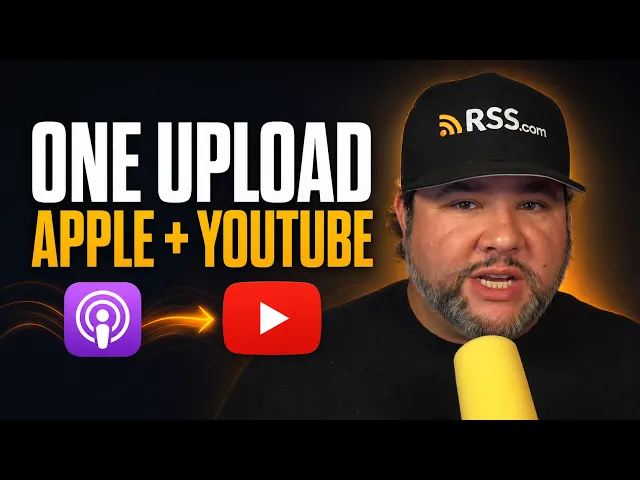
- To publish to YouTube, use the same button you’d use for PodViz. Your video publishes directly instead of an audio wave.
Quick Checklist
- Pick your title before you record.
- Search your guest on YouTube and study their top titles.
- Write a thumbnail with a few clear words and no logo.
- Add chapters that tease, not tell.
- Ask “would I stop scrolling?” about every clip.
- Test one change at a time and give it a few months.
- Review old episodes and refresh weak titles and thumbnails.
It’s Time to Start Your Video Podcast
Chris said it best: your episode’s success comes down to packaging. A few small tweaks can change where your show goes.
Ready to put this into action? Start your video podcast with our Max Plan today!