Riverside has built a strong reputation as a recording and editing platform for podcasters, especially those producing video content or working with guests. But recently, they’ve expanded into podcast hosting, promising an all-in-one experience where you can record, edit, and publish from a single platform.
So how does Riverside’s hosting stack up, and is it the right fit for your show? Our evangelist and video creator Joe Casabona breaks it all down in the video below.
If you’d rather read than watch, here’s what you need to know.
What Riverside’s Hosting Offers
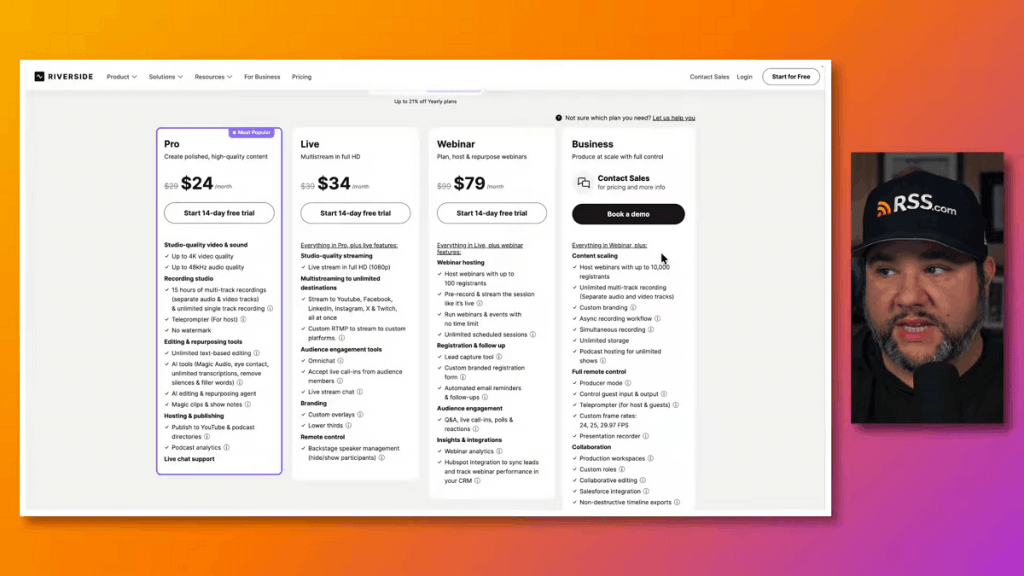
Riverside’s pitch is simple: if you already have a paid Riverside account, you get free podcast hosting bundled in. From there, you can submit your show to Spotify, YouTube, and Apple Podcasts, and you’ll get access to some basic analytics.
The idea is to keep everything under one roof so you can go straight from recording and editing to distribution without leaving the platform.
Where Riverside’s Hosting Falls Short
While the concept sounds appealing, there are a few notable gaps worth considering before you commit.
You Can’t Replace Media After Scheduling
One issue Joe ran into firsthand was the inability to swap out audio or video files after an episode has been scheduled. If you need to make a change, you have to delete the entire episode and re-create it from scratch. Riverside support confirmed this is how it works, which is a significant limitation for anyone who regularly fine-tunes episodes before they go live.
Analytics Are Pretty Thin
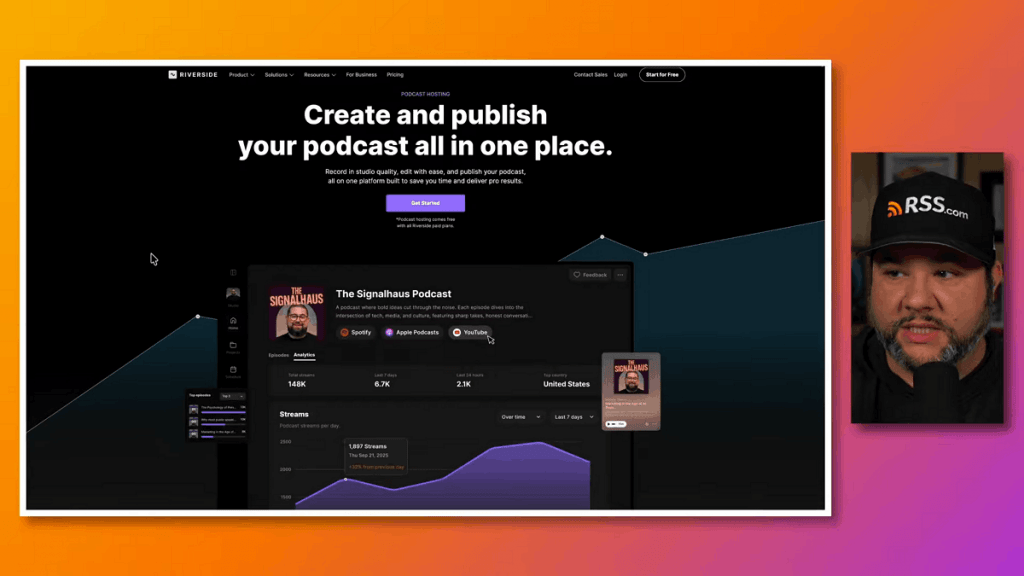
Riverside’s FAQ lists the following analytics: total streams, streams in the past 24 hours and 7 days, top countries, top episodes, streams for your last five episodes, and top listening apps.
That’s a fairly narrow snapshot. There’s no mention of data beyond a 7-day window, no city-level detail, and no tools like heat maps or deeper trend tracking. For podcasters who rely on analytics to understand their audience and measure growth, this could be a real limitation.
Also, Riverside’s analytics are not IAB compliant meaning audience and engagement metrics may not meet industry-standard accuracy.
Only Exported Files Can Be Uploaded
Even if you record inside Riverside, you’ll need to export your files before uploading them to the hosting side. That means bouncing back and forth within the platform, which chips away at the seamless “all-in-one” promise.
What Happens If You Downgrade?
Because hosting is only available on paid plans, downgrading to a free Riverside account raises questions. According to Riverside’s AI chatbot, your podcast would remain available and there is a redirect option in settings. However, if your account goes inactive for 120 days, your account and all its content, including your podcast, gets deleted.
Related: The Best Podcast Hosting – Compare Pricing & Features
How RSS.com Compares

RSS.com is built from the ground up for one thing: podcast hosting. That singular focus means every feature is designed to make managing and growing your show as easy as possible.
Here’s what you get, even on the free plan:
Unlimited Episodes and Audio
No caps on how many episodes you can publish or how much audio you can upload.
Robust, IAB Compliant Analytics
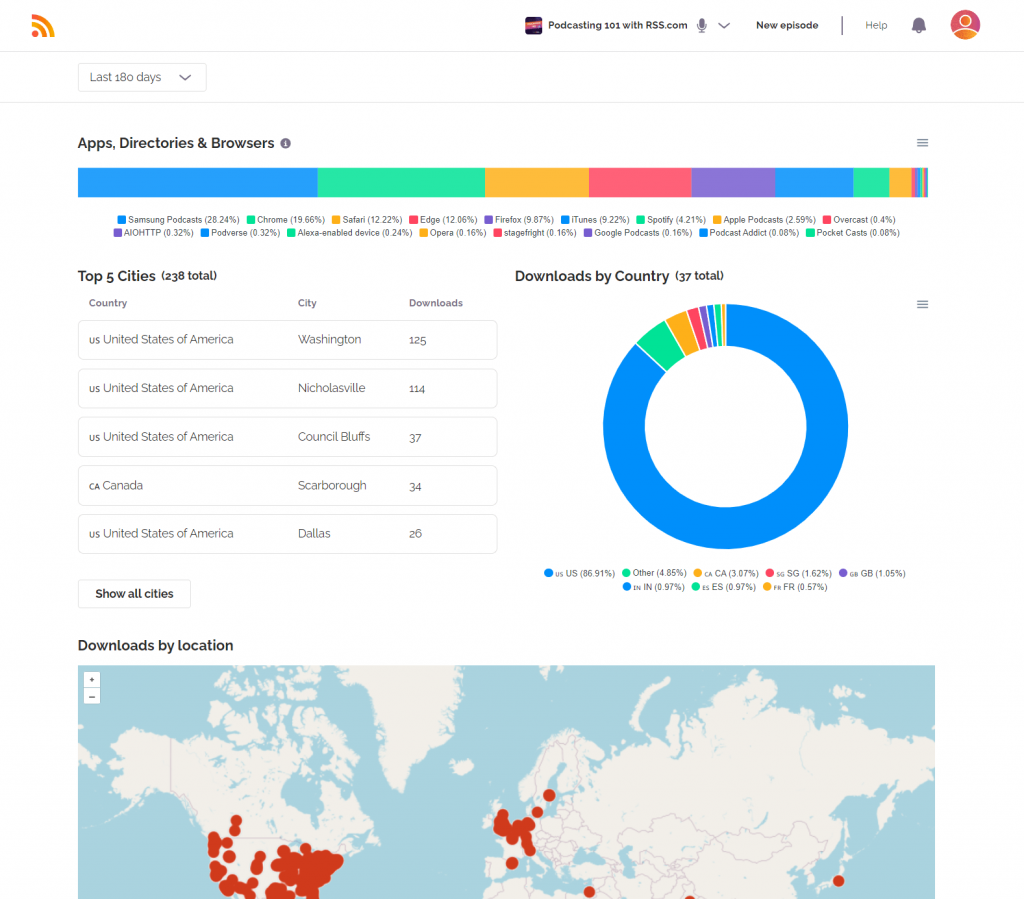
RSS.com goes well beyond a 7-day window with granular data, including city-level location info and a heat map showing when your listeners tune in throughout the day.
RSS.com is IAB certified and listed in the IAB Tech Lab Compliance Registry, meaning its podcast analytics meet the IAB Podcast Measurement Guidelines.
With RSS.com, podcasters can trust that their audience and engagement metrics are accurate and standardized, helping them make informed decisions about growth, sponsorships, and content strategy.
Transcripts
Every episode can have a transcript added, and paid podcast plans can get an AI generated transcript with the push of a button.
YouTube Distribution
With the free plan you can create an audiogram of your podcast using PodViz. Or, if you have a paid plan, you can send a video version of your audio podcast to YouTube directly from the RSS.com dashboard.
Guided Submission to All Major Directories
Not just the top three. RSS.com walks you through submitting to a wide range of listening apps. Check out our list of podcast directories you can submit your podcast to.
Your Own Podcast Website
Get a dedicated website for your show, plus an embeddable player you can drop into platforms like WordPress.
Monetization Tools
From programmatic and dynamically inserted ads through a partnership with CodeAdx to Apple Podcasts subscriptions, donations, funding, and value-for-value payments, RSS.com gives you real options for earning from your content.
Also see: Podcast Hosting – What Is It & Why Do You Need It?
Who Is Riverside Hosting Actually For?
If your top priority is keeping everything in one place and you’re already paying for Riverside to record and edit, the hosting add-on might work for you as a convenience feature. It could also be a reasonable starting point if you’re just testing the waters and aren’t sure yet whether podcasting is going to stick.
But if you’re serious about growing a show, need solid analytics, want monetization options, or simply don’t want to pay for a recording tool just to get hosting, Riverside’s offering probably isn’t the best fit.
The Bottom Line
There’s an old saying in the restaurant world: a menu that tries to do everything usually doesn’t do anything particularly well. Riverside is a great tool for recording and editing, but podcast hosting is a different discipline with its own set of demands. When hosting is a side feature rather than the main product, important details tend to get overlooked.
RSS.com exists to solve one problem and solve it well: giving podcasters a reliable, feature-rich home for their show. And with a completely free plan that includes unlimited episodes, analytics, transcripts, a podcast website, and more, you don’t have to compromise on quality or budget.
Ready to get started? Check out RSS.com’s free plan today.