The Smart Home Setup Podcast

The Smart Home Setup Podcast

by My Smart Home Setup

Best UPS Systems for Smart Home Hubs: Zigbee, Z-Wave & Matter Device Protection
AI
When the power goes out in the middle of the night, your smart home can wake up with total amnesia—automations broken, mesh networks scrambled, and hours of troubleshooting ahead. This episode dives into how the right uninterruptible power supply protects the invisible brains behind your Zigbee, Z-Wave, and Matter devices. Keiko Tanaka explains exactly what to look for in a UPS so your smart home keeps running smoothly even when the grid fails, covering everything from power output types to where you can actually hide these units without ruining your carefully designed space. Pure sine wave output protects your hubs better than simulated power. Think of it like giving your devices smooth, clean electricity instead of choppy, fake stuff that can cause buzzing, crashes, or shortened lifespans—especially important for mesh network controllers. Runtime depends on your total load, not just battery size. Add up how much power all your devices use together—router, modem, hubs, switches—and a 1500VA UPS running around 100 watts of gear can keep things alive for six to eight hours. Switchover speed determines whether your network blinks or breaks. A good UPS kicks in within four to eight milliseconds, fast enough that Zigbee and Z-Wave devices never notice the power dropped—like catching a ball before it hits the ground. Heat is the hidden battery killer when hiding your UPS. Tucking it inside a cabinet without airflow is like putting it in a hot car—every fifteen degrees above room temperature cuts the battery life in half, so leave space for air to move. Smart UPS units can trigger automated shutdowns before the battery dies. When connected to your system, the UPS can send alerts, turn off non-essential lights, and safely power down servers—like a pilot landing a plane before running out of fuel instead of just crashing. Show Links Affiliate Disclosure: As an Amazon Associate I earn from qualifying purchases. Full article: https://mysmarthomesetup.com/best-ups-systems-for-smart-home-hubs-zigbee-z-wave-matter-device-protection CyberPower CP1500PFCLCD PFC Sinewave UPS - https://www.amazon.com/s?k=CyberPower%20CP1500PFCLCD%20PFC%20Sinewave%20UPS&tag=smarthomesetup-20 APC Back-UPS Pro 1500VA - https://www.amazon.com/s?k=APC%20Back-UPS%20Pro%201500VA&tag=smarthomesetup-20 Tripp Lite SMART1500LCDT - https://www.amazon.com/s?k=Tripp%20Lite%20SMART1500LCDT&tag=smarthomesetup-20 APC Smart-UPS SMT1500C - https://www.amazon.com/s?k=APC%20Smart-UPS%20SMT1500C&tag=smarthomesetup-20 Amazon Basics Standby UPS 800VA - https://www.amazon.com/s?k=Amazon%20Basics%20Standby%20UPS%20800VA&tag=smarthomesetup-20 CyberPower OR1500PFCRT2U - https://www.amazon.com/s?k=CyberPower%20OR1500PFCRT2U&tag=smarthomesetup-20 Related Articles Smart Home Backup Power Solutions: Complete Guide to Uninterruptible Automation - https://mysmarthomesetup.com/smart-home-backup-power-solutions-complete-guide-to-uninterruptible-automation Smart Home Power Monitoring: Real-Time Energy Tracking with Matter & Zigbee Sensors - https://mysmarthomesetup.com/smart-home-power-monitoring-real-time-energy-tracking-with-matter-zigbee-sensors How to Choose Smart Lighting: Protocol, Ecosystem Lock-In & Budget Guide - https://mysmarthomesetup.com/how-to-choose-smart-lighting Device Mesh Network Reliability Explained: Zigbee vs Z-Wave vs Thread - https://mysmarthomesetup.com/device-mesh-network-reliability-explained In-Wall Smart Switches vs Surface Mount: Which Hidden Solution Works Best? - https://mysmarthomesetup.com/in-wall-smart-switches-vs-surface-mount

Autonomous Yard & Landscaping Tech: The Complete Smart Home Guide

AI
Your indoor smart home runs flawlessly, but step outside and you're still sweating through manual yard work every weekend. Autonomous landscaping tech promises to change that—but most devices are cloud-dependent systems that upload your property layout, GPS coordinates, and usage patterns while failing the moment their servers go down. This episode breaks down how robotic mowers, smart irrigation controllers, and other outdoor automation actually works, revealing which systems genuinely respect your privacy and function offline versus which are expensive lawn surveillance tools disguised as convenience. The "autonomous" label is misleading—fewer than 20% of mainstream autonomous yard products offer meaningful offline functionality, and most devices advertising full autonomy still require app-based intervention two to three times per week during growing season. There's a critical difference between autonomous and automatic: autonomous systems adjust behavior based on real-time sensor data like soil moisture and rainfall, while automatic systems simply follow preset schedules you programmed with an internet connection. Robotic mowers using cloud APIs have command execution delays of 8–15 seconds compared to 1–3 seconds for direct local communication—a gap that matters significantly for emergency stop commands. One popular robotic mower was found transmitting GPS boundary maps and mowing patterns to overseas servers every 90 seconds during operation, but continued functioning normally when internet access was blocked via router rules. Z-Wave and Zigbee are rare in outdoor equipment due to range limitations and weatherproofing challenges, with most systems relying on Wi-Fi, Bluetooth Low Energy for setup, or Matter-over-Thread for newer irrigation sensors. Truly hands-off autonomous systems cost significantly more and often require professional installation to properly integrate the sensors needed for genuine environmental awareness and decision-making. Read the full article: https://mysmarthomesetup.com/autonomous-yard-landscaping-tech

Smart Home Technology for Seniors: Complete Guide to Safe, Easy Automation

AI
Most smart home devices marketed to seniors promise safety but deliver something closer to surveillance—uploading movement patterns, bathroom habits, and sleep data to corporate servers. In this episode, Chelsea Miller explains how she rebuilt her father's entire automation system after discovering his fall detection camera was streaming continuous video to the cloud. If you're a caregiver looking to support aging in place without sacrificing your loved one's privacy or paying endless monthly fees, this guide walks you through building a local-only smart home that keeps sensitive data inside the house. Commercial senior monitoring services charging $30–50 monthly often analyze movement patterns, bathroom frequency, and sleep schedules—data valuable to insurance companies and pharmaceutical advertisers. Local protocols like Zigbee, Z-Wave, and Matter running through self-hosted hubs like Home Assistant deliver the same fall detection and emergency alerts without cloud dependency or subscription fees. Passive infrared motion sensors report only binary states (motion detected or cleared) and cannot record faces or track what someone is doing—a critical privacy advantage over cloud-based video systems. Effective fall detection combines multiple sensor conditions (bathroom motion followed by 10 minutes of stillness plus closed door) to minimize false positives while catching real emergencies. Smartphone apps fail most seniors due to arthritis and cognitive challenges—voice control with local processing and physical smart buttons provide far more reliable interfaces. You can configure devices like the Echo Dot 5th generation for local voice processing through Home Assistant, keeping commands off Amazon's advertising-focused cloud servers. Read the full article: https://mysmarthomesetup.com/smart-home-technology-for-seniors

Hidden Smart Home Devices: Complete Guide to Discreet Home Automation in 2026
AI
Want a smart home that doesn't look like a tech showroom? Hiding your automation gear sounds simple until you're dealing with signal interference, compatibility nightmares, and devices secretly sending data to servers you never approved. In this episode, Chelsea Miller breaks down what actually works after a year of testing hidden smart home tech—from in-wall relays to disguised sensors—and explains how to achieve invisible automation without sacrificing privacy or reliability. Not all hidden devices are equally private—a concealed camera streaming to cloud servers is just better-looking surveillance. True hidden automation means local processing, no cloud dependencies, and protocols like Zigbee, Z-Wave, or Thread that don't require constant internet connections. Z-Wave's lower frequency (908 MHz) penetrates walls 30-40% better than Zigbee or Thread, making it the superior choice for in-wall relays in older homes with metal lath and plaster construction. Wi-Fi is the worst protocol for hidden devices—high power consumption and frequent packet drops when placed in metal boxes or behind appliances make it unreliable for critical automations unless you're running a dedicated IoT VLAN. Matter version 1.4 has changed the game for hidden automation, allowing you to mix Zigbee sensors, Thread actuators, and Z-Wave relays under one local controller without relying on manufacturer clouds. Installing in-wall smart relays requires at least 22 cubic inches of box volume to meet electrical code, and most line-powered devices need a neutral wire—critical details to check before you start hiding hardware behind your walls. Expect 80-120 milliseconds latency from motion detection to relay activation with properly configured local systems, and plan for Zigbee signal degradation of 10-15% when devices are separated by metal studs. Read the full article: https://mysmarthomesetup.com/hidden-smart-home-devices

Understanding Smart Irrigation Zones and Scheduling Logic
AI
Ever wondered how some homeowners maintain picture-perfect lawns without ever touching a sprinkler timer? Smart irrigation represents one of the most elegant examples of invisible home automation—systems that work intelligently behind the scenes based on actual soil conditions, weather forecasts, and plant needs rather than arbitrary schedules. In this episode, Keiko Tanaka breaks down how smart irrigation zones and scheduling logic work together to create outdoor spaces that practically maintain themselves, all without adding visual clutter to your home. Smart irrigation zones are discrete landscape sections controlled independently based on plant needs, sun exposure, soil type, and microclimates—each zone receives precisely the water it requires rather than a one-size-fits-all approach. The scheduling logic operates through if-then decision trees that process soil moisture readings, precipitation forecasts, temperature thresholds, and time of day before activating any zone, replacing daily guesswork with sensor-informed decisions. Wi-Fi controllers like Rachio dominate the market but introduce dependencies on stable wireless coverage, internet connectivity, and manufacturer servers—if your connection drops mid-cycle, most systems default to completing the current operation even if conditions change. Evapotranspiration modeling automatically adjusts run times based on temperature, humidity, wind speed, and solar radiation, meaning a zone programmed for 20 minutes on a cool morning might extend to 26 minutes on a hot, windy afternoon. Soil moisture sensors provide ground-truth feedback that can override calculated schedules entirely—watering only triggers when actual soil conditions demand it, potentially saving significant water compared to timer-based systems. Zigbee and Z-Wave irrigation controllers are rare but offer advantages for design-conscious installations, including local execution during internet outages and no need for additional Wi-Fi access points in outdoor areas. Read the full article: https://mysmarthomesetup.com/understanding-smart-irrigation-zones-and-scheduling-logic

How to Connect Robotic Yard Equipment to Your Smart Home Hub

AI
Your robotic mower is chatting with corporate servers every 47 seconds—even while sitting idle in your garage. In this episode, Chelsea Miller walks you through cutting the cloud cord on your yard equipment and integrating it with your smart home hub using strictly local protocols. If you're comfortable with basic networking and want your grass cut without Amazon, Google, or manufacturers tracking every blade, this intermediate-level guide covers the protocols that actually work, the automations worth building, and the privacy traps you need to avoid. Packet-sniffing your yard equipment reveals alarming chattiness with manufacturer servers—the Husqvarna Automower tested here contacted home every 47 seconds like clockwork, even with the mobile app closed. Not all "smart" devices can function offline: some refuse initial setup without cloud authentication, while others like the Worx Landroid have undocumented local APIs that work perfectly when internet access is blocked. VLAN isolation is essential for true local control—configure firewall rules that allow LAN communication with your hub and MQTT broker while blocking all internet-bound traffic from yard devices. The three tested devices behaved very differently: Husqvarna required warranty-voiding custom firmware for full local control, Worx worked seamlessly via hidden local API, and Rachio accepted local MQTT commands but complained constantly about lost connectivity. Plan for 3–5 hours of initial setup plus another 2–3 hours refining automations based on your specific yard conditions, weather patterns, and equipment behavior. Before integration, thoroughly audit your equipment by blocking outbound traffic and documenting every DNS query, failed connection attempt, and function that breaks—this determines whether true local integration is possible or if you're building on a foundation of perpetual cloud dependency. Read the full article: https://mysmarthomesetup.com/how-to-connect-robotic-yard-equipment-to-your-smart-home-hub

Smart Yard Automation Setup Checklist: Everything You Need
AI
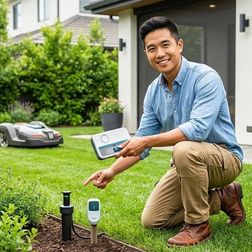
Your smart sprinklers flood the lawn during rainstorms, your outdoor cameras drop offline when the weather shifts, and your robotic mower fires up at dawn on weekends. Sound familiar? In this episode, Keiko Tanaka breaks down why most yard automation fails and walks through her comprehensive setup checklist for creating outdoor systems that actually respond to real-world conditions. Whether you're planning a full landscape overhaul or just want your existing devices to work together seamlessly, this episode covers the invisible infrastructure, protocol decisions, and integration strategies that separate frustrating gadget collections from truly intelligent yards. Wi-Fi-based outdoor devices need a mesh node or extender within 30 feet to avoid automation delays or total dropout during weather events—test signal strength at every planned device location before permanent mounting. Protocol choice should match latency requirements: motion-triggered security lights need sub-500 millisecond response times (Thread or Zigbee), while irrigation adjustments can tolerate multi-second delays (Wi-Fi works fine). Creating a hub compatibility matrix spreadsheet before purchasing prevents expensive mistakes, since not every Zigbee controller works with every Zigbee sensor and Matter 1.4 adoption remains inconsistent across landscape brands. IP ratings determine device survival—IP44-rated sensors will fail within a season if sprinklers hit them directly, regardless of marketing claims about water resistance. Outdoor-rated electronics still degrade from direct sun and temperature swings; recessed niches, ventilated utility boxes, or hidden compartments in landscaping keep hubs functional and invisible. Map and photograph all cable pathways and conduit runs before backfilling trenches—burying conduit six to eight inches deep protects wiring and saves hours of troubleshooting later. Read the full article: https://mysmarthomesetup.com/smart-yard-automation-setup-checklist

How to Automate Your Lawn Care with Smart Home Integration
AI
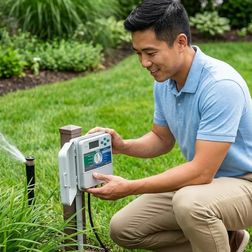
Ever wonder why your smart sprinkler keeps watering during a thunderstorm or your robotic mower gets trapped in the same spot week after week? The problem usually isn't the equipment—it's how these devices communicate with each other. In this episode, Marcus Chen draws on eight years of installing smart lawn care systems to walk you through the real-world steps for connecting robotic mowers, smart irrigation controllers, and outdoor sensors into a cohesive automated system. Whether you're starting from scratch or troubleshooting an existing setup, you'll learn the protocol requirements and automation logic that separate frustrating failures from hands-off success. Compatibility planning is the most critical step before purchasing any device—buying a robotic mower that can't communicate with your hub or setting up irrigation zones without proper automation triggers leads to the most common failures. Smart irrigation controllers like the Rachio 3 require 2.4 GHz Wi-Fi specifically (5 GHz won't work) and need accurate zone configuration including sprinkler head types, sun exposure, and soil type for weather algorithms to function correctly. Properly automated irrigation can reduce water usage by 30–50% while maintaining healthier turf by using sophisticated logic that factors in precipitation probability, soil moisture estimates, and outdoor temperature thresholds. Robotic mowers with GPS boundary mapping operate on proprietary RF for boundary communication but use Wi-Fi or cellular for smart home connectivity—native Zigbee or Z-Wave support typically isn't available, requiring third-party plugins for Home Assistant integration. Cloud dependency creates real vulnerabilities: if your internet drops, irrigation controllers maintain the last programmed schedule but lose weather intelligence, and if Rachio's servers go down, you lose app control entirely until service restores. Automation logic should include conditional triggers like pausing robotic mowers when soil moisture sensors detect wet conditions or when precipitation is forecast, and scheduling quiet hours to avoid running equipment overnight. Read the full article: https://mysmarthomesetup.com/how-to-automate-your-lawn-care-with-smart-home-integration

Best Smart Irrigation Controllers with Weather Integration
AI
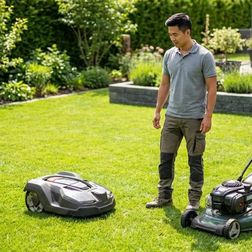
Ever watched your sprinklers run right before a rainstorm and wondered why your "smart" home isn't smart enough to prevent that waste? In this episode, Marcus Chen draws on years of outdoor automation experience in the Pacific Northwest to break down which smart irrigation controllers actually deliver on their weather integration promises. Whether you're a first-time buyer or looking to upgrade an existing system, you'll learn exactly what separates reliable weather-aware watering from marketing hype—and why the right choice depends on your yard, your smart home setup, and how much automation intelligence you really need. The Rachio 3 stands out for the most reliable weather integration and easiest installation for first-timers, though other controllers may be better depending on your yard size, existing smart home protocol, or need for soil moisture feedback. Wi-Fi is the dominant protocol for smart irrigation controllers because they need consistent cloud connectivity for weather API calls—Zigbee and Z-Wave options don't exist in 2026 due to poor outdoor mesh coverage. Weather data accuracy varies dramatically: hyperlocal stations can be incredibly precise or wildly wrong depending on proximity, while controllers that blend multiple sources (like satellite, radar, and regional forecasts) typically offer the best reliability. Most controllers make skip-or-run decisions only at the scheduled start time—they won't stop mid-cycle when rain starts unexpectedly unless you add a separate smart rain sensor. Controllers with true evapotranspiration-based scheduling reduced water usage by 20–35% in testing compared to fixed schedules, even before factoring in rain skip features. Complex automations like conditional weather delays require deep smart home platform integration; basic weather skip works standalone, but coordinating with soil moisture sensors typically needs Home Assistant or a similar hub to bridge communication. Read the full article: https://mysmarthomesetup.com/best-smart-irrigation-controllers-with-weather-integration

Robotic Mower vs Traditional Lawn Care: Which Is Better?

AI
Are you really going to save time with a robotic mower, or will you just trade one set of chores for another? In this episode, Marcus Chen breaks down the real differences between robotic mowers and traditional lawn care — from the weekly time investment to five-year ownership costs. Whether you're a smart home enthusiast hoping for seamless automation or a homeowner trying to decide if the upfront cost is worth it, this episode gives you the honest numbers and practical limitations you need to make the right call. Robotic mowers cut your weekly lawn time from 30–90 minutes down to 5–15 minutes, but you'll still need a string trimmer for edges since most robots can't get within 4–6 inches of boundaries. Smart home integration is more limited than you'd expect — robotic mowers work with Wi-Fi and IFTTT for basic automations, but they don't natively support Matter, Zigbee, or Z-Wave, and real-time dashboard integration requires custom API work. If your robotic mower loses Wi-Fi mid-cycle, it keeps running on onboard logic rather than stopping — which is great for reliability but means you can't remotely intervene if something goes wrong. Five-year ownership costs for robotic mowers range from $1,000 to $6,500 when you factor in blade replacements, battery swaps, and potential installation fees for boundary wires or GPS systems. Robotic mowers sip power at 20–60 watts compared to 500–1,500 watts for electric push mowers, but the energy savings won't offset the higher purchase price for years. Traditional mowing offers zero latency and complete terrain control — if you have steep slopes over 25 degrees, narrow passages, or unpredictable yard obstacles, a robotic mower will struggle where you won't. Read the full article: https://mysmarthomesetup.com/robotic-mower-vs-traditional-lawn-care
7 of 15