Recently, Colin Gray, founder of The Podcast Host and creator of Alitu, shared his expertise on streamlining podcast production in our training session “Podcast Audio Made Simple: Edit Smarter, Sound Better, Keep Listeners Longer” on the RSS.com YouTube channel.
Colin brought 15 years of podcasting experience to help creators overcome one of the biggest challenges in podcasting: the editing process that kills more shows than anything else. In this comprehensive session, he revealed how to transform your workflow from overwhelming to effortless, allowing you to focus on what truly matters: creating great content and engaging your audience.
Watch Podcast Audio Made Simple: Edit Smarter, Sound Better, Keep Listeners Longer here:
Why Most Podcasts Fail
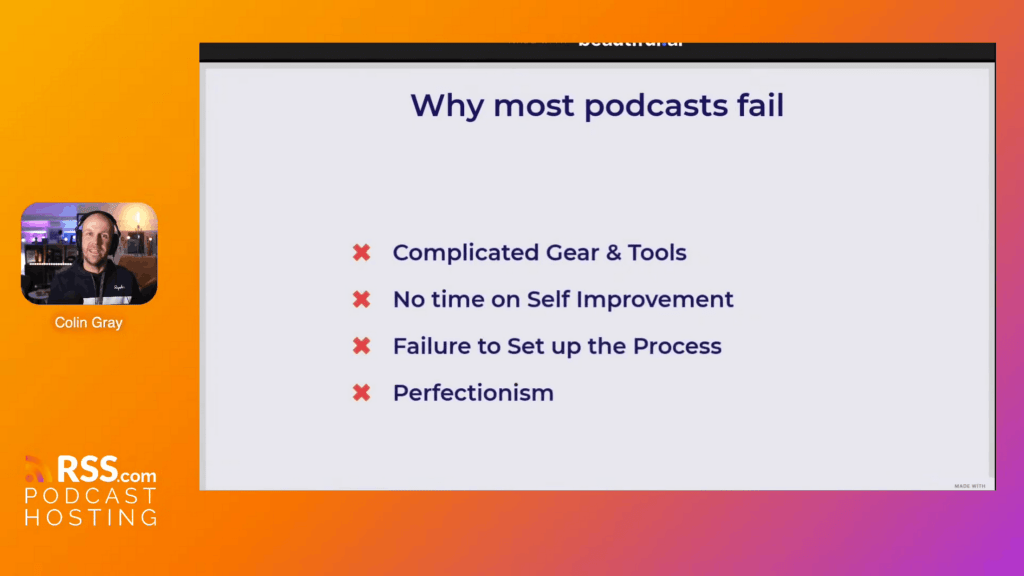
Editing kills more podcasts than anything else. The endless hours spent fixing every mistake, the complicated software, the perfectionism that turns a 30-minute recording into a 3-hour editing session. This is what causes podcasters to quit.
The problem isn’t just the time. It’s what editing steals from you:
- Self-improvement time – You spend hours in post-production instead of getting better at speaking
- Audience growth time – You edit instead of promote
- Creative energy – You obsess over technical details instead of planning better content
Colin’s solution? Stop treating yourself like an audio engineer and start thinking like a broadcaster.
The “Going Live” Mindset
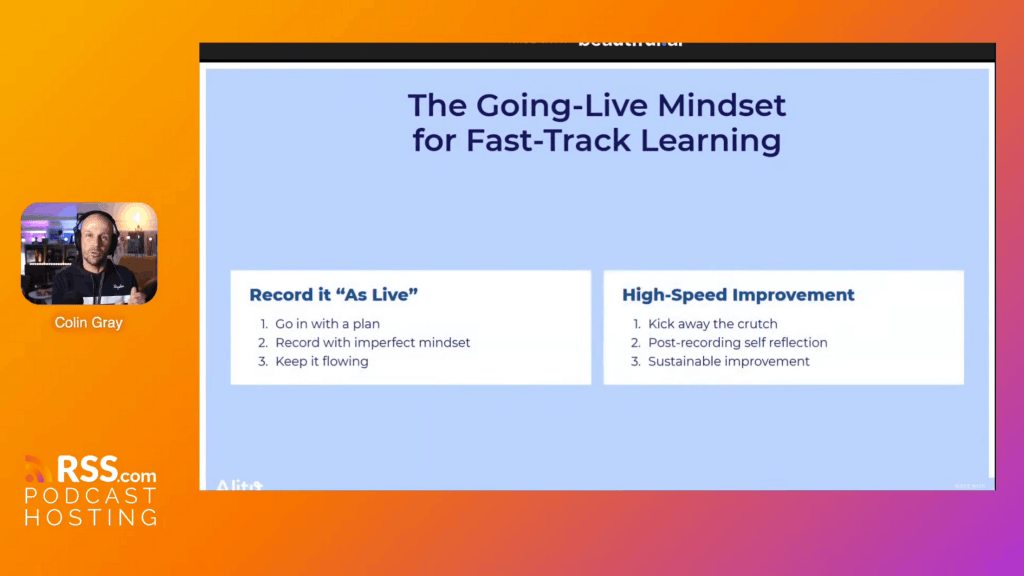
Record as if you’re broadcasting live. When you make a mistake, pause briefly, correct yourself, and keep going. Don’t stop recording. Don’t restart. Just continue.
This approach does three things:
- Gets you into flow – You speak more naturally when you’re not constantly stopping
- Saves editing time – Fewer cuts mean less work later
- Improves your speaking – You learn to self-correct in real time
Think about it: if someone makes a mistake during a live radio show, they simply acknowledge it and move on. Your listeners will appreciate the authenticity.
The Problem with Perfectionism
Colin showed what he calls “the wall of waves” – a recording session where someone stopped and restarted dozens of times. The waveform becomes a maze of false starts, repeated takes, and frustrated attempts to get it “just right.”
Compare that to a clean recording where you simply kept going. One continuous waveform with maybe 2-3 marked edit points. Which one would you rather edit?
Mark Your Edits Without Stopping
When you absolutely must fix something (wrong URL, incorrect name, factual error), use one of these methods:
Click Editing
Click your tongue three times into the microphone. Pause for 2 seconds before and after the clicks. This creates a visual spike in your waveform that’s easy to spot during editing.
Then restart from a natural point: “Actually, let me correct that…” and continue.
Bookmark Method
Say “edit point” out loud. Modern AI-powered editing tools will flag this in your transcript, making it simple to find later.
Colin’s specific technique: “I say ‘edit point’ because just saying ‘edit’ doesn’t work well for me. We talk about editing a lot on my show, so the word appears too often. ‘Edit point’ is unique enough that I can search for it.”
Simplify Your Gear Setup
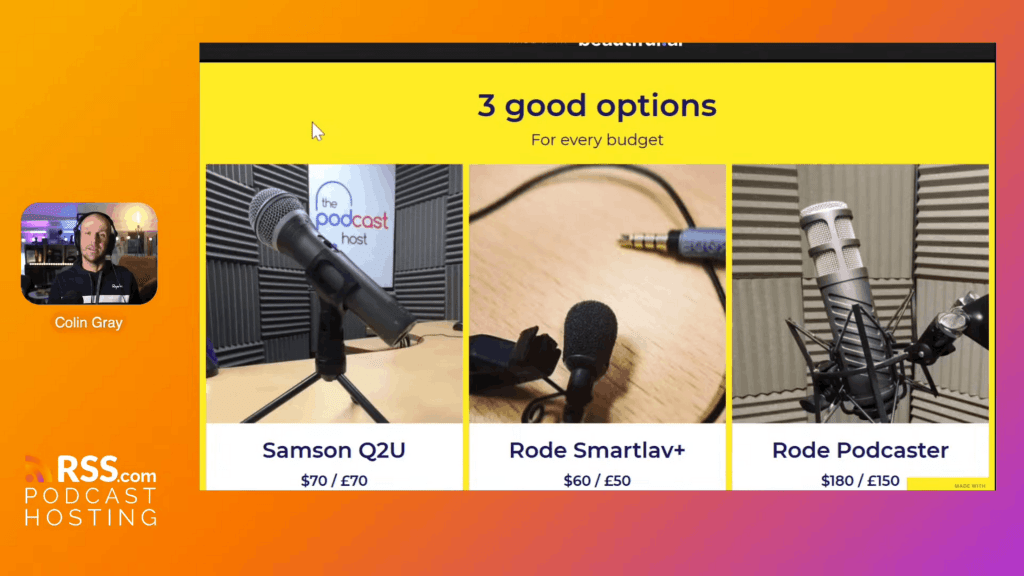
Stop overcomplicating your setup. Colin recommends:
- Samson Q2U – Simple USB microphone that just works ($60-80)
- Rode Podcaster – Upgrade option with better sound ($129-150)
- Rode Wireless Mic Pro – For in-person interviews on your phone
That’s it. Plug in your mic and start recording. Complex gear creates friction that stops you from hitting record.
“The Samson Q2U is simple, reliable, and forgiving across a variety of recording environments,” Colin explained. “It’s what I recommend to anyone just starting out.”
Editing Made Simple: The Alitu Approach
Colin demonstrated his editing workflow using Alitu, showing how modern tools can handle the technical work while you focus on content.
Automatic Audio Cleanup
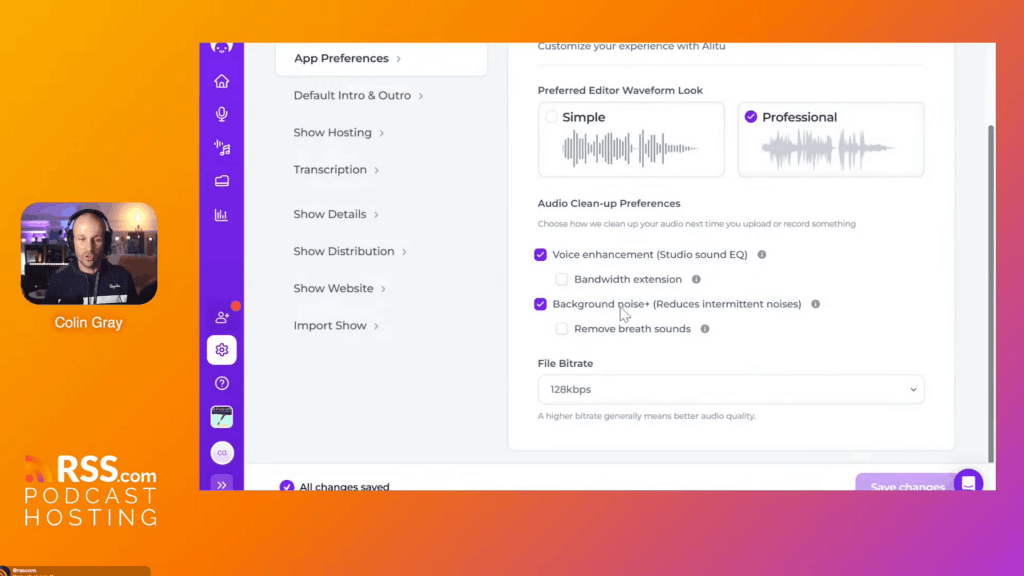
AI-powered cleanup can now handle:
- Compression and leveling
- EQ and voice enhancement
- Background noise reduction
- Breath sounds removal
- Bandwidth extension
You can adjust these settings based on your preferences, but the defaults work well for most situations. “You still want to capture good quality audio,” Colin noted, “but AI cleanup is really good now. You don’t have to worry as much about room quality or mic placement.”
Transcript-Based Editing
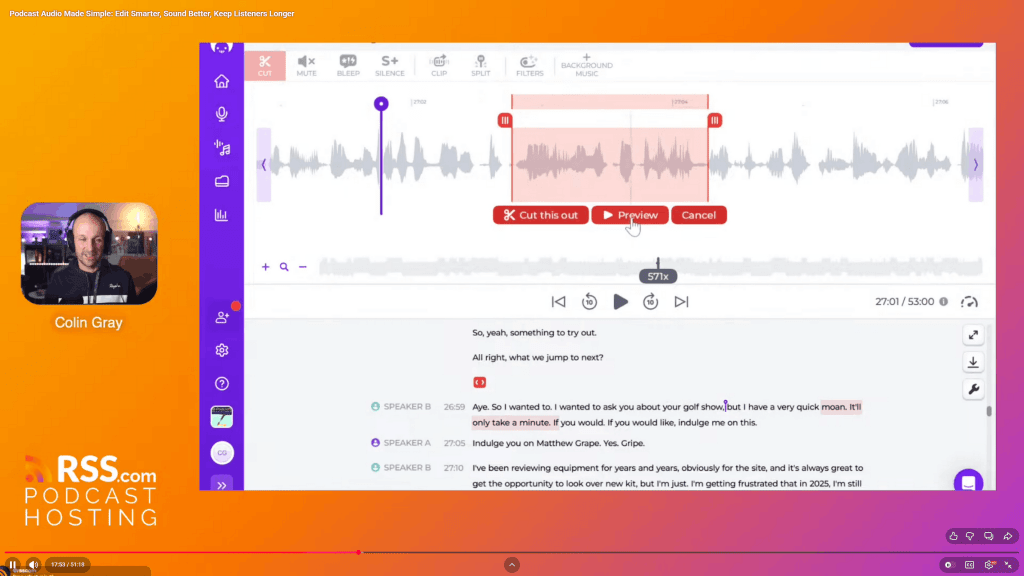
Instead of listening to your entire episode, edit from the transcript.
Here’s how it works:
- Generate your transcript automatically
- Search for “edit point” or other markers
- Highlight the text you want to remove
- Preview the cut
- Make the edit
You can see exactly what you’re cutting in both the transcript and the waveform. No more scrubbing through audio files trying to find the right spot.
Magic Filters for Filler Words
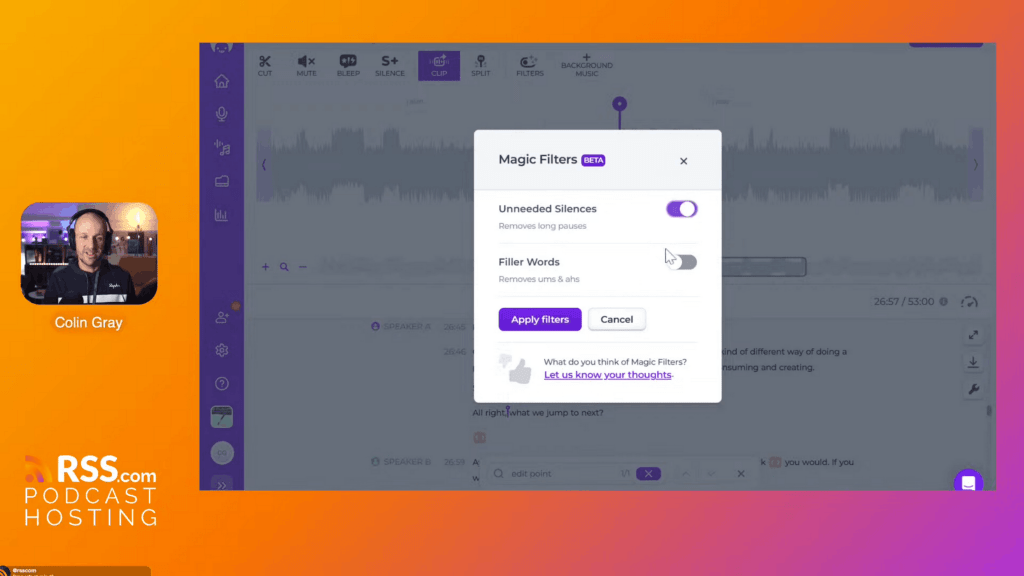
Alitu can automatically detect and mark:
- Long silences
- Ums and ahs
- Other filler words
But here’s Colin’s key advice: “I suggest you should be working to improve these. Use magic filters to show you where they all are, then listen to them. This teaches you what filler words you use most, and helps you cut them out of your speech over time.”
Apply the filters, review what was caught, and decide what to keep or remove. Over time, you’ll naturally use fewer filler words as you become aware of your patterns.
Better Intros That Keep Listeners
Skip the 30-60 second pre-recorded intro. Here’s what works better:
- 2-3 seconds of music – Your audio brand
- 10-15 second podcast intro – What your show covers and who it’s for
- Immediate episode intro – Why listeners should stay for this specific episode
Total time: under 20 seconds. Get to the value fast.
Record Your Intro Live Each Time
“It was kind of a fashion in the 2000s and early 2010s,” Colin explained, “to have this 30-second pre-recorded intro with a radio voice and proper treatment. But I think the power of podcasting is the human behind it.”
Record a fresh intro for each episode that ties directly into the content.
For Example:
“Hey, and welcome to Podcraft. This is the show all about running a successful podcast, whether you’re at launch stage or growth stage. I’m Colin Gray from The Podcast Host and Alitu. Today we’re talking about [specific topic] because [specific reason your listener should care].”
Then immediately get into the episode content.
Using Music Transitions
In Alitu, you can set your intro music to overlap with your voice. The music plays for 2-3 seconds, then continues at a lower volume as you start speaking, and fades out. This creates a professional sound without requiring manual audio engineering.
Set it once, and it applies automatically to every episode.
Streamline Your Publishing Workflow
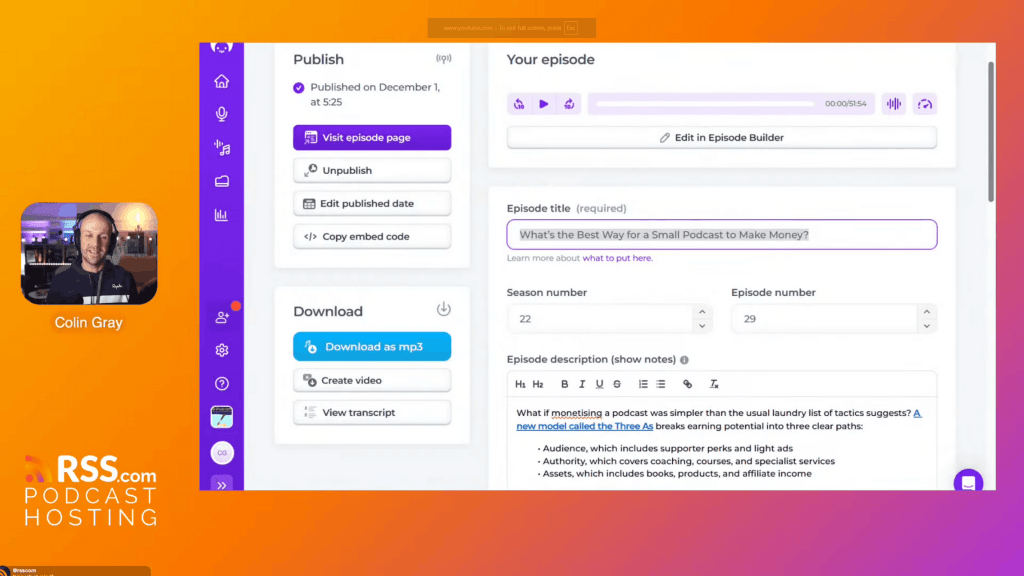
Colin demonstrated the full workflow from recording to publishing:
Episode Building
- Record your intro
- Add your interview or main content
- Add transitions between segments
- Add outro music
- Build the episode
Alitu processes everything automatically: cleanup, music placement, transitions, and final rendering.
Use AI as a Starting Point
Once your episode is built, AI can help with:
- Episode titles – Get 2-3 options to refine
- Show notes descriptions – Edit into your own voice
- Chapter markers – Delete the unnecessary ones and adjust timing
“I would never recommend just going with the first version,” Colin said. “It gives you a way to avoid the blank page. You get ideas, sometimes you learn what NOT to do, and then you write your own title from there.”
Creating Chapters
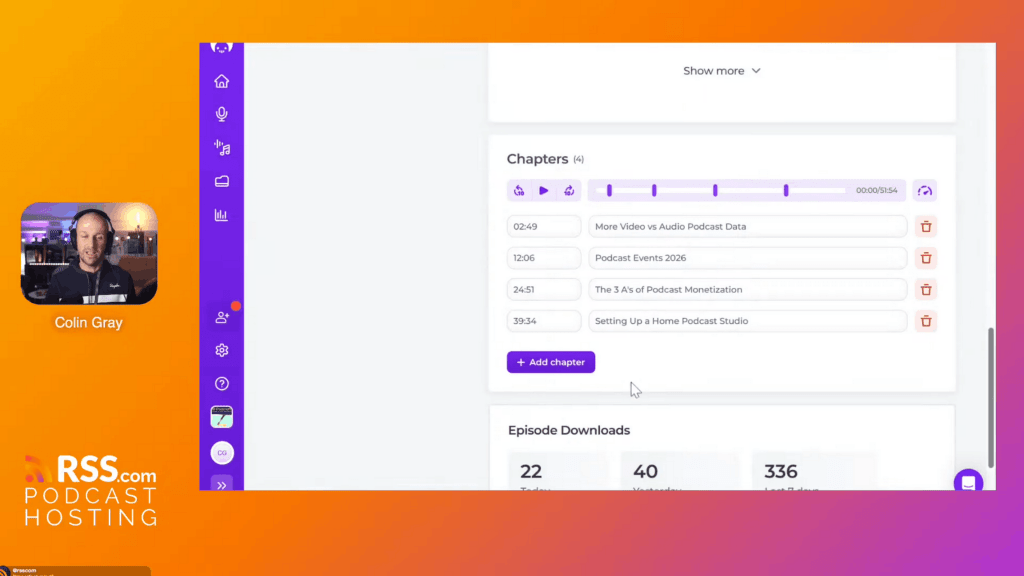
AI-generated chapters give you a starting point. Colin’s process:
- Generate chapters automatically
- Delete chapters that are too granular (not every topic shift needs a chapter)
- Adjust chapter titles to match your voice
- Fine-tune timestamps if needed
“AI tools often create more chapters than you really need,” he noted. “But it gives you the broad strokes so you can refine down.”
Video Podcasting Features
Alitu now includes video recording and editing (currently in beta, fully launching in January 2026):
- Record face-to-camera conversations
- Edit video with the same transcript-based workflow
- Export full video for YouTube
- Or create audio-to-video conversions with waveforms
“You just see a video window in the bottom right of the editor,” Colin explained. “The editing works exactly the same way – you edit from the transcript, and the video follows along.”
The 99% Rule: Focus on What Matters
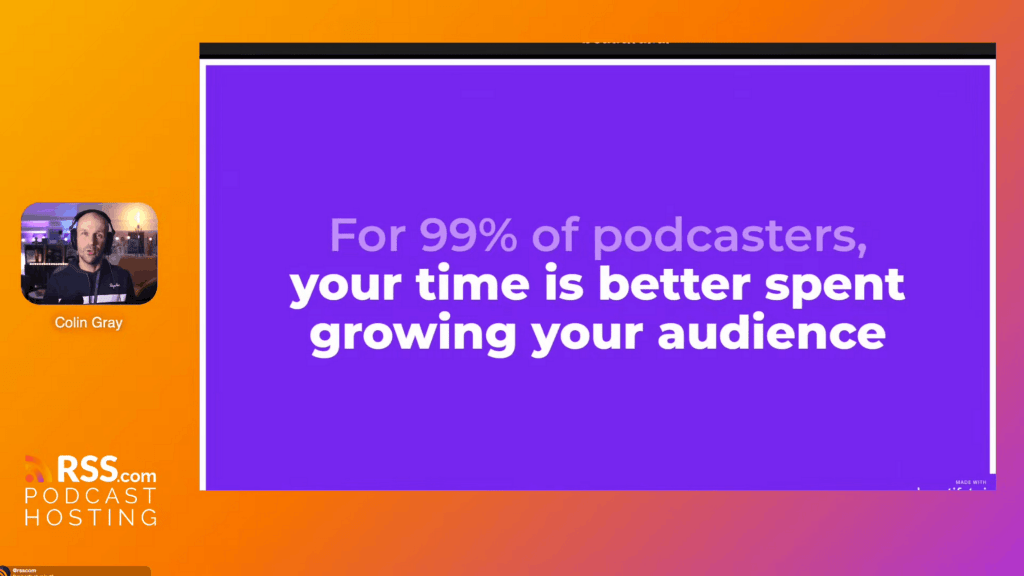
For 99% of podcasters, your time is better spent growing your audience than perfecting your audio.
Colin put it bluntly: “Your time is much better spent growing your audience than spending tons of time in editing.”
Stop obsessing over every um and ah. Stop trying to create radio-quality production. Focus on:
- Creating content people want to hear
- Getting better at speaking and presenting
- Promoting your show to new listeners
- Building relationships with your audience
The technical quality matters, but only to a point. Your listeners care more about valuable content than perfect audio.
The Bigger Benefits of Podcasting
“One of the best side effects of podcasting,” Colin shared, “is the fact that you just get better at presenting, at speaking in general, but also at organizing your thoughts, thinking on the fly, improvising.”
These skills transfer to:
- Work presentations
- Team meetings
- Conference talks
- Casual conversations with new people
“Having these conversations, practicing speaking to people and having them public just makes you think more about how you improve that,” he said.
Create a Sustainable Workflow
The goal is to make podcasting so easy that you barely think about the technical parts.
Colin calls this becoming a “tireless podcaster” or creating an “immortal podcast” – a show that will keep going because the workflow is sustainable.
Your simple workflow:
- Record with the “going live” mindset
- Mark major mistakes with clicks or “edit point”
- Let AI handle technical cleanup
- Edit only the big issues from transcript
- Generate titles, descriptions, chapters with AI (then refine them)
- Publish and promote
“Sustainability comes from workflow, not willpower,” Colin emphasized. When your process is this streamlined, you can maintain it week after week.
Try Alitu for Podcast Editing
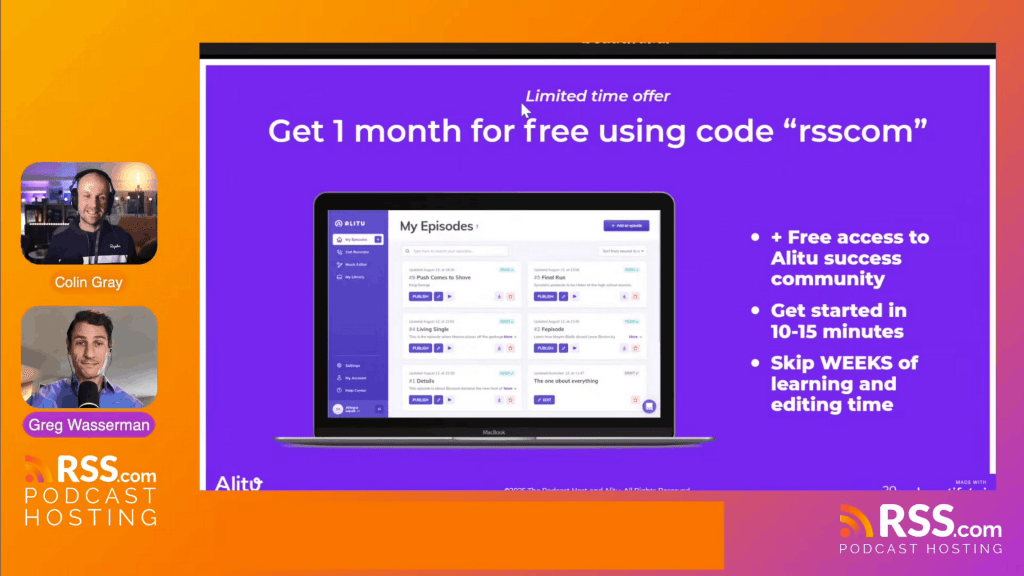
Colin built Alitu to solve the editing problem that kills so many podcasts. The tool handles automatic audio cleanup, transcript-based editing, music addition, and one-click publishing.
RSS.com users can try Alitu free for one month with code: rsscom
Start your free trial at Alitu.com.
The Bottom Line
Editing doesn’t have to be complicated. Record like you’re going live, fix only what matters, and use tools that automate the technical work. This approach creates a sustainable podcast you can maintain week after week.
Want more training sessions like this? Subscribe to the RSS.com YouTube channel for expert tips on launching, growing, and monetizing your podcast.
Ready to launch your podcast? Start your free trial at RSS.com and get everything you need to publish, distribute, and monetize your show.