The STEM Lab

The STEM Lab

di The Stem Lab

Best LEGO STEM Kits: Buyer's Guide to Robotics, Engineering & Programming Sets
IA
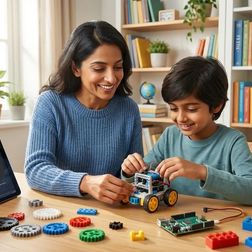
Spending hundreds of dollars on a LEGO robotics kit only to watch it collect dust is every parent's nightmare. This episode breaks down exactly how to choose LEGO STEM kits that actually build real engineering and programming skills — not just the ability to follow instructions. Host Rajiv Patel draws on fifteen years of hardware-software integration experience and insights from what robotics companies actually look for when hiring to help you match the right kit to your child's specific learning goals. Not all LEGO coding platforms let kids grow into real programming. Some kits use special block-based coding that only works with LEGO, like a language nobody else speaks. SPIKE Prime shows kids the actual Python code behind each block, so they learn skills they can use on other computers and robots later. The number and type of sensors matter more than you might think. Sensors are like a robot's eyes and ears. Basic kits only include one or two, but real robots combine information from many sensors at once to make smart decisions — so check what comes in the box and how much extras cost. Gear variety teaches engineering better than flashy features. Gears are like bicycle speeds — different combinations make things stronger or faster. Kits with many gear types let kids experiment with how machines multiply force, which is exactly what professional engineers do when designing real equipment. Connection types can trap you or set you free. LEGO has changed how pieces plug into the computer brain over the years. If you buy parts from different generations, they might not work together, like trying to plug an old phone charger into a new phone. Offline capability matters more than parents realize. Some LEGO apps need constant internet to work, which creates problems in schools with restricted networks or homes with spotty wifi. SPIKE Prime works offline after downloading, while EV3 with third-party software runs completely without internet. Show Links Affiliate Disclosure: As an Amazon Associate I earn from qualifying purchases. Full article: https://stemlabguide.com/best-lego-stem-kits-buyer-s-guide-to-robotics-engineering-programming-sets LEGO Education SPIKE Prime Set - https://www.amazon.com/s?k=LEGO%20Education%20SPIKE%20Prime%20Set&tag=stemlab-20 LEGO Mindstorms Robot Inventor - https://www.amazon.com/s?k=LEGO%20Mindstorms%20Robot%20Inventor&tag=stemlab-20 LEGO Boost Creative Toolbox - https://www.amazon.com/s?k=LEGO%20Boost%20Creative%20Toolbox&tag=stemlab-20 LEGO Technic Liebherr R 9800 Excavator - https://www.amazon.com/s?k=LEGO%20Technic%20Liebherr%20R%209800%20Excavator&tag=stemlab-20 LEGO Education WeDo 2.0 - https://www.amazon.com/s?k=LEGO%20Education%20WeDo%202.0&tag=stemlab-20 LEGO Technic Control+ Volvo Concept Wheel Loader ZEUX - https://www.amazon.com/s?k=LEGO%20Technic%20Control%2B%20Volvo%20Concept%20Wheel%20Loader%20ZEUX&tag=stemlab-20 Related Articles How to Choose a Citizen Science Kit for Your Child's Skill Level - https://stemlabguide.com/how-to-choose-a-citizen-science-kit-for-your-child-s-skill-level STEM Toys for 10 Year Olds That Teach Real Skills: Skill-Building Guide - https://stemlabguide.com/stem-toys-for-10-year-olds-that-teach-real-skills Best 3D Printers for Kids and Teens: Complete Buyer's Guide for Educational STEM Learning - https://stemlabguide.com/best-3d-printers-for-kids-and-teens Best Robotics Kits for Kids: Complete Guide to Building Real Engineering Skills - https://stemlabguide.com/best-robotics-kits-for-kids Best Coding Robot Kits Under $100: Budget-Friendly STEM Learning - https://stemlabguide.com/best-coding-robot-kits-under-100

STEM Learning Path Checklist: Age 10 to Industry-Ready Skills

IA
Your child just built something impressive, and now you're wondering how to channel that spark into real skills—without just adding more screen time. This episode maps out the complete STEM learning journey from age ten through high school, with concrete milestones and technical requirements that actually prepare kids for engineering, programming, and scientific careers. Dr. Priya Mehta breaks down the specific tools, project progressions, and skill benchmarks that connect today's hands-on exploration to tomorrow's professional capabilities. Ages ten to twelve represent a critical developmental window for introducing structured learning paths—kids can now handle abstract thinking and sequential problem-solving, making this the ideal time to move beyond scattered toy experiences toward purposeful skill acquisition. Visual programming should come before text-based code: completing fifteen to twenty Scratch projects of increasing complexity builds logic fundamentals without syntax frustration, and platforms like LEGO Mindstorms Robot Inventor bridge to Python once block-based concepts are mastered. Arduino-compatible platforms teach real microcontroller programming through circuit building—the same architecture used in industrial IoT and automotive systems—and the troubleshooting frustration that comes with debugging hardware connections builds genuine resilience. Parametric 3D design in Tinkercad should focus on functional objects that solve problems, not decorative figures, with progression to Fusion 360 by age twelve for assembly modeling and basic stress analysis using actual professional engineering tools. Data literacy starts with physical science experiments: pairing spreadsheet skills with hands-on measurement teaches scientific method fundamentals that underpin everything from climate science to financial analysis. Moving from pre-wired renewable energy kits to discrete component assembly makes a significant difference—troubleshooting individual connections teaches electrical theory that plug-and-play systems completely hide. Read the full article: https://stemlabguide.com/stem-learning-path-checklist

What Real Skills Should 10 Year Olds Learn From STEM Toys

IA
Your child just spent hours absorbed in a robotics kit—but did they actually learn anything that transfers beyond the toy itself? In this episode, Dr. Priya Mehta, a child developmental psychologist specializing in hands-on technical skill development, breaks down exactly what cognitive, manual, and analytical abilities ten-year-olds should be gaining from STEM toys. If you're a parent wondering whether that expensive kit is building real competencies or just keeping your child entertained, this conversation will help you distinguish between novelty gadgets and genuine skill-building platforms. Age ten represents a developmental sweet spot where abstract thinking emerges, working memory can handle four to five variables simultaneously, and children can sustain focused attention for 30-45 minutes—making them ready for systematic debugging and hypothesis-driven experimentation rather than trial-and-error tinkering. Screen-free coding tools like Turing Tumble teach computational thinking through physical manipulation, helping children internalize binary logic and conditional branching in ways that transfer directly to Scratch and Python programming later. The critical difference between a STEM toy and a skill-building platform lies in expandability and industry alignment—Arduino-compatible kits and VEX Robotics use components that mirror professional automation equipment, teaching sensor calibration and control loops found in AP Physics and college mechatronics. Ten-year-olds can develop multi-domain systems thinking by tracing how changes in code affect sensor readings, which then trigger motor responses—integrating electronics, mechanics, and programming in single projects. Engineering notebooks transform how children relate to failure; documenting failed prototypes alongside successful iterations reframes frustration as useful information and builds the emotional resilience needed for sustained technical problem-solving. Measurable skills achievable at this age include reading circuit diagrams, writing conditional logic, measuring voltage with a multimeter, and designing prototypes—competencies that prepare children for high school engineering labs and competitive robotics. Read the full article: https://stemlabguide.com/what-real-skills-should-10-year-olds-learn-from-stem-toys

How to Build a Progressive STEM Learning Path with Age-Specific Toys
IA
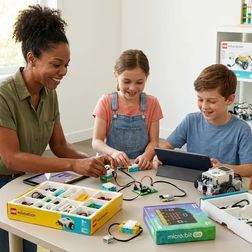
Most parents buy STEM toys hoping they'll spark something—but without a plan, you end up with expensive kits gathering dust or kids hitting frustrating skill gaps. In this episode, Dr. Priya Mehta breaks down how to architect a multi-year learning system that sequences toys and tools so each one builds directly on the last. Whether your child is three or heading into middle school, you'll learn how to match developmental milestones to specific product categories, avoid buying tools they won't be ready for, and create a documented progression from tactile problem-solving all the way to industry-standard programming platforms. Before purchasing anything, conduct a 30-60 minute observation of your child during unstructured play to assess three critical capabilities: manual dexterity, logical sequencing, and symbolic thinking—these matter far more than the age ranges printed on packaging. Create a simple three-column assessment chart (can do independently, can do with scaffolding, not yet ready) with brutally specific criteria to establish your baseline and project when to introduce next-stage tools. For ages three to five, prioritize screen-free tactile toys like gear sets and marble runs that make abstract concepts physically tangible—this stage builds the neural pathways for later debugging and engineering design thinking. A well-structured STEM learning path costs roughly $150-300 per year, but requires initial planning time of two to three hours plus reassessment every six to twelve months to identify capability gaps. Screen-free coding toys that use physical programming cards should come before any app-dependent tools, ensuring kids understand sequential logic through direct manipulation first. Document everything—skill milestones, product acquisition dates, and observed gaps—in a dedicated system so you can track progression and make informed decisions about when to level up. Read the full article: https://stemlabguide.com/how-to-build-a-progressive-stem-learning-path-with-age-specific-toys

Best Programming Kits for 10 Year Olds That Build Coding Skills

IA
When your curious ten-year-old starts asking about loops and conditionals after hacking together their own bedroom automation project, you know they're ready for more than toy-level coding kits. This episode breaks down exactly what separates serious programming tools from marketing fluff, helping parents choose kits that won't be outgrown in a week or cause frustration from day one. Chloe Miller shares years of hands-on testing experience to identify platforms that meet kids where they are while leaving room for real growth toward professional coding skills. The best programming kits for this age offer dual-mode programming, letting kids toggle between drag-and-drop blocks and the actual Python, JavaScript, or C++ code those blocks generate—this transparency builds genuine syntax understanding rather than pattern memorization. Hardware expandability makes or breaks long-term value: kits built on open-source platforms like Arduino, Raspberry Pi, or micro:bit accept third-party components and can be programmed in multiple languages, giving you a decade-long learning runway instead of a six-month novelty. Hidden costs catch many families off guard—some kits require expensive tablets, lock features behind subscriptions, or need constant battery replacement, so reading the fine print about power requirements, consumables, and software access is essential before purchase. Quality kits provide concrete skill milestones showing exactly what your child will build by hour ten, fifty, and one hundred, progressing from blinking LEDs to sensor-driven robots to API integration and data logging. Ten-year-olds can absolutely handle variables, conditionals, loops, functions, and basic debugging—don't settle for kits that assume less or treat coding as purely play without substance. Durability and repairability matter more than manufacturers admit: look for modular systems with replaceable parts and robust connectors that survive the rapid build-test-fail-rebuild cycles that real learning requires. Read the full article: https://stemlabguide.com/best-programming-kits-for-10-year-olds-that-build-coding-skills

STEM Toy Lab Setup Checklist: Power, Space, and Compatibility Requirements by Age Group

IA
Before you spend hundreds of dollars on STEM toys that end up collecting dust, there's a critical step most parents skip: planning the actual infrastructure. In this episode, Kazuki Tanaka—who has built twelve dedicated home STEM labs across three states—walks through the power, space, lighting, and compatibility requirements that determine whether your investment builds real skills or just creates clutter. Whether you're setting up a screen-free coding corner for a preschooler or a full computational thinking lab for a ten-year-old, these age-specific checklists will save you from the most common (and expensive) setup mistakes. For ages 3–6, stick with battery-operated devices using standard AA or AAA batteries rather than proprietary button cells—you'll spend less on replacements and avoid the extension cord tangles that derail early learning setups. Young learners need a minimum 24" x 36" flat surface and open storage bins within 30 inches of floor level; tall shelving and closed cabinets kill engagement because they require adult intervention for every activity. Lighting matters more than most parents realize—adding 500–750 lux task lighting (like under-cabinet LED strips) can dramatically reduce frustration with color-coded components and small directional arrows. Once kids hit ages 7–10 and you're adding coding robots, tablets, and potentially 3D printers, you need two dedicated 15-amp circuits on separate breakers to avoid tripping breakers mid-project. A USB charging station with at least 6 ports and 60 watts total output (with USB-C Power Delivery) prevents the charging bottlenecks that come with managing multiple educational devices. Watch out for "screen-free" toys that actually require companion apps for setup—true screen-free operation means zero WiFi or Bluetooth dependencies, which matters for screen time management and uninterrupted learning during travel. Read the full article: https://stemlabguide.com/stem-toy-lab-setup-checklist

What Are STEM Toys: Understanding Skill Progression from Preschool to Pre-Teen

IA
Ever stood in a toy aisle wondering if that "STEM" label actually means anything, or if it's just marketing slapped on plastic? In this episode, educator Lakshmi Venkataraman breaks down exactly what separates genuine STEM learning tools from the imposters—and why buying randomly without understanding skill progression can actually confuse your child's development. Whether you're shopping for a preschooler just learning cause-and-effect or a pre-teen ready for real programming platforms, this episode maps out the exact learning trajectory from age three to eleven. Real STEM toys meet four specific criteria: they teach transferable technical skills, include clear success metrics, connect to the next level in a learning path, and function without constant adult intervention. Ages three to five should focus on screen-free tools that teach directional sequencing and simple machines—look for offline functionality, standard AA batteries, and pieces that survive repeated drops from table height. By age five, children should understand basic simple machines, predict motion outcomes before testing them, and follow multi-step sequences of up to seven commands. The six to eight transition is critical: children move from following steps to creating their own sequences, learning conditional logic, loops, and the concept that problems can have multiple valid solutions. When shopping for early elementary tools, look for products with 50-plus challenge levels spanning at least two years of growth, and check that any digital components won't lock you into expensive tablet upgrade cycles. Skipping foundational stages has real consequences—many sixth-graders struggle with proportional reasoning in chemistry because they never built measurement skills with age-appropriate tools earlier. Read the full article: https://stemlabguide.com/what-are-stem-toys

How to Choose Age-Appropriate STEM Toys That Build Sequential Skills

IA
Most parents shop for STEM toys based on the age range printed on the box, but that approach completely misses what actually matters: the sequential skills those toys build. In this episode, Rajiv Patel breaks down why a seven-year-old with two years of logic-building experience isn't at the same level as a seven-year-old just starting out—and how to evaluate products based on real capability progressions instead of marketing promises. If you've ever wondered whether those "educational" labels mean anything concrete, this one's for you. Look for products that specify measurable outcomes, not vague claims like "teaches coding." A useful benchmark: if you can't assess the skill in a 15-minute demonstration, the product lacks real instructional architecture behind it. Check technical compatibility before buying—proprietary software ecosystems often dead-end, while products bridging to Python, Scratch, or Arduino IDE connect to tools actually used in industry. Calculate the 3-year total cost of ownership, including subscriptions, consumables like 3D printer filament, and replacement parts. Products requiring subscriptions for basic functionality rarely deliver enough value unless curriculum updates are tied to evolving industry standards. Durability matters more than most parents realize. Classroom-grade products with snap-lock connectors, ABS plastic, and metal gears survive hundreds of assembly cycles, while consumer-marketed toys often fail after repeated use. Avoid cloud-dependent products—Rajiv has watched three "smart" robot kits become expensive paperweights after companies shut down their servers. Offline functionality and open architecture protect your investment. The most valuable STEM toys serve as stepping stones to professional tools, teaching transferable skills like CAD workflows and using industry-standard file formats rather than isolated proprietary systems. Read the full article: https://stemlabguide.com/how-to-choose-age-appropriate-stem-toys-that-build-sequential-skills

STEM Toys for 3 Year Olds vs 4 Year Olds: Which Developmental Stage Fits Your Child?
IA
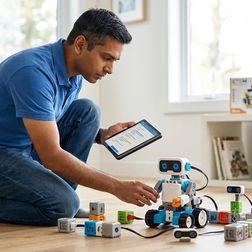
Choosing the right STEM toy for your toddler isn't as simple as checking the age on the box. Between ages three and four, children undergo a fundamental cognitive shift—from parallel play to sequential problem-solving—that completely changes which toys will engage them versus frustrate them. In this episode, Dr. Priya Mehta breaks down the specific developmental markers that should guide your purchasing decisions, from motor skill requirements to abstract thinking readiness, and recommends products with the actual specs parents need to make informed choices. The core difference between STEM toys for three-year-olds versus four-year-olds comes down to piece size and feedback timing: three-year-olds need chunky components (two inches or larger) with immediate cause-and-effect results, while four-year-olds can handle one-inch pieces and tolerate multi-step sequences before seeing outcomes. Three-year-olds require continuous adult co-play for both guidance and safety, whereas four-year-olds can explore independently for fifteen to twenty minutes with only brief check-ins for complex tasks. Motor skill development determines which toys actually get used: three-year-olds are still refining their pincer grasp and excel with magnetic connections or satisfying snap-together pieces, while four-year-olds can manage precision placement like aligning small pegs into corresponding holes. The Learning Resources Gears! Gears! Gears! Beginner's Building Set works well for three-year-olds because its oversized gears (two-and-a-half-inch diameter) teach rotational cause and effect without requiring fine motor precision. Four-year-olds are ready for screen-free coding toys like the Learning Resources Code and Go Robot Mouse, which requires placing directional tiles in sequence and waiting through three or four steps before seeing results—a patience threshold most three-year-olds haven't developed. Abstract thinking emerges around age four, allowing children to picture outcomes before manipulating objects, while three-year-olds remain in the concrete present and need toys emphasizing sensory feedback and immediate results like magnetic building tiles. Read the full article: https://stemlabguide.com/stem-toys-for-3-year-olds-vs-4-year-olds

Best STEM Toys for 7 Year Olds: Advanced Logic and Coding Readiness

IA
Most "educational" toys keep kids entertained without building real skills—but the right STEM toys can actually prepare seven-year-olds for Python, circuit design, and CAD workflows they'll encounter in actual engineering careers. In this episode, Rajiv Patel breaks down which products genuinely bridge the gap between play and professional-grade logic structures. If you're looking for toys that develop computational thinking during the critical cognitive window when abstract logic and pattern recognition click into place, this analysis cuts through the marketing hype. The LEGO Boost Creative Toolbox teaches event-driven programming, conditional logic, and sensor integration through five buildable models—skills that transfer directly to Scratch and eventually Python, though the app can lag on pre-2020 iPads. Osmo Coding Starter Kit uses physical magnetic blocks that the iPad camera interprets, making algorithm construction tangible for kinesthetic learners—the "hand" block functions as a subroutine trigger, mirroring logic flow diagrams used in enterprise systems integration. ThinkFun Gravity Maze is completely unplugged and develops 3D spatial visualization through 60 progressive marble-path challenges—the same mental rotation and path optimization skills assessed in entry-level mechanical engineering interviews. Seven is a unique cognitive window where foundational programming concepts actually stick, making it the ideal time to introduce tools that build cause-effect relationships in code execution. The natural progression for robotics learning moves from LEGO WeDo 2.0 to Boost to Mindstorms (age 10+) to Arduino-based systems, with each stage building on icon-based programming that reduces cognitive load. Hardware limitations create real learning friction: Osmo's block recognition fails under poor lighting, which frustrates beginners but inadvertently teaches real-world hardware debugging mindsets. Read the full article: https://stemlabguide.com/best-stem-toys-for-7-year-olds
8 di 15