The STEM Lab

The STEM Lab

di The Stem Lab
What Is Project-Based STEM Learning for Middle School Students
IA
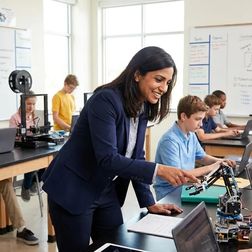
Middle schoolers memorize facts, pass tests, and forget everything two weeks later. But what if they built an actual solar-powered phone charger that failed twice before it worked? That's project-based STEM learning, and it changes how kids understand science, technology, engineering, and math. In this episode, we break down what project-based learning actually is, how it works in real classrooms and homes, and why it matters more than traditional instruction for developing real-world STEM skills. Whether you're a parent building a home learning environment or an educator looking to implement authentic projects, this episode gives you the framework, examples, and practical advice you need. Project-based STEM learning is when students investigate complex, real-world problems over several weeks instead of just memorizing facts. They define their own approach, build prototypes, test them, fail, revise, and present their findings to a real audience—not just the teacher. It's how actual engineers and scientists work, just scaled to middle school skill levels. A genuine project has five key parts: an open-ended driving question that students pursue, sustained inquiry with multiple research and testing cycles, student decision-making about how to solve the problem, connections to real professional scenarios, and a public product like a presentation or working prototype. If kids are just following step-by-step instructions, it's not project-based learning—it's assembly. Projects typically run three to six weeks and include four phases: launching with a provocative hook and question, building foundational knowledge just-in-time when students hit obstacles, iterative design and prototyping with multiple test-and-revise cycles, and creating a public presentation with structured reflection on what worked and what failed. Assessment happens throughout the project, not just at the end. You evaluate research documentation, prototype iterations, troubleshooting records, checkpoint presentations, discrete technical skills like writing functional code or explaining why a design failed, and written reflections where students analyze their process and compare their solution to professional approaches. The biggest mistakes families make at home are picking projects that look cool but have no real technical challenge, compressing weeks of work into a weekend, providing too many step-by-step instructions that eliminate problem-solving, and buying consumable subscription boxes instead of investing in reusable platforms like LEGO robotics kits or Arduino boards that support progressive skill building across multiple projects. Show Links Affiliate Disclosure: As an Amazon Associate I earn from qualifying purchases. Full article Related Articles Air Quality Sensors Explained: What Student Citizen Scientists Should Know Enclosed vs Open Frame 3D Printers for Kids: Safety and Performance Compared How to Collect and Analyze Environmental Data with Sensor Kits How to Transition from Block-Based to Text-Based Robot Programming Best Coding Robot Kits Under $100: Budget-Friendly STEM Learning

How to Design a STEM Learning Path for 12 Year Olds

IA
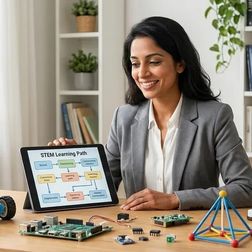
In this episode, Dr. Priya Mehta walks you through building a real STEM learning path for your twelve-year-old, one that matches their actual developmental abilities instead of dumbing things down. You'll hear exactly how to figure out what skills they already have, what gaps are holding them back, and how to pick tools that build on each other in a logical sequence. This isn't about buying the fanciest robotics kit or following some one-size-fits-all curriculum. It's about creating a custom year-long plan that turns your kid's curiosity into genuine technical capability. Show Links Affiliate Disclosure: As an Amazon Associate I earn from qualifying purchases. Full article LEGO SPIKE Prime Set Arduino Starter Kit Creality Ender 3 V3 SE Related Articles Air Quality Sensors Explained: What Student Citizen Scientists Should Know Enclosed vs Open Frame 3D Printers for Kids: Safety and Performance Compared How to Collect and Analyze Environmental Data with Sensor Kits How to Transition from Block-Based to Text-Based Robot Programming Best Coding Robot Kits Under $100: Budget-Friendly STEM Learning

Best Coding Platforms for 12 Year Old Beginners
IA
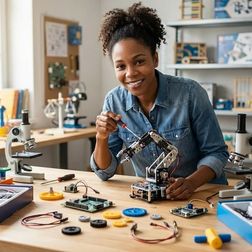
If your 12-year-old wants to learn coding, the options can feel overwhelming. Should they start with visual blocks or jump straight into Python? Do you need expensive hardware or paid subscriptions? This episode cuts through the noise. Kazuki Tanaka, who runs a fabrication lab and has tested coding platforms with actual 12-year-olds for over a year, breaks down the platforms that actually build career-relevant skills—from Scratch and Python to Arduino, Raspberry Pi, and Roblox Studio. You'll learn which platforms are completely free, which ones require one-time hardware investments, what skill milestones to expect, and how to match the right tool to your kid's learning style. Show Links Affiliate Disclosure: As an Amazon Associate I earn from qualifying purchases. Full article Official Scratch Coding Cards Arduino Starter Kit BBC micro:bit Go Bundle Roblox Coding Book for Kids CanaKit Raspberry Pi 4 Starter Kit Related Articles Air Quality Sensors Explained: What Student Citizen Scientists Should Know Enclosed vs Open Frame 3D Printers for Kids: Safety and Performance Compared How to Collect and Analyze Environmental Data with Sensor Kits How to Transition from Block-Based to Text-Based Robot Programming Best Coding Robot Kits Under $100: Budget-Friendly STEM Learning

Best STEM Project Kits for 12 Year Olds
IA
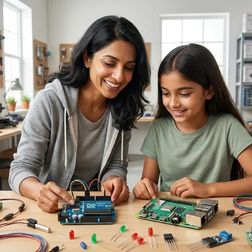
In this episode, we break down the best STEM project kits for twelve-year-olds—the age where kids are ready to move past guided builds and start tackling real engineering challenges. We cover six standout options ranging from LEGO robotics to resin 3D printers to solar energy systems, explaining what each teaches, what infrastructure it requires, and which trade-offs you're actually making. You'll also hear what to look for before buying any kit: expandability, technical compatibility, skill outcomes, durability, and total cost of ownership. Plus, we answer the most common questions parents ask about programming languages, supervision needs, time commitment, and whether comprehensive platform kits beat specialized tools. Show Links Affiliate Disclosure: As an Amazon Associate I earn from qualifying purchases. Full article LEGO Education SPIKE Prime Set Makeblock mBot2 Robot Kit Elegoo Mars 3 Pro 4K Resin 3D Printer Adafruit CLUE nRF52840 Express Arduino Engineering Kit R2 Thames & Kosmos Solar-Powered Innovations Kit Related Articles Arduino vs Raspberry Pi for 12 Year Olds: Which Platform to Start With STEM by Design: Complete Strategies and Activities Guide for 12 Year Olds Screen-Free Coding Subscription Boxes vs One-Time Purchase Kits: Which to Choose How to Design a Progressive STEM Learning Path in Your Home Lab Best Screen-Free Coding Toys for Preschoolers: Building Logic Skills Ages 3-5
Arduino vs Raspberry Pi for 12 Year Olds: Which Platform to Start With

IA
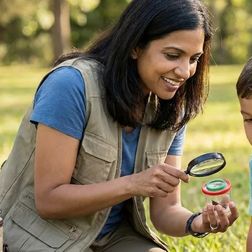
Arduino vs Raspberry Pi for 12 Year Olds: Which Platform to Start With For most 12 year olds, Arduino is the better starting point because it teaches fundamental electronics and embedded programming without the complexity of a full operating system, though Raspberry Pi suits children already comfortable with computers who want to build software-focused projects. This article compares arduino vs raspberry pi for 12 year olds across technical requirements, learning outcomes, expandability, and how each platform fits into (/article/how-to-design-stem-learning-path-for-12-year-olds). Quick Comparison | Criterion | Arduino | Raspberry Pi | |---------------|-------------|------------------| | Primary Focus | Embedded electronics, sensor integration, physical computing | General-purpose computing, software projects, Linux-based programming | | Programming Languages | Arduino IDE (C/C++), block-based options via mBlock, Scratch for Arduino | Python (primary), Scratch, JavaScript, C++, supports full desktop IDEs | | Screen Dependency | Optional—many projects run standalone after programming | Required for setup and most projects; acts as full computer | | Power & Portability | 5V via USB…

Best Citizen Science Kits for Kids: Building Real-World Research Skills at Home
IA
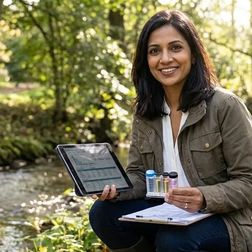
In this episode, we're talking about citizen science kits—the kind that connect your child to real research networks instead of just simulating science at the kitchen table. If you've ever wondered whether your kid could contribute actual data to university labs or environmental agencies, this episode walks you through what that looks like, what equipment you need, and how to pick a project that matches your child's age and interests. This isn't about toys or feel-good participation awards; it's about teaching kids the same protocols and data hygiene practices that professional scientists use every single day. Citizen science kits let kids collect real data for actual research studies, not just do pretend experiments. Their observations go into the same databases that scientists use to write papers, track species, or monitor water quality. It's like being part of a research team, even if you're working from your backyard. These kits teach skills that regular science kits don't, like calibrating equipment, troubleshooting weird results, and keeping data clean and organized. Instead of just following steps and getting a predictable result, kids learn to handle the messy, frustrating, real-world problems that actual scientists deal with all the time. You can start with simple observation projects around age seven or eight—things like counting birds or tracking when flowers bloom. More technical projects with sensors and water testing work better for kids around ten to twelve, once they can handle careful measurements and stay consistent over weeks or months. Most citizen science platforms are totally free to join because they're research projects looking for data, not companies selling you stuff. But if you're using equipment like water testing kits or sensor platforms, you'll need to budget for things like replacement chemicals, calibration supplies, or new sensor parts—usually fifty to one hundred dollars a year. You don't have to buy a fancy kit to do citizen science. Some of the best projects just need a smartphone camera and a free app, or binoculars and a bird feeder you already own. The important part is finding a well-designed protocol connected to real researchers, not necessarily buying a box with everything included. Show Links Affiliate Disclosure: As an Amazon Associate I earn from qualifying purchases. Full article Related Articles LEGO STEM Education: Complete Guide to Building Technical Skills Through Brick-Based Learning STEM Toys for 10 Year Olds That Teach Real Skills: Skill-Building Guide How to Choose a Citizen Science Kit for Your Child's Skill Level Best 3D Printers for Kids and Teens: Complete Buyer's Guide for Educational STEM Learning Best Robotics Kits for Kids: Complete Guide to Building Real Engineering Skills

Starting Your First Citizen Science Project: Complete Setup Checklist
IA
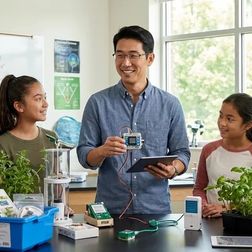
Thinking about starting a citizen science project with your kid? Most families jump straight in and end up with weeks of unusable data because they skipped the setup phase. This episode walks through the complete checklist you actually need before your first field session—equipment that meets research standards, software that won't lose your observations, protocols that keep data consistent, and the learning scaffolds that turn data collection into genuine skill-building. Whether you're tracking birds, monitoring water quality, or measuring air pollution, this guide shows you how to contribute observations scientists will actually use. Show Links Affiliate Disclosure: As an Amazon Associate I earn from qualifying purchases. Full article micro:bit Environmental Science Kit CanaKit Raspberry Pi Air Quality Sensor Kit Related Articles LEGO STEM Education: Complete Guide to Building Technical Skills Through Brick-Based Learning STEM Toys for 10 Year Olds That Teach Real Skills: Skill-Building Guide How to Choose a Citizen Science Kit for Your Child's Skill Level Best 3D Printers for Kids and Teens: Complete Buyer's Guide for Educational STEM Learning Best Robotics Kits for Kids: Complete Guide to Building Real Engineering Skills

Air Quality Sensors Explained: What Student Citizen Scientists Should Know
IA
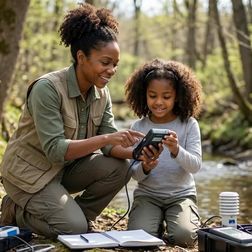
In this episode, we break down how air quality sensors actually work and why they're one of the best tools for teaching kids real measurement skills. You'll learn what makes student-grade sensors different from the ones professionals use, which types of sensors work best for different age groups and skill levels, and how building and coding these devices prepares students for careers in environmental engineering and data science. Whether you're a parent setting up a home STEM lab or an educator looking for hands-on projects that teach more than just theory, this episode walks you through everything from laser-scattering particulate sensors to gas detection and what kids can actually learn when their measurements don't match up. Air quality sensors work by turning physical or chemical interactions into electrical signals your computer can read. For example, a particulate matter sensor shoots a tiny laser through air and counts how many particles bounce the light back. It's like shining a flashlight through dust to see how much is floating around, except way more precise. Student-grade sensors aren't as accurate as the expensive professional ones, usually within 15 to 25 percent compared to EPA monitors, but that's actually a teaching opportunity. When two identical sensors give different readings, kids learn about measurement uncertainty, which is something real engineers deal with every single day. Metal oxide semiconductor gas sensors heat up a special film to detect chemicals in the air by measuring how the gas changes the film's resistance. These sensors can't tell the difference between specific chemicals like acetone or formaldehyde, they just detect that something's there, which is why understanding what your sensor can't do is just as important as knowing what it can. Kids as young as 10 can start with pre-assembled sensor boards and visual programming tools like MakeCode, while teenagers with Arduino experience can build modular setups that teach them how to wire multiple devices, write code libraries, and troubleshoot real-world problems like address conflicts on an I2C bus. The biggest lesson isn't about pollution, it's about how to collect data, spot problems in your measurements, and figure out if what you're seeing is real or just noise. That kind of thinking applies to every scientific field and every job that involves making decisions based on numbers. Show Links Affiliate Disclosure: As an Amazon Associate I earn from qualifying purchases. Full article Nova PM SDS011 Laser PM2.5 Sensor CCS811 Air Quality Sensor Related Articles LEGO STEM Education: Complete Guide to Building Technical Skills Through Brick-Based Learning STEM Toys for 10 Year Olds That Teach Real Skills: Skill-Building Guide How to Choose a Citizen Science Kit for Your Child's Skill Level Best 3D Printers for Kids and Teens: Complete Buyer's Guide for Educational STEM Learning Best Robotics Kits for Kids: Complete Guide to Building Real Engineering Skills

How to Collect and Analyze Environmental Data with Sensor Kits
IA
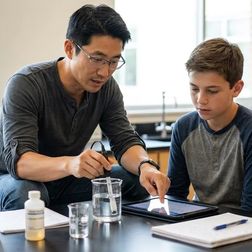
This episode walks you through the complete process of collecting and analyzing real environmental data using sensor kits — the same workflow that professional climate scientists, air quality engineers, and ecologists use every day. It's designed for kids ages 10 to 16 (with adult support where needed) and covers everything from choosing the right sensors based on your research question to deploying them in the field, calibrating them properly, collecting clean data, analyzing it, and sharing your findings with citizen science networks. Whether you're tracking air pollution near your school or monitoring water quality in a local creek, this is your step-by-step guide to doing real science, not just classroom experiments. Show Links Affiliate Disclosure: As an Amazon Associate I earn from qualifying purchases. Full article Adafruit BME680 Environmental Sensor Seeed Studio Grove Beginner Kit for Arduino Adafruit Feather M4 Express Related Articles LEGO STEM Education: Complete Guide to Building Technical Skills Through Brick-Based Learning STEM Toys for 10 Year Olds That Teach Real Skills: Skill-Building Guide How to Choose a Citizen Science Kit for Your Child's Skill Level Best 3D Printers for Kids and Teens: Complete Buyer's Guide for Educational STEM Learning Best Robotics Kits for Kids: Complete Guide to Building Real Engineering Skills

Environmental Sensor Calibration Checklist for Student Scientists

IA
If you're helping students set up environmental sensors for science projects, you've probably seen this: the data looks great until you realize the temperature is off by three degrees or the CO₂ sensor drifted after two weeks. In this episode, Kazuki Tanaka walks through the complete calibration checklist he uses in schools and makerspaces to turn budget sensors into research-grade instruments. You'll learn how to validate hardware, build reference standards for under twenty dollars, run two-point calibrations that cut error by eighty percent, and document everything so the data actually counts as science. Before you calibrate anything, check your sensors for physical damage like tiny cracks or bad solder joints, because one in fifty budget sensors has a defect that looks like a calibration problem but isn't, and you'll waste weeks trying to fix something that can't be fixed. You don't need expensive lab equipment to calibrate accurately; ice water gives you exactly zero degrees Celsius, saturated salt solutions give you exact humidity levels for about ten bucks, and outdoor air gives you a reliable CO₂ reference at four hundred twenty parts per million. Two-point calibration means measuring your sensor at a low reference point and a high reference point, then using simple math to calculate an offset and gain correction that usually cuts your error from five percent down to under one percent across the whole measurement range. Sensors drift over time from dust, contamination, aging, and environmental stress, so you need to recheck them regularly: every month for gas sensors, every three months for temperature and humidity, and anytime you see readings that don't match weather events you know happened. The difference between a hobby project and real citizen science isn't the hardware, it's the documentation: if you write down every calibration step, track which sensor got which correction, and save before-and-after data, your thirty-five dollar sensor can produce results scientists will actually trust and use. Show Links Affiliate Disclosure: As an Amazon Associate I earn from qualifying purchases. Full article SparkFun Environmental Combo Breakout Adafruit BME688 SCD-41 Sensirion CO₂ Sensor Related Articles LEGO STEM Education: Complete Guide to Building Technical Skills Through Brick-Based Learning STEM Toys for 10 Year Olds That Teach Real Skills: Skill-Building Guide How to Choose a Citizen Science Kit for Your Child's Skill Level Best 3D Printers for Kids and Teens: Complete Buyer's Guide for Educational STEM Learning Best Robotics Kits for Kids: Complete Guide to Building Real Engineering Skills
5 di 15