The Smart Home Setup Podcast

The Smart Home Setup Podcast
di My Smart Home Setup

What Is Autonomous Landscaping Technology and How Does It Work?
IA
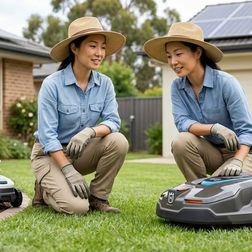
Ever wondered what it would take to have a yard that literally maintains itself while you sleep? This episode breaks down the world of autonomous landscaping technology—the interconnected systems of robotic mowers, smart irrigation controllers, soil sensors, and weather-aware devices that work together to keep outdoor spaces thriving without constant human intervention. Whether you're tired of weekend yard work or simply curious about how these systems make real-time decisions based on soil moisture, weather forecasts, and seasonal patterns, Keiko Tanaka explains exactly how the technology works and what separates truly autonomous systems from basic smart devices. Autonomous landscaping systems operate on three coordinated layers: sensing infrastructure (soil probes, weather stations, cameras), actuating devices (robotic mowers, valve controllers, lighting), and coordination logic that interprets data and executes decisions. The difference between "smart" and "autonomous" comes down to conditional decision-making—a smart sprinkler lets you control it from your phone, but an autonomous one skips watering because yesterday's rain left soil moisture above threshold. These systems communicate through various protocols including Wi-Fi, Zigbee, Z-Wave, and sub-GHz radio frequencies, with newer devices adopting Matter 1.4 for cross-platform compatibility. Soil moisture sensors using Zigbee mesh networks can report every 20 minutes while maintaining years of battery life, whereas Wi-Fi sensors with frequent updates may need annual battery replacement. Robotic mowers use deliberate semi-random mowing patterns to prevent visible tracks and distribute wear evenly, with boundary definition through either buried perimeter wire or GPS-based virtual fences (though GPS introduces 3–6 foot accuracy limitations). Smart irrigation controllers like the Rachio 3 combine onsite sensors with regional weather models to build schedules that adjust daily based on precipitation forecasts, wind speed, humidity, and solar radiation. Read the full article: https://mysmarthomesetup.com/what-is-autonomous-landscaping-technology-and-how-does-it-work

How to Choose Senior-Friendly Smart Home Devices: Accessibility Features That Matter
IA
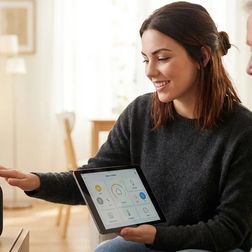
After rebuilding her mother's smart home setup three times, Chelsea Miller finally cracked the code—and it wasn't about finding the latest gadgets. This episode breaks down how to select smart home devices that actually work for elderly users, cutting through marketing hype to focus on the accessibility features that prevent frustration and reduce caregiver headaches. If you're setting up a smart home for an aging parent or loved one and want to avoid the common pitfalls, this guide walks you through protocol selection, physical control requirements, and the honest assessments you need to make before spending a dime. Protocol selection matters more than product selection—Wi-Fi devices enable remote caregiver access but fail when internet drops, while Zigbee and Z-Wave maintain local automations with significantly faster response times (80-150ms versus 400-800ms for cloud-based commands). Physical buttons and tactile controls prevent the majority of frustration calls; touchscreens require fine motor control and visual acuity that many seniors lack, especially those with arthritis or tremors. Matter 1.4 certification doesn't guarantee seamless cross-platform compatibility in 2026—real-world testing revealed that some certified devices still require firmware updates or won't work with certain voice assistants despite marketing claims. Smart switches with actual paddles (like Lutron Caseta) outperform app-controlled smart bulbs for elderly users because they work even when routers crash and don't require navigating phone menus. Create emergency panic button routines using Zigbee wireless switches placed in key locations; configure double-tap triggers to turn on all lights, notify caregivers, and unlock doors while minimizing false activations from accidental bumps. Budget seven to fourteen days for testing devices before committing to an ecosystem—return windows are your safety net when products don't perform as expected in real-world conditions. Read the full article: https://mysmarthomesetup.com/how-to-choose-senior-friendly-smart-home-devices

Essential Smart Home Devices Checklist for Elderly Safety and Independence
IA
Most smart home devices marketed for elderly safety come with a hidden cost: constant data collection that turns your loved one's daily routines into corporate surveillance fodder. In this episode, Chelsea Miller breaks down a privacy-first approach to building a senior safety system that actually works—without cloud subscriptions, without behavioral data uploads, and without failing the moment your internet goes down. If you're helping aging parents stay independent at home, this checklist shows you exactly which devices to trust and which ones to avoid. Zigbee and Z-Wave motion sensors respond in under 50 milliseconds locally, while Wi-Fi alternatives almost always require cloud connectivity—making them unreliable and privacy-invasive for elderly monitoring. Popular cloud-connected senior platforms like CarePredict and GrandCare transmit activity data every 30 to 90 seconds, including bathroom visit duration and movement timestamps to third-party analytics services. A two-second fade-in transition on motion-activated lights prevents the startling disorientation that can cause falls—and Zigbee bulbs achieve this with 100-200ms latency compared to 1-3 second delays from cloud-dependent Wi-Fi bulbs. Elderly adults have reduced thermoregulation, making environmental sensors critical: bedroom temperatures below 65°F or above 78°F can be dangerous even when they feel comfortable to younger people. Bed occupancy sensors running on local hubs can detect nighttime wandering and trigger gentle bathroom lighting automatically—without uploading sleep data that could be cross-referenced with health insurance eligibility. Cloud-based medical alert buttons often charge $30-40 monthly just to call 911, while a simple Zigbee panic button through Home Assistant triggers local automations in around 50 milliseconds with no subscription required. Read the full article: https://mysmarthomesetup.com/essential-smart-home-devices-checklist-for-elderly-safety-and-independence

Best Smart Robotic Lawn Mowers for Large Yards

IA
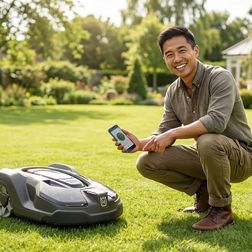
If you're tired of spending your weekends pushing a mower across a sprawling lawn, robotic mowers might seem like the perfect solution—but most models fall apart on large properties due to Wi-Fi dead zones and connectivity issues. In this episode, smart home installer Marcus Chen breaks down what actually works for yards over half an acre, from RTK GPS navigation to cellular connectivity options. Whether you're dealing with complex terrain, tree cover, or trying to integrate your mower with existing smart home systems, this episode cuts through the marketing specs to reveal what really matters for reliable large-yard coverage. Standard Wi-Fi robotic mowers typically lose connection past 150-200 feet outdoors, and that range drops significantly when trees leaf out in summer—meaning a mower that worked in spring may fail by June. For properties over half an acre, prioritize models with built-in cellular connectivity (LTE/4G), RTK GPS navigation, or plan for strategically placed outdoor-rated mesh Wi-Fi extenders. Manufacturer acreage ratings assume flat, obstacle-free lawns—expect real-world coverage to drop 20-30% due to slopes, tree roots, flower beds, and irregular shapes. Robotic mowers don't use Zigbee, Z-Wave, Thread, or Matter protocols as of 2026; all smart home integration runs through cloud-to-cloud connections, meaning you'll experience 2-5 second latency and full dependency on internet servers. Perimeter wire installation for large yards can require 500-1,000+ feet of wire and 4-8 hours of labor, while RTK GPS eliminates wiring but struggles under heavy tree cover. Vision-based AI boundary systems are emerging but unreliable on properties with ambiguous edges—wire-based systems offer the most predictable failure mode when things go wrong. Read the full article: https://mysmarthomesetup.com/best-smart-robotic-lawn-mowers-for-large-yards

What Is Matter Protocol and Why It Matters for Senior Smart Homes

IA
Imagine a smart home where every device—regardless of brand—works together seamlessly, controlled by any family member's phone or voice assistant without juggling multiple apps. In this episode, Keiko Tanaka explains how Matter protocol makes this possible and why it's a game-changer for seniors aging in place. She breaks down the technical architecture in plain language and reveals what to look for when choosing devices that will actually support independence rather than create frustration. Matter is a universal communication standard released in late 2022 (now at version 1.4) that lets smart devices from Apple, Google, Amazon, Samsung, and hundreds of other manufacturers work together without platform barriers—meaning adult children with iPhones can help manage a parent's Google-based home without compatibility headaches. The protocol runs over Thread (a low-power mesh network) and Wi-Fi, with Thread offering faster response times of 200–500 milliseconds compared to Wi-Fi's 300 milliseconds to 2 seconds—a significant difference for safety-critical applications like fall detection and door locks. Thread's self-healing mesh network routes around failed devices automatically and works through thick walls that would block Wi-Fi, requiring just one border router and three to five powered devices to establish reliable coverage throughout a home. Matter devices must declare fallback behavior during setup, determining what happens if network connection drops—smart locks should maintain their last state rather than defaulting to unlocked, and motion-activated nightlights should continue working locally without hub connectivity. Not all Matter devices handle network failures equally well; testing what happens when you unplug the hub mid-routine is essential for senior households, since devices that freeze or become unresponsive may require manual power cycling that's difficult for someone with limited mobility. Unlike older standards like Zigbee or Z-Wave that locked users into specific ecosystems with dedicated hubs, Matter creates a shared vocabulary that lets technology adapt to the person rather than forcing the reverse—preserving dignity and independence for aging residents. Read the full article: https://mysmarthomesetup.com/what-is-matter-protocol-and-why-it-matters-for-senior-smart-homes

7 Best Fall Detection Smart Home Systems for Aging in Place

IA
When a senior falls at home and can't reach a phone or press a button, every second counts. This episode dives into smart home systems that detect falls automatically and trigger immediate responses—no wearable button presses required. Whether you're setting up a safety net for an aging parent or planning your own future, Marcus Chen breaks down seven systems he's personally installed, comparing everything from response times to privacy considerations and the critical question of what happens when your internet goes down. The Apple Watch Series 10 paired with a HomeKit hub offers the most reliable wearable fall detection tested, with a false positive rate under two percent—but the system only works if the watch is actually worn and charged, making bedside charging routines essential. Vayyar Care uses radar-based detection instead of cameras, making it the top recommendation for bathrooms where falls are most common but privacy matters most—it tracks body position in 3D without producing any images. Response times vary dramatically between systems: wearable-based detection triggers in 10–15 seconds, while radar sensors like Vayyar take 3–8 seconds but require cloud processing that creates internet dependency. Thread-enabled devices respond in 200–400 milliseconds after automation fires, meaning lights can turn on almost instantly when a fall is detected—fast enough to help disoriented seniors and guide emergency responders. Cloud dependency is a critical vulnerability in sensor-based systems—one installation failed during a storm-related internet outage, so areas with unreliable connectivity may need systems with local processing fallbacks. The Apple Watch cellular model is worth the upgrade if seniors tend to leave their phones in another room, since the watch loses notification capability when more than thirty feet from the iPhone without Wi-Fi. Read the full article: https://mysmarthomesetup.com/7-best-fall-detection-smart-home-systems-for-aging-in-place

Amazon Alexa vs Google Home for Senior Citizens: Which Is Easier to Use?
IA
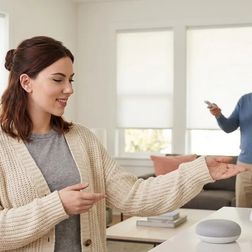
Choosing a smart speaker for an aging parent isn't about flashy features—it's about what happens when things go wrong. In this episode, Marcus Chen draws on hundreds of installations for seniors to compare Amazon Alexa and Google Home through the lens of real-world usability challenges. You'll discover which platform better understands softer voices and accented speech, how each handles emergency situations, and the critical fallback behaviors that most tech reviews completely ignore. If you're setting up smart home technology for someone over 65, this comparison covers what actually matters. Google Home achieves 89% voice recognition accuracy with seniors compared to Alexa's 82%, handling softer voices, regional accents, and medication-affected speech patterns significantly better in field testing across 60+ installations. Amazon's Emergency Assist subscription ($6/month) connects to live agents within 8–12 seconds and integrates directly with Life Alert-compatible devices, while Google's Emergency SOS requires an Android phone nearby and offers limited medical alert integration. Behind-the-ear hearing aids with Bluetooth enabled cause 15–20% accuracy drops on both platforms—the fix is positioning speakers 4–6 feet away and disabling Bluetooth during voice interactions. Alexa supports over 140,000 devices with built-in Zigbee and Thread protocols, making it the better choice if your parent needs specialized medical monitoring equipment or existing smart home devices. Google's setup process requires only 8 steps compared to Alexa's 12 steps, and medication reminders accept natural language like "remind me to take my pills every morning at 8" rather than requiring rigid command structures. Response latency matters more than you'd think—seniors notice delays above 300 milliseconds as sluggish and often repeat commands, causing confusion. Google's local processing delivers 150–220ms response times versus Alexa's 180–280ms. Read the full article: https://mysmarthomesetup.com/amazon-alexa-vs-google-home-for-senior-citizens

Best Voice-Activated Smart Home Devices for Seniors in 2026

IA
When the Wi-Fi goes out, most smart home setups leave elderly users stranded—or worse, in the dark with no way to call for help. This episode tackles the critical question of which voice-activated devices actually work reliably for seniors, drawing from hands-on experience setting up systems for parents in their seventies. Chelsea Miller breaks down everything from local voice processing to backup controls, helping you build a smart home that won't fail when it matters most. Cloud-dependent voice assistants like Alexa and Google add 200–500 milliseconds of latency per command and fail completely during internet outages—local processing with Home Assistant's Assist responds in under 150 milliseconds and works offline. Zigbee and Thread protocols with a local hub are the most reliable foundation for a senior's smart home, while Wi-Fi devices saturate networks and depend entirely on router uptime. Custom wake words matter more than you'd think—shorter, sharper words like "Home" or "House" are easier for seniors with speech difficulties to pronounce clearly than phrases like "Hey Google." Voice control should enhance physical backups, not replace them—Zigbee button remotes near beds, hardwired smart switches, and motion-triggered automations ensure lights still work when voice recognition fails. Amazon and Google retain voice recordings indefinitely unless manually deleted, making local storage and subscription-free devices essential for protecting seniors who may share sensitive health information verbally. The best devices score 7 out of 10 or higher on a Cloud-Free Viability Score, meaning they'll still turn on lights even if you unplug the router entirely. Read the full article: https://mysmarthomesetup.com/best-voice-activated-smart-home-devices-for-seniors-in-2026

How to Choose Smart Lighting: Protocol, Ecosystem Lock-In & Budget Guide
IA
Ever wonder why some smart lighting setups feel magical while others become frustrating gadgets you eventually abandon? Host Keiko Tanaka, drawing from a decade of designing spaces where technology disappears into architecture, breaks down the critical decisions that separate effortless automation from expensive mistakes. This episode guides you through protocol selection, ecosystem lock-in traps, and realistic budget planning—everything you need to build lighting that responds to your daily rhythms without demanding constant attention. Zigbee and Thread mesh networks offer 50–100 millisecond response times and continue working during internet outages, making them ideal for truly invisible automation that doesn't depend on cloud connectivity. Wi-Fi bulbs eliminate hub requirements but flood your network—every bulb competes for bandwidth, which becomes problematic as you scale up your smart home. The Philips Hue ecosystem demonstrates a common lock-in pattern: while you can add third-party Zigbee bulbs, premium features like entertainment sync and gradient lighting remain exclusive to Hue products. Apple HomeKit's strict hardware-level security certification limits device selection but guarantees local processing—expect to pay 30–50% more for HomeKit-certified bulbs compared to non-certified alternatives. Matter promises cross-platform compatibility across Alexa, Google Home, HomeKit, and SmartThings, but adoption remains incomplete in 2026—many popular bulbs still lack Matter certification or have unreliable firmware updates. Before buying anything, map your existing devices and their supported platforms, then write out desired automations in if-then logic to reveal hidden protocol requirements that vague plans won't expose. Read the full article: https://mysmarthomesetup.com/how-to-choose-smart-lighting

Govee Outdoor Lights Installation Checklist: Wi-Fi Range, Weatherproofing & Power

IA
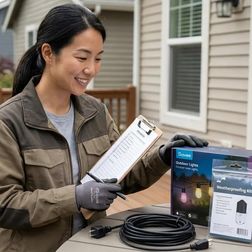
Most outdoor smart light installations fail before the first bulb ever turns on—not because of faulty products, but because of poor planning around Wi-Fi coverage, weather protection, and power requirements. In this episode, Keiko Tanaka draws on extensive Govee troubleshooting experience to walk you through the essential pre-installation checklist that separates stunning ambient lighting from sagging, flickering disappointments. Whether you're planning a pergola transformation or tracing your roofline, this guide covers the invisible architecture that determines long-term success with Wi-Fi-dependent lighting systems. Govee lights operate exclusively on 2.4 GHz Wi-Fi with no mesh network fallback, so you must map outdoor signal strength at the exact controller mounting location—anything below -70 dBm will cause intermittent dropouts, especially during temperature swings that affect radio frequency propagation. Physical obstructions like brick walls, metal siding, and dense foliage attenuate Wi-Fi signal far more than interior drywall; a clear line-of-sight reading of -50 dBm can plummet to an unreliable -85 dBm through a stone chimney. The IP65 weather rating assumes proper installation—applying dielectric grease to connection terminals before mating them prevents the microscopic gaps where corrosion-causing condensation accumulates, typically starting at the high-voltage controller-to-string junction. Controller orientation matters more than the rating suggests: mounting enclosures facing skyward allows water to pool on surfaces despite intact gaskets, leading to circuit board moisture infiltration within months. Standard plastic cable clips become brittle after 18–24 months of sun exposure and snap during windstorms; UV-stabilized black nylon ties rated for outdoor telecom use provide far more durable mounting. Calculate total wattage before daisy-chaining multiple strands—a 48-bulb string draws 24–38 watts at full white output, and you need to account for 20 percent overhead for power supply efficiency losses plus verify GFCI outlet availability within 10 feet of your starting point. Read the full article: https://mysmarthomesetup.com/govee-outdoor-lights-installation-checklist
8 di 15