The Smart Home Setup Podcast

The Smart Home Setup Podcast
por My Smart Home Setup

What Is Real-Time Energy Monitoring in Smart Homes: Protocols and Accuracy Explained

IA
Ever wonder why your electricity bill keeps climbing but you can't pinpoint the culprit? This episode breaks down real-time energy monitoring systems that show you exactly which devices are draining power second by second—and how homeowners typically cut their bills by ten to fifteen percent within six months of installation. Marcus Chen explains the technical differences between whole-home panel monitors and plug-level trackers, walks through the protocols that matter (Wi-Fi, Zigbee, and Matter), and reveals accuracy limitations manufacturers don't advertise. Whole-home monitors use current transformer (CT) clamps that sample four thousand to eight thousand times per second, achieving 95–98% accuracy for simple resistive loads but dropping to 85–90% accuracy for motors and compressors due to phase shift between current and voltage. Wi-Fi energy monitors connect directly without a hub but push data through the cloud, introducing two to five second delays—acceptable for tracking but too slow for real-time automations like load balancing. Zigbee smart plugs with energy monitoring only expose consumption data if your hub's API supports it; otherwise, readings stay locked in a proprietary app where you can't build useful automations. Matter-enabled energy monitors are emerging in 2026 with promises of cross-platform compatibility and local two to three second updates via Thread, while Z-Wave options have largely disappeared from this category. Smart plug monitors use either shunt resistors or Hall effect sensors to measure current, and protocol choice directly affects update frequency—Wi-Fi plugs refresh every one to two seconds while Zigbee plugs typically update every five to ten seconds through your hub. Practical automations like "notify me when laundry is done" depend on consistent power reporting; Wi-Fi plugs that lose connection can silently fail, leaving your automation broken without obvious errors. Read the full article: https://mysmarthomesetup.com/what-is-real-time-energy-monitoring-in-smart-homes

Sense vs Emporia Vue Energy Monitor: Which Is Better for Smart Homes?
IA
When you're trying to build a smart home that feels invisible, the last thing you want is bulky tech cluttering your utility spaces. This episode dives into two leading whole-home energy monitors—Sense and Emporia Vue—to determine which one delivers meaningful data while disrupting your home's aesthetics the least. Host Keiko Tanaka breaks down protocol compatibility, installation footprints, device detection approaches, and the often-overlooked issue of cloud dependency that could turn your investment into expensive wall art if a company shuts down. Emporia Vue has a smaller physical footprint (3.5" x 5" hub) and disappears more easily behind panels, while Sense's larger 5" x 7" enclosure is harder to conceal in homes where electrical panels are visible in hallways or mudrooms. Sense offers native HomeKit integration and AI-powered automatic device detection that identifies 20+ appliances over time, whereas Emporia Vue skips HomeKit entirely and requires manual circuit mapping—but allows unlimited individual circuit tracking. Neither monitor supports Zigbee, Z-Wave, Thread, or Matter, meaning they can't directly trigger mesh-network devices and remain locked into Wi-Fi-only communication with full cloud dependency. Both systems stop working if your internet goes down, and if either manufacturer discontinues cloud support, the hardware becomes non-functional—a real concern for long-term smart home investments. For spaces where no visible panel modification is acceptable, smart plugs with built-in energy metering (like Aqara Smart Plug T2 or Zooz ZEN15) offer an invisible alternative that feeds data to a concealed hub without touching your electrical panel. Complex automations on Emporia Vue require external platforms like Home Assistant, while Sense provides native IFTTT and webhook support with limited conditional triggers out of the box. Read the full article: https://mysmarthomesetup.com/sense-vs-emporia-vue-energy-monitor

Best Smart Plugs for Energy Monitoring Under $50
IA
That desk lamp you leave plugged in might be costing you more while it's off than when it's actually on. In this episode, Keiko Tanaka breaks down how smart plugs with energy monitoring can expose the hidden phantom loads silently inflating your electricity bill—and which models under $50 actually deliver useful data versus vague estimates. Whether you're troubleshooting a mysteriously high utility bill, building out a home automation system, or just curious why your guest room seems to drain power, this guide walks you through protocols, form factors, and the automation features that separate genuinely helpful plugs from glorified on/off switches. Wi-Fi plugs offer hub-free convenience but add router congestion and slower response times (200–800ms latency), while Zigbee plugs form self-healing mesh networks with 50–150ms response times—though they require a compatible hub and lock you into that ecosystem. Matter 1.4 promises cross-platform control across Apple Home, Google Home, and Alexa simultaneously, but as of early 2026, energy monitoring support remains inconsistent—verify your specific controller actually exposes power consumption data before buying. Real-time wattage updates every 1–5 seconds are essential for identifying phantom loads and testing whether devices truly power down; budget plugs that update only every 10–30 minutes are nearly useless for troubleshooting. Physical bulk matters more than specs suggest—energy monitoring plugs often extend 4+ inches from the wall, which can prevent furniture from sitting flush or block adjacent outlets entirely in older homes with tight spacing. The most powerful automation triggers on consumption thresholds rather than simple schedules: notifications when your washer cycle completes (wattage drops below 10W), automatic shutoffs when phantom draw exceeds limits for consecutive nights, or dimming non-essential lights when total consumption spikes. Top picks include TP-Link Kasa EP25 with Matter for future-proof cross-platform homes, Emporia Smart Plug for granular per-outlet tracking, Sonoff S31 Zigbee for mesh reliability in hidden installations, and Meross MSS315 for budget-friendly real-time monitoring. Read the full article: https://mysmarthomesetup.com/best-smart-plugs-for-energy-monitoring-under-50

Smart Thermostats vs Smart AC Controllers: Which Saves More Energy?
IA
Thinking you need the priciest smart device to cut your energy bill? That assumption could actually cost you more. This episode breaks down the real-world differences between smart thermostats and smart AC controllers—two solutions that seem interchangeable but work with completely different HVAC systems. Whether you're running central air, window units, or mini-splits, Marcus Chen draws on dozens of installations to explain which technology delivers genuine savings for your specific setup. Smart AC controllers can save 10–15% more energy than smart thermostats when retrofitting window or mini-split units, but that higher percentage often applies to a smaller portion of your total cooling load. Smart thermostats deliver 15–23% savings on heating and cooling by managing multi-zone temperature control, adaptive learning based on your home's thermal mass, and humidity-aware cooling cycles. The 25–35% savings advertised for smart AC controllers sounds impressive, but if you're only controlling a bedroom window unit, that might translate to less than 4% of your actual monthly bill. Occupancy detection makes a major difference: smart thermostats with Zigbee or Thread sensors track multiple rooms with 200–500ms latency, while Wi-Fi AC controllers rely on slower geofencing with 1–3 second response times. Installation complexity varies dramatically—smart thermostats require C-wire connections or adapters and replace existing equipment, while smart AC controllers use IR blasters with no wiring changes needed. If your home uses multiple mini-splits throughout, combining several smart AC controllers can actually outperform a single central smart thermostat for whole-home efficiency. Read the full article: https://mysmarthomesetup.com/smart-thermostats-vs-smart-ac-controllers

Local Storage vs Cloud Storage for No-Subscription Security: Complete Breakdown

IA
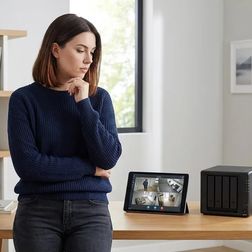
Your security camera captures a critical moment—but where does that footage actually go, and will it still be there when you need it most? This episode dives deep into the fundamental choice facing anyone building a subscription-free home security system: keeping your video on local storage you control versus trusting it to cloud servers that charge monthly fees. Chelsea Miller breaks down the real-world costs, technical requirements, and failure points of each approach, helping you understand exactly what happens to your footage during internet outages, power failures, and even when companies decide to shut down their services. Cloud storage costs add up dramatically over time—a single camera can cost between $180 and $1,800 over five years just for the privilege of accessing your own footage, while local storage eliminates these recurring fees entirely. SD card reliability matters more than most people realize; consumer-grade cards fail after 10,000 to 100,000 write cycles, while high-endurance surveillance cards can handle two to five years of continuous recording before giving out. Network bandwidth becomes a critical bottleneck with NAS setups—1080p streams require 2-4 Mbps per camera while 4K demands 8-15 Mbps, so multiply by your camera count to check if your network can actually handle the load. Not all "local storage capable" cameras support RTSP streaming, which is essential for NAS compatibility, so checking specs before purchasing prevents expensive compatibility headaches. Power-over-Ethernet NVR systems eliminate Wi-Fi reliability issues by running a single cable that both powers the camera and carries the video stream, creating a more robust setup than wireless alternatives. Local storage latency is remarkably fast at 0-200 milliseconds from motion detection to recording start, with no internet dependency, meaning your system keeps working even when your ISP goes down. Read the full article: https://mysmarthomesetup.com/local-storage-vs-cloud-storage-for-no-subscription-security

How to Choose Security Systems With No Monthly Fee: Protocol and Hub Guide

IA
You've invested in cameras and sensors, but are you still trapped behind a monthly paywall just to access your own footage? This episode breaks down the architecture behind truly subscription-free security systems—the protocols, hubs, and local storage solutions that let you build a setup that records locally, responds instantly, and integrates seamlessly into your home. Whether you're weighing Wi-Fi cameras against Zigbee sensors or trying to understand where Matter 1.4 fits into the picture, Keiko Tanaka walks you through the decision framework that separates effortless security from laggy, alert-spamming frustration. Wi-Fi cameras offer simple setup but introduce latency (800ms to 2 seconds for live feeds), saturate bandwidth, and leave your entire security layer vulnerable if your router fails—Zigbee and Z-Wave sensors respond in 100 to 300 milliseconds locally. Z-Wave operates on sub-1 gigahertz frequencies, meaning less interference and better wall penetration than Zigbee's crowded 2.4 gigahertz spectrum—a crucial consideration for multi-floor homes with sensors scattered throughout. Hub investment of $100 to $200 for platforms like Hubitat Elevation or Home Assistant consolidates automation logic across devices and eliminates the app fragmentation that comes with Wi-Fi-only systems. Matter 1.4 now includes camera support, but as of 2026, most compatible models from Arlo, Ring, and Eve still lack local recording without subscriptions—compatibility claims require careful vetting. Local storage options range from 32-256GB microSD cards per camera to network-attached storage (NAS) devices, giving you complete control over footage retention without cloud dependencies. Thread-based mesh networking requires a border router (second-generation Apple HomePod, Google Nest Hub, or dedicated Nanoleaf router) but enables low-power devices to communicate without proprietary bridges. Read the full article: https://mysmarthomesetup.com/how-to-choose-security-systems-with-no-monthly-fee

Arlo Camera Without Subscription vs Ring Without Subscription: Which Works Better?

IA
You paid good money for a security camera, but without a monthly subscription, will it actually do its job? In this episode, we break down what really happens when you strip away the recurring fees from Arlo and Ring—two of the most popular camera brands on the market. If you're trying to build a home security setup that doesn't nickel-and-dime you every month, this comparison reveals which system handles subscription-free use more gracefully and which compromises you'll need to accept along the way. Ring edges ahead for subscription-free use thanks to unlimited live view, a five-second pre-roll buffer on battery models, and local recording that continues working even when your internet drops. Arlo cameras without a subscription become live-view-only devices—you'll get motion alerts but no recorded footage unless you purchase the separate SmartHub for around $200. Neither system offers smart AI detection (people, packages, vehicles) without paying monthly, leaving you with basic motion-only alerts that can't distinguish between a delivery driver and a blowing tree branch. Both cameras rely exclusively on Wi-Fi with no support for Zigbee, Z-Wave, Thread, or Matter, making them awkward fits for multi-protocol smart home ecosystems built around local control. Ring's offline resilience is a critical advantage—cameras with local storage keep recording during internet outages and sync footage when connectivity returns, while Arlo cameras become completely non-functional without cloud access. Arlo limits live view sessions to ten minutes with no pre-roll buffer, meaning if someone triggered motion and walked away before you opened the app, you've missed them entirely. Read the full article: https://mysmarthomesetup.com/arlo-camera-without-subscription-vs-ring-without-subscription

Best Smart Home Energy Monitors for Matter and Zigbee Systems
IA
Your utility bill keeps climbing, but you have no idea which device is quietly draining power while you sleep. In this episode, Marcus Chen breaks down how to choose an energy monitor that actually integrates with your Matter or Zigbee smart home setup—and explains why measuring at the right level of granularity is the difference between vague data and actionable insights. Whether you're trying to catch a rogue pool pump or automate EV charging around peak rates, this guide covers the protocols, products, and automation logic that will help you finally understand where your electricity is going. Native Matter devices with Thread report power changes in 200–500 milliseconds, while Wi-Fi devices bridged to Matter can take 1–2 seconds due to cloud round-trips—a critical difference for automations that need to prevent breaker trips. Zigbee and Thread devices continue working locally when your internet goes down, unlike Wi-Fi monitors dependent on cloud APIs that can break your automations during outages or maintenance windows. Circuit-level monitoring is where you actually find energy hogs; whole-home monitors only show aggregate usage and can't distinguish between your fridge and water heater without additional current transformers on individual breakers. Advertised accuracy of ±2–5% applies to ideal conditions with resistive loads—expect ±8% or worse on motor-driven appliances like washing machines and HVAC compressors. The Shelly Pro 3EM reports at one-second intervals via CoAP or MQTT but defaults to sixty-second intervals over Matter, which catches new users off-guard when automations respond slower than expected. For plug-level monitoring in Zigbee systems, the Aqara Smart Plug T2 offers superior response time and automation reliability compared to most competitors in its price range. Read the full article: https://mysmarthomesetup.com/best-smart-home-energy-monitors-for-matter-and-zigbee-systems

How to Install Hidden Smart Plugs Behind Furniture and Appliances

IA
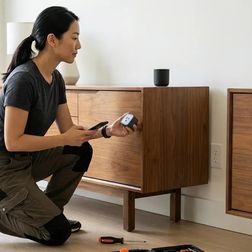
Smart home automation doesn't have to mean visible gadgets and tangled cables cluttering every corner of your space. In this episode, Keiko Tanaka walks through the complete process of installing smart plugs behind furniture, inside cabinets, and within appliances so your automation becomes invisible. Whether you're tired of glowing plugs ruining your carefully designed rooms or you want lamps and media consoles that respond intelligently without any visible tech, this guide covers the strategic placement, protocol selection, and installation techniques to make it happen. Different smart plug protocols serve different purposes: Matter and Thread offer cross-platform compatibility, Zigbee and Z-Wave plugs extend your mesh network as repeaters, while Wi-Fi plugs work standalone but can introduce 2–5 seconds of latency compared to under one second for mesh protocols. You need a minimum of 2–3 inches of clearance behind furniture for proper airflow around concealed smart plugs—skipping this step creates potential fire hazards. The best automation candidates aren't everything that can be automated, but what should be: floor lamps triggered by occupancy, media consoles that shut down after two hours of no motion, and seasonal lighting tied to sunset times. Documenting each plug's location and intended automation in a simple diagram prevents the common frustration of having five identically named devices with no idea which controls what. Not all smart plugs work for hidden installations—compact, low-profile designs that protrude less than two inches from the outlet are essential, while bulky models with external antennas can create connectivity issues or heat problems in enclosed spaces. If you're planning hidden motion sensors alongside your plugs, map both simultaneously so sensors can trigger the automated plugs you're installing. Read the full article: https://mysmarthomesetup.com/how-to-install-hidden-smart-plugs-behind-furniture-and-appliances

Discreet Smart Home Automation Checklist: Protocol Requirements & Device Placement

IA
You've carefully hidden motion sensors behind picture frames and tucked your smart home hub into a closet for that clean, invisible aesthetic—only to watch half your automations fail two weeks later. This episode tackles the frustrating reality that not all wireless protocols handle concealed placement equally, and poor hub positioning can turn your sleek setup into a troubleshooting nightmare. Marcus Chen breaks down exactly which protocols maintain signal strength behind walls and inside furniture, where to position your hub for reliable mesh performance, and the planning steps that separate seamless hidden automation from constant connectivity drops. Whether you're building a new smart home or retrofitting an existing one, this guide ensures your devices stay invisible and actually keep working. Thread-enabled Matter devices and Zigbee 3.0 handle hidden placement best because they create self-healing mesh networks that route around obstacles—concealing mains-powered devices can actually extend your network rather than weaken it. Z-Wave's lower frequency (908 MHz in the US) penetrates walls and furniture better than 2.4 GHz protocols, requiring fewer repeaters for hidden installations—roughly one every 50-60 feet compared to Zigbee's 30-40 feet. Wi-Fi devices struggle most with concealed placement, especially behind metal surfaces or inside electrical boxes; if you must hide them, ensure line-of-sight to your access point even when visually obscured. Hub placement should prioritize central positioning over aesthetics—hiding your hub in a basement corner or metal utility closet creates single-point-of-failure scenarios that doom your entire setup. Zigbee hubs generate significant heat, so hiding them inside furniture without at least two inches of clearance on all sides can cause thermal throttling and mysterious connection drops. For Matter over Thread setups, your Thread border router needs reliable power and strong Ethernet or Wi-Fi backhaul—tucking it behind furniture on spotty Wi-Fi undermines your entire network's remote access capability. Read the full article: https://mysmarthomesetup.com/discreet-smart-home-automation-checklist
12 de 15