The Smart Home Setup Podcast

The Smart Home Setup Podcast

por My Smart Home Setup

Google Home Hub vs Amazon Echo Hub vs Apple HomePod: Smart Home Controller Comparison
IA
Choosing the wrong smart home hub can leave you with hundreds of dollars in devices that refuse to communicate with each other. In this episode, Marcus Chen breaks down the three major smart home controllers—Amazon Echo Hub, Google Nest Hub, and Apple HomePod—to help you make the right choice before buying your first smart bulb. Whether you're starting fresh or already invested in an ecosystem, this comparison covers protocol compatibility, automation capabilities, response times, and what happens when your internet goes down. Amazon Echo Hub is the only controller with built-in Zigbee radio, making it ideal if you already own Philips Hue bulbs, Sengled lights, or Aqara sensors—no separate bridge required for basic control. Apple HomePod processes all automations locally on the device itself, delivering the fastest response times (100–250 milliseconds) and keeping your smart home running even when internet connectivity drops. Google Nest Hub offers the most reliable Thread border router implementation, with consistent performance across 30+ Thread devices and self-healing mesh that reroutes within 2–3 seconds if a device goes offline. All three hubs only communicate with each other through Matter devices—cross-ecosystem compatibility remains limited without this standard protocol. Amazon's Zigbee implementation handles up to 50 devices reliably before mesh congestion becomes noticeable, at which point you'll need repeaters or network segmentation. None of these hubs support Z-Wave natively, so you'll need a third-party hub like SmartThings if your setup relies on that protocol. Read the full article: https://mysmarthomesetup.com/google-home-hub-vs-amazon-echo-hub-vs-apple-homepod

Best Thread-Enabled Smart Door Locks Under $300 in 2026

IA
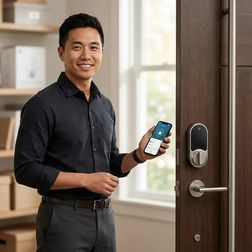
Struggling to pick a smart lock that won't drain batteries, lock you into one ecosystem, or require a computer science degree to set up? In this episode, Marcus Chen breaks down why Thread-enabled locks have become the gold standard in 2026 and walks through everything you need to know before spending a dime. Whether you're new to smart home tech or frustrated by past purchases that didn't live up to the hype, this guide covers the real-world details that product pages leave out—from border router requirements to door measurements that could make or break your installation. Thread locks require a Thread Border Router to function—your existing smart hub might not have one built in, so check compatibility before buying and budget an extra $50–100 if you need to add one separately. Thread and Matter aren't the same thing: Thread is the network protocol that lets devices communicate, while Matter is the application layer that enables cross-platform control across Apple Home, Google Home, Alexa, and SmartThings simultaneously. Matter 1.4 doesn't support lock codes yet, so you'll still need the manufacturer's app to manage guest codes, temporary access, or contractor entry—basic lock and unlock commands work across all platforms, but code management doesn't. Expect 6–12 months of battery life on four AA batteries with typical use, though locks acting as Thread routers or installed in freezing temperatures will drain faster—lithium batteries outperform alkaline in cold climates. Before ordering any smart lock, measure your door thickness (35–50mm), backset (60 or 70mm), and cross-bore diameter (typically 54mm)—non-standard doors from older homes often need adapter plates that aren't included. Retrofit Thread locks attach to your existing deadbolt's thumb turn and leave the exterior keyed cylinder intact, making installation faster and letting you keep your current keys. Read the full article: https://mysmarthomesetup.com/best-thread-enabled-smart-door-locks-under-300-in-2026

Matter Smart Lights vs Wi-Fi Smart Lights: Which Protocol Is Better?

IA
Ever tap your phone to turn off the lights and wait... and wait... only to watch them finally respond seconds later? That frustrating lag isn't a dying bulb—it's your protocol choice working against you. In this episode, Keiko Tanaka breaks down the real-world differences between Matter and Wi-Fi smart lights, examining how each protocol shapes everything from response times to ecosystem flexibility. Whether you're building out a new smart home or troubleshooting a sluggish existing setup, this comparison reveals what's actually happening behind the scenes when you flip that virtual switch. Matter lights respond in 50–150 milliseconds locally, while Wi-Fi bulbs can lag 200–800 milliseconds due to cloud routing—a difference you feel every time you walk into a room. Wi-Fi bulbs create network congestion because each one maintains a persistent connection to your router; twenty bulbs means twenty devices competing for bandwidth with your phones and streaming devices. Matter-certified bulbs appear simultaneously in Apple Home, Google Home, and Alexa from a single QR code scan—no choosing sides or maintaining separate app connections. Thread mesh networking allows Matter lights to self-heal around failed nodes, maintaining local control even when your internet goes down, while most Wi-Fi bulbs become useless without cloud access. Wi-Fi bulb integrations are fragile—when manufacturers deprecate APIs or discontinue cloud support, you can lose access to entire lighting systems overnight. Matter automation executes locally on your controller, while Wi-Fi automation requires round trips through manufacturer clouds, adding latency and creating failure points. Read the full article: https://mysmarthomesetup.com/matter-smart-lights-vs-wi-fi-smart-lights

Best Zigbee Smart Plugs vs Z-Wave Smart Plugs for Home Automation
IA
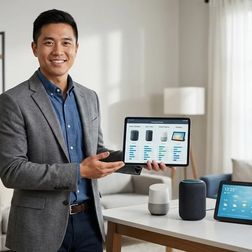
Ever wonder what your smart plugs are actually doing when you're not watching? Chelsea Miller spent three weeks capturing network traffic from twelve different smart plugs and discovered most of them are constantly sending data somewhere. This episode dives deep into the Zigbee versus Z-Wave debate, revealing which protocol actually keeps your home automations local and private. Whether you're building a privacy-first smart home or just want reliable control of your coffee maker, this breakdown of real-world testing across three separate networks will help you choose the right smart plugs for your setup. Zigbee plugs offer faster response times (200-400ms) and broader compatibility, while Z-Wave provides more reliable mesh performance and near-immunity to Wi-Fi interference—Chelsea's 14-day test showed Z-Wave maintained zero disconnections while Zigbee dropped four times during Wi-Fi channel switches. Using Zigbee or Z-Wave doesn't automatically mean local control—some plugs refuse to pair without phoning home first, and you should run packet captures to verify zero outbound connections after pairing to your local hub. Red flags for cloud dependency include mandatory mobile apps for initial pairing, firmware requiring internet access for local features, and manufacturer shutdown clauses buried in terms of service. Energy monitoring refresh rates matter more than most people realize—plugs reporting every 5 seconds enable useful automations, while 60-second intervals miss transient loads entirely and make conditional logic unreliable. Fallback behavior during hub crashes varies wildly between models: "retain last state" is ideal for most setups, but some plugs become completely unresponsive until manually power-cycled—test this before trusting critical devices. Matter 1.4 adoption for smart plugs remains disappointingly slow as of early 2026, and standard Zigbee or Z-Wave devices cannot bridge into Matter without manufacturer firmware updates. Read the full article: https://mysmarthomesetup.com/best-zigbee-smart-plugs-vs-z-wave-smart-plugs-for-home-automation

Smart Device Comparison Guide: How to Choose the Right Smart Home Products in 2026
IA
Ever bought a smart device only to discover it won't talk to anything else in your home? You're not alone—most people cycle through multiple products before finding ones that actually integrate with their existing setup. In this episode, smart home consultant Marcus Chen breaks down the real framework for comparing smart devices, moving beyond marketing specs to focus on protocol compatibility, hub requirements, and automation capabilities. Whether you're building your first smart home or expanding an existing system, this guide will save you from expensive trial-and-error purchases. Smart device comparison isn't about feature lists—it's about validating protocol compatibility (Zigbee, Z-Wave, Thread, Matter, Wi-Fi) with your existing hub before you buy, not after the return window closes. Your hub choice dramatically affects what you can add: Amazon Echo supports Zigbee natively, Apple HomePod has no Zigbee or Z-Wave support at all, and Google Nest Hub requires separate bridges for those protocols. Each protocol has distinct trade-offs—Zigbee offers 30-100ms latency with mesh networking, while Wi-Fi devices typically run 100-300ms due to cloud round-trips and become useless during internet outages. The five-layer comparison framework covers protocol evaluation, hub requirements, ecosystem compatibility, automation logic capabilities, and fallback behavior when your internet goes down. Z-Wave provides better range (30-40 meters per hop) and interference immunity than Zigbee, making it particularly reliable for locks and garage doors in larger homes. Matter 1.4 promises unified compatibility across ecosystems, but in 2026 it's still maturing with some devices showing inconsistent controller synchronization—proceed with informed caution. Read the full article: https://mysmarthomesetup.com/smart-device-comparison-guide

How to Set Up Dynamic Load Balancing for Smart Home Energy Management

IA
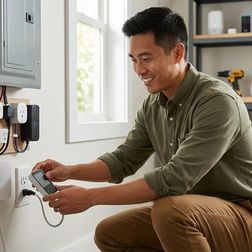
Ever had your circuit breaker trip mid-laundry because someone plugged in a space heater? In this episode, Marcus Chen explains how your smart home can automatically prevent electrical overloads by shifting power away from less critical devices before you hit capacity limits. This guide is for intermediate smart home enthusiasts ready to tackle conditional automation logic, covering the specific hardware, protocols, and setup steps needed to implement dynamic load balancing that reduces energy bills and eliminates frustrating breaker trips. Cloud-only energy monitors add 2–5 seconds of latency, which completely breaks load balancing—you need local API integration with 1–2 second update rates maximum for the system to react before breakers trip. Zigbee 3.0 and Matter over Thread smart plugs respond in 200–800 milliseconds, while typical Wi-Fi plugs add 1–3 seconds of delay, making protocol choice critical for effective load shedding. When installing current transformer clamps on your main panel feeds, the arrow direction matters—pointing the wrong way gives negative or inaccurate wattage readings that throw off your entire system. Space heaters (1,500W each), dehumidifiers (400–700W), and phone chargers make ideal shedding loads because they tolerate brief interruptions, while some appliances should never be automatically cut. The full setup requires 4–6 hours initially plus 2–3 hours for testing, and you'll need to know your panel's amperage rating (typically 100, 150, or 200 amps) and which circuits serve high-draw appliances. Local control capability across all devices is non-negotiable—internet outages cannot be allowed to disable your load balancing protection. Read the full article: https://mysmarthomesetup.com/how-to-set-up-dynamic-load-balancing-for-smart-home-energy-management

Smart Home Energy Audit Checklist: Identifying High-Consumption Devices and Phantom Loads

IA
Your smart home might be silently adding hundreds of dollars to your annual electric bill—and you'd never know it because the waste happens while you sleep, spread across dozens of devices that never truly turn off. In this episode, Chelsea Miller shares findings from three years of monitoring every outlet in her fully local smart home setup, revealing exactly where the power goes. This is essential listening for anyone running energy management systems who wants real numbers instead of marketing promises, with a practical checklist for identifying high-consumption devices and phantom loads draining your wallet. Baseline infrastructure adds up fast: a typical network closet with a hub, router, mesh nodes, and NAS can draw 48 watts continuously—that's 420 kilowatt-hours annually (roughly $60) before a single smart bulb turns on. Repurposing an old desktop PC as a Home Assistant server could cost you 300+ kilowatt-hours more per year than a dedicated Raspberry Pi setup, translating to about $45 in wasted electricity. Smart features don't always mean smart savings: Level 2 EV chargers can draw 30–50 watts in standby even when no vehicle is connected, potentially consuming more annual energy than your entire lighting budget. Phantom loads from devices that appear "off" are major culprits—a TV soundbar with HDMI passthrough might draw 18 watts when off, nine times the manufacturer's claimed standby figure. Smart displays and wall-mounted tablets are sneaky energy drains, with devices like the Echo Show 10 pulling 7–10 watts idle and repurposed iPads drawing 8–12 watts if they never sleep. Your smart thermostat automations might actually trigger more frequent HVAC compressor cycles than a basic programmable thermostat would—check your runtime logs to confirm you're actually saving energy. Read the full article: https://mysmarthomesetup.com/smart-home-energy-audit-checklist

Understanding Peak and Off-Peak Energy Automation: TOU Rate Optimization Explained
IA
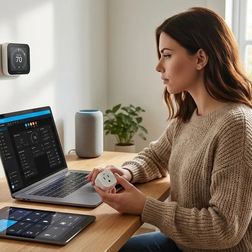
Ever notice how your electricity bill climbs every summer despite your best intentions to run appliances at cheaper times? The reality is that manually shifting your energy use to off-peak hours is mentally exhausting, and almost nobody sticks with it. This episode breaks down how smart home automation can invisibly manage your energy consumption based on time-of-use rates—handling everything from pre-cooling your home before peak pricing kicks in to charging your EV overnight—without you changing a single habit. Peak and off-peak energy automation relies on three core components working together: energy monitoring hardware (smart plugs, circuit monitors, or whole-home panels), a central controller that stores rate schedules, and controllable endpoints like smart thermostats, water heater controllers, and EV chargers. Static time-of-use scheduling is the simplest approach, requiring no internet dependency and executing locally with sub-second latency, while dynamic pricing integration pulls real-time rates from utility APIs to adjust device behavior based on current electricity costs. Protocol choice significantly impacts performance—Wi-Fi devices introduce 200 to 500 milliseconds of command latency and depend on cloud connectivity, while Zigbee or Z-Wave systems execute locally with latency as low as 50 to 150 milliseconds once rate data reaches the hub. Thread-based devices maintain mesh network integrity even when the border router reboots, typically reforming within 2 to 5 seconds, making them more resilient during connectivity disruptions. The most advanced systems use machine learning to observe your historical consumption patterns, predict upcoming demand, and automatically pre-shift loads to minimize costs without requiring you to create any manual rules. As of early 2026, Matter 1.4 ecosystems theoretically support cross-platform rate-aware automations, but few utilities publish Matter-native APIs yet—most implementations still rely on RESTful endpoints that hubs translate internally. Read the full article: https://mysmarthomesetup.com/understanding-peak-and-off-peak-energy-automation

How to Create Energy-Saving Automations with Home Assistant and Matter Devices
IA
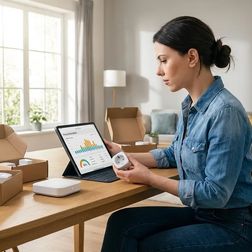
Every watt you use on most smart energy platforms gets logged, profiled, and potentially sold—but it doesn't have to be that way. In this episode, Chelsea Miller walks you through building energy-saving automations that run entirely offline using Home Assistant and Matter 1.4 devices. You'll learn how to cut standby power, shift loads to off-peak hours, and respond to real-time consumption without sending a single packet to external servers. This guide is for anyone who already has Home Assistant running locally and wants to slash their energy bill while keeping their usage data completely private. Commission Matter devices directly through Home Assistant's interface rather than manufacturer apps to avoid creating cloud accounts that track your consumption patterns. Use a network packet sniffer like Wireshark to verify your devices aren't secretly phoning home—one budget Matter plug was caught sending data to an analytics CDN every ninety seconds despite claiming local-only operation. A typical "off" TV and soundbar can pull eighteen watts continuously, costing over two dollars monthly just to power a standby LED—phantom loads often account for ten to twenty percent of your electricity bill. Matter over Thread delivers thirty to eighty millisecond response times with mesh redundancy, making it ideal for mission-critical automations like preventing phantom loads. Before building any automations, audit your baseline consumption for forty-eight to seventy-two hours to identify which devices are actually wasting power and establish meaningful targets. Proper device naming conventions using underscores and lowercase text makes YAML automations significantly cleaner and easier to maintain long-term. Read the full article: https://mysmarthomesetup.com/how-to-create-energy-saving-automations-with-home-assistant-and-matter-devices

Smart Home Energy Management System Setup Checklist: Devices, Hubs, and Automations

IA
Ever wonder why your "smart" thermostat needs to phone home every six minutes? In this episode, Chelsea Miller breaks down how to build a complete smart home energy management system that actually respects your privacy while cutting your power bill. After discovering her own devices were uploading granular occupancy data to cloud servers, she rebuilt her entire infrastructure around local control—and shares exactly which hardware, protocols, and automations work without external dependencies. If you're serious about energy efficiency but refuse to hand your usage patterns to data brokers, this checklist is your starting point. The Emporia Vue 2 measures 16 circuits with one-second sampling intervals, but you'll need to firewall its MAC address to prevent cloud sync—it attempts to phone home regardless of your settings. Avoid Samsung SmartThings V3 for energy management—it requires cloud authentication even for local Zigbee automations, making true offline operation impossible. The Venstar ColorTouch T7900 thermostat offers 100% local control via REST API with no cloud account required, unlike Ecobee and Nest which validate tokens through external servers even for local network commands. Zigbee plugs outperform Z-Wave for energy monitoring due to 50–150ms less latency, and Wi-Fi plugs should be avoided entirely since they constantly phone home and typically require manufacturer accounts. A UPS for your hub isn't optional—without power backup, all automations cease during outages and devices either revert to last state or lose connection entirely, leaving you blind to energy events when they matter most. Network isolation is critical: supposedly "offline" smart plugs have been caught attempting DNS lookups to advertising trackers even without companion apps installed, so run IoT devices on a segregated VLAN with no internet access. Read the full article: https://mysmarthomesetup.com/smart-home-energy-management-system-setup-checklist
11 de 15