Deepfake Nano Banana for E-commerce Launch Creatives: From One Product Photo to a Full Ad Kit
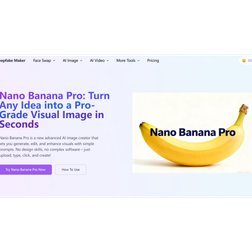
You’re launching a product in 48 hours with just one clean white-background packshot—but need a hero banner, Instagram Story, poster ad, and authentic lifestyle shots. This is where Deepfake Nano Banana excels: not as a gimmick, but a practical workflow. This guide shows how to use Deepfake Maker’s Nano Banana Pro to turn that single photo into a consistent, launch-ready marketing kit—fast, resizable, and no full design team required. Clarification: “Deepfake Nano Banana” here isn’t about misleading identity swaps. It’s AI image creation + editing for efficient marketing visuals. Deepfake Maker defines Nano Banana Pro as an advanced tool for generating images from prompts/reference shots and editing lighting, angles, or composition. Google highlights its key marketing features: multi-format resizing and clear text rendering in images. The core is a 3-step loop: Upload your image → Enter a prompt → Iterate. The secret lies in prompt structure and output planning. Take a minimalist stainless-steel coffee tumbler as an example: First, create a “Brand Anchor Prompt” (reused for consistency): “Premium, minimalist product image; soft studio lighting; neutral palette (white, light gray, warm tones); realistic textures; keep product design unchanged.” This prevents style drift. Next, generate 3 lifestyle scenes with the anchor: 1) Morning home: Tumbler on a clean kitchen counter with steam, a croissant, and newspaper (shallow depth of field). 2) Commute: Tumbler beside a laptop/headphones with soft window light and city bokeh. 3) Weekend outdoor: Tumbler on a picnic blanket with a book, sunglasses, and fruit (bright, soft sunlight). Nano Banana Pro’s strength is professional, controlled outputs—ideal for consistent yet varied visuals. For posters (a pain point for AI tools), use: “Clean poster with readable headline ‘Sip Smarter’ and subtext ‘Cold 12h • Hot 6h • Leak-Resistant’; modern sans-serif; minimal layout.” For feature graphics: “Tumbler on the right, 3 icon callouts (Leak-Resistant Lid, Double-Wall Steel, Fits Cup Holders) on the left; whitespace-focused.” To avoid “AI-made” results, use specific prompts: “Keep product unchanged” (fights AI drift), camera terms like “commercial product photography” (boosts realism), and layout cues like “left negative space for text.” For multi-format assets, generate a 4:5 master image, then variants with: “Keep product centered, preserve lighting/background” for 9:16 (Story) and 16:9 (banner). Quality check: Ensure text is legible, product shape/logo intact, no distorted props/shadows, brand alignment, and key content within safe margins. For responsible use: Avoid fake endorsements, misleading before/afters, use licensed models, and steer clear of news-like visuals (Google’s SynthID watermark aids transparency). Deepfake Maker’s value lies in its optimized interface, high-res exports, and low learning curve—critical for founders working late pre-launch. Quick start: Open Deepfake Maker → Nano Banana Pro; upload your product photo; use the Brand Anchor Prompt + one lifestyle prompt; generate 4:5 first, then resize to 9:16/16:9; test a poster prompt for text readability. Power your next launch like a bigger brand—with Deepfake Nano Banana on Deepfake Maker.