The STEM Lab
por The Stem Lab

How to Design a Progressive STEM Learning Path in Your Home Lab

Most STEM toys end up gathering dust because they teach skills that lead nowhere—proprietary platforms with no connection to real-world engineering. In this episode, Rajiv Patel breaks down how to design a progressive home lab learning path that actually maps to the technical competencies employers will expect in 2026 and beyond. Whether your child is just starting with block-based coding or already tinkering with circuits, you'll learn how to build a curriculum that compounds skill development instead of creating expensive dead ends. This is essential listening for any parent serious about preparing their kids for an AI-driven workforce. Start from the endpoint, not the beginning—identify which technical skills actually appear in junior engineering job postings (Python automation, CAD proficiency, version control) and work backward to map your child's learning path. Assess your child's current capabilities using concrete outputs rather than subjective judgments; whether they can debug a 20-line Python script reveals more than any age-based benchmark. Every equipment purchase should be evaluated against three compatibility dimensions: software environment alignment, physical connectivity standards, and progressive expandability. Proprietary robotics platforms and closed-ecosystem tools often trap skills in systems with no transfer value to industry-standard environments like Arduino IDE or ROS. Open-source firmware (like Marlin or Klipper for 3D printers) should be a requirement, not a preference—it ensures hardware remains relevant as software evolves and manufacturer support ends. Ignore marketing claims about "future-proof" systems; instead verify firmware update history, community modification activity, and third-party expansion module availability before purchasing. Read the full article: https://stemlabguide.com/how-to-design-a-progressive-stem-learning-path-in-your-home-lab
Home STEM Lab Safety Checklist: Power, Ventilation, and Storage Requirements
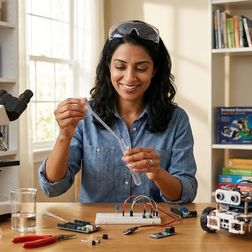
You've assembled the gear for your home STEM lab—3D printers, soldering stations, maybe even a laser cutter—but have you thought about whether your space can actually handle it safely? This episode tackles the unsexy but critical infrastructure that transforms a corner of your home into a legitimate learning environment. Chloe Miller walks through the complete safety checklist covering electrical capacity, proper ventilation, and storage requirements that every parent needs to address before their kid powers up that first project. A single 3D printer can pull 250 watts just warming up its heated bed, and running multiple devices on a standard 15-amp circuit creates a genuine fire risk—dedicated 20-amp circuits give you the 2400-watt capacity serious STEM labs need. Surge protectors need joule ratings above 2000 and protection for data lines like USB and Ethernet, not just power—cheap power strips can fail after absorbing a single surge, potentially wiping hours of your teenager's experiment data. That pleasant maple syrup smell from PLA printing is actually ultrafine particles and volatile organic compounds entering your home, and a bathroom exhaust fan won't cut it—you need to calculate CFM based on room volume for proper air changes per hour. Benchtop fume extractors positioned 6–8 inches from a soldering tip cost as little as $40 and capture flux smoke before it reaches young lungs, even when using lead-free solder that still releases respiratory irritants. A $15 red emergency stop button mounted within arm's reach of the primary workbench lets any lab user cut power to high-risk equipment with a single palm strike—and every person who uses the space should know exactly where it is. Extension cords are temporary tools, not infrastructure, and daisy-chaining them under desks with flammable materials like cardboard project boxes is exactly how house fires start. Read the full article: https://stemlabguide.com/home-stem-lab-safety-checklist
What Is a Home STEM Lab: Components, Requirements, and Learning Outcomes
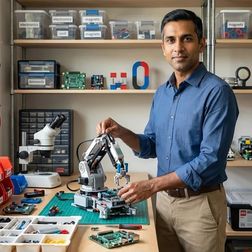
Ever watched your child's face light up when they crack a tricky puzzle and wondered how to nurture that spark into lasting scientific thinking? This episode breaks down the crucial difference between scattering educational toys around a playroom and intentionally building a space where real STEM skills develop in sequence. Dr. Priya Mehta explains exactly what a home STEM lab is, the infrastructure requirements most parents overlook, and how a well-designed learning environment creates a progressive skill ladder from preschool through the teen years. A home STEM lab isn't defined by the room itself but by intentionally curated tools that build upon one another—from shape-sorting at age three to Python programming by thirteen, each component serves a specific developmental purpose and connects to the next skill tier. Physical infrastructure matters more than most parents realize: you need adequate power access, stable work surfaces at appropriate heights, and organized storage where children can independently find materials, since a seven-year-old won't stay excited about circuits if they spend fifteen minutes hunting for jumper wires. Early childhood STEM equipment should be entirely offline with no cloud dependencies or software updates, while middle school tools can integrate connectivity for programming environments—but the actual learning should always involve physical manipulation and tangible outcomes. The developmental progression follows a specific capability ladder: tactile manipulation and pattern recognition (ages 3–5), screen-free algorithmic thinking (ages 5–7), block-based visual programming (ages 7–10), text-based coding (ages 10–13), and industry-standard tools from age thirteen onward. When evaluating equipment, consider technical compatibility and longevity: does this robotics kit work with both block-based and Python programming as skills advance, can you add sensors and modules later, and is it durable enough for repeated disassembly and reassembly? Research shows that hands-on manipulation of physical objects creates stronger neural pathways for abstract concept formation than screen-only learning, building executive function skills that support planning and sequential thinking. Read the full article: https://stemlabguide.com/what-is-a-home-stem-lab
How to Organize a Home STEM Lab for Progressive Skill Development
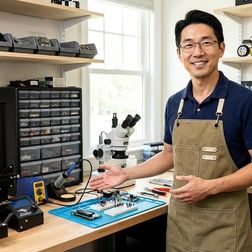
Ever watched expensive STEM equipment become an elaborate dust collector? The difference between a home lab that actually builds real skills and one that becomes a glorified junk drawer isn't about spending more money—it's about strategic organization. In this episode, Rajiv Patel shares the exact system he's developed through consulting with dozens of families, revealing why organizing around capability milestones rather than age ranges or product categories transforms outcomes. Whether you're setting up your first home STEM lab or rescuing one that's stalled, this framework connects daily learning directly to industry-relevant skill development. Skip age-based product recommendations entirely—a motivated 9-year-old can master Arduino robotics that stumps an uninterested 13-year-old, so always assess actual capability first by documenting concrete outputs like "assembles 3-component circuit from diagram." Zone your physical lab space around tool chain progressions, not arbitrary categories like "electronics" or "coding"—one station might span Scratch through Python while another progresses from hand tools through CAD to 3D printing. Use a three-tier staging protocol adapted from manufacturing: Active Learning Zone (current skill level only), Next-Milestone Staging (visible but not accessible, creating motivation through anticipation), and Archive Storage for advanced equipment and completed projects. Create equipment compatibility documentation to prevent technical debt—that Raspberry Pi 5 project kit requiring Python 3.11 won't run on an older Pi Zero W, and mismatched components kill project momentum fast. The system requires 6–8 hours for initial setup plus 30-minute monthly audits, and engineering hiring managers specifically cite "systems thinking" and "tool chain fluency" as differentiators between junior candidates. Clear storage labels should use capability descriptors rather than component names—"After completing 5 functional Scratch games" works better than "Advanced sensors" for maintaining progression clarity. Read the full article: https://stemlabguide.com/how-to-organize-a-home-stem-lab-for-progressive-skill-development
Home STEM Lab Setup Checklist: Essential Equipment and Infrastructure
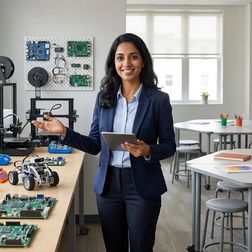
Setting up a home STEM lab isn't about buying every gadget at once—it's about building infrastructure that grows with your learner. This episode breaks down the foundational equipment that transforms any spare room or garage corner into a legitimate learning environment. Host Kazuki Tanaka draws on years of experience equipping maker spaces to cover the work surfaces, power management, and lighting that actually matter when kids are learning to solder, code, and build. If you've ever wondered why your home setup feels chaotic or why equipment keeps failing, this is your starting point. A proper workbench needs to handle vibration, heat, and chemical spills—the Gladiator 6-Foot Adjustable Height Workbench supports 3000-pound loads and adjusts from 28 to 38 inches as learners grow or switch between standing and seated projects. Most home circuits fail when running a 3D printer, soldering station, and laptop simultaneously; the Tripp Lite Isobar's isolated filter banks prevent electromagnetic interference and deliver consistent voltage even when household HVAC systems kick in. Cheap lighting ruins electronics work—a task lamp with CRI 95 rating and 5000K color temperature makes resistor color bands readable and solder joint quality visible without eye strain. Surge protection isn't optional when equipment costs hundreds of dollars; look for diagnostic LEDs that warn immediately if ground protection fails. The adjustment mechanisms and mounting systems on quality equipment often have quirks—the recommended workbench requires two people to adjust, and the BenQ monitor light won't fit curved screens without a separate desk mount. Infrastructure investments like stable surfaces, clean power, and proper lighting separate productive learning sessions from frustrating ones, especially when following progressive paths from basic circuits to Arduino programming. Read the full article: https://stemlabguide.com/home-stem-lab-setup-checklist
Dedicated STEM Room vs Multi-Purpose Learning Space: Which Setup Works Best

Ever watched your child's enthusiasm for a robotics project evaporate after repeatedly dismantling their work to clear the dinner table? This episode tackles one of the most practical decisions STEM-focused families face: whether to create a dedicated learning lab or work within shared spaces. Dr. Priya Mehta breaks down how your child's age, your home's layout, and your family's daily rhythms should guide this choice—because the "best" setup is simply the one that actually gets used. The real difference between dedicated and multi-purpose spaces isn't square footage—it's whether your child can pause mid-project without dismantling their work, which directly impacts their motivation to continue. Dedicated STEM rooms work best for children ages eight and up who are tackling multi-day builds like Arduino robotics or iterative 3D printing designs, while multi-purpose spaces are ideal for ages three to seven whose projects naturally conclude in one sitting. A dedicated room requires more infrastructure than most parents anticipate: at least one 15-amp circuit (budget $300–$800 for electrical upgrades), 80–120 square feet minimum, and an initial setup cost of $800–$2,500. Storage organization directly affects learning—when a child can grab the exact component they need in under 15 seconds, they stay in problem-solving mode rather than switching to frustrating scavenger-hunt mode. For multi-purpose spaces, the five-minute rule matters: if setup takes longer than five minutes, younger children will disengage before you've even finished unpacking, so invest in rolling carts with shallow drawers for quick access. In multi-purpose setups, parents become the "memory keepers" who cue children to return to projects, whereas dedicated rooms hand that responsibility to the child through visible, in-progress work that prompts continued engagement. Read the full article: https://stemlabguide.com/dedicated-stem-room-vs-multi-purpose-learning-space
Best STEM Lab Equipment for Home Learning Spaces

Parents serious about STEM education face a frustrating problem: most equipment ends up collecting dust after the initial excitement fades. In this episode, Kazuki Tanaka draws from his hands-on experience building functional STEM labs in three different homes—a spare bedroom, a garage corner, and a dining room that had to remain usable for meals. He breaks down exactly what separates real learning tools from expensive toys, covering everything from power requirements to long-term repair economics, so families can invest in gear their kids will actually use for years. The best STEM equipment supports progressive skill development, starting with visual block coding and transitioning to text-based languages like Python—the LEGO Education SPIKE Prime Set exemplifies this growth path effectively. Real workspace requirements often exceed manufacturer claims; a 3D printer's listed footprint doesn't account for filament spools, ventilation needs, and maintenance access that can double the actual space required. Running multiple devices simultaneously—a 3D printer, soldering station, and laptop—can trip a standard fifteen-amp household circuit, making power draw calculations essential before building out a home lab. Software compatibility claims often overstate reality; most "cross-platform" equipment works reliably on Windows but may require driver workarounds on Mac and struggle entirely on Chromebooks. Repair economics matter more than initial durability—quality equipment uses standard fasteners and has accessible replacement parts from multiple suppliers, while proprietary designs become expensive paperweights when components fail. Every piece of equipment should build specific, measurable skills aligned with actual career pathways; learning Arduino IDE prepares students for embedded systems development, while mastering FDM 3D printing translates directly to professional rapid prototyping workflows. Read the full article: https://stemlabguide.com/best-stem-lab-equipment-for-home-learning-spaces
How to Build a Home STEM Lab: Complete Setup Guide for Skill-Building Success
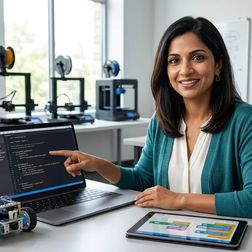
Most families approach building a home STEM lab like a shopping spree, grabbing flashy gadgets without understanding how they connect. In this episode, Rajiv Patel shares the phased implementation framework he's developed through years of testing STEM curricula with real families. You'll learn why successful labs function as integrated systems rather than equipment collections, and how to architect yours so every component builds toward measurable skill milestones—from early coding foundations all the way to professional-grade competencies that hiring managers now expect from entry-level candidates. A functional home STEM lab operates on three architectural principles: hardware compatibility layering (so tools scale from manipulatives to professional IDEs), infrastructure adequacy (power, ventilation, storage planned for 18–24 months of growth), and curriculum alignment (equipment mapped to specific competencies like "debugs Python syntax errors independently" rather than vague age ranges). Most families dangerously underestimate power requirements—running a 3D printer, computer, oscilloscope, and task lighting on one circuit will trip breakers mid-project and teach kids that tools are unreliable when the real failure is infrastructure planning. Environmental controls matter more than most guides admit: 3D printing needs 18–26°C and under 60% humidity for consistent results, while soldering requires minimum 40 CFM ventilation to avoid legitimate health risks that force families to abandon entire skill domains. Hardware selection should follow a capability dependency model, not age-indexed catalogs—each platform must expose progressively lower levels of abstraction while maintaining backward compatibility with prior learning, or you create "skill transfer debt" where children must unlearn proprietary logic systems. Proper tool organization using shadow boards or labeled bins reduces session setup time from 15 minutes to 90 seconds, dramatically lowering the friction that discourages kids from iterating on projects. The 2024 IEEE Spectrum salary survey confirms entry-level engineering roles now assume baseline proficiency in CAD software, version control, and hardware prototyping—competencies a properly architected home lab delivers by design. Read the full article: https://stemlabguide.com/how-to-build-a-home-stem-lab
How to Transition from Block-Based to Text-Based Robot Programming
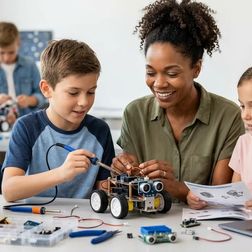
Your kid has mastered Scratch and is now asking how "real programmers" do it—but that leap from colorful blocks to typed code is exactly where most young learners either break through or burn out. This episode walks parents and educators through the critical transition from block-based to text-based robot programming, covering the eight-to-twelve-week journey that transforms playful drag-and-drop coders into students writing actual Python or Arduino C++. Host Lakshmi Venkataraman shares the strategic scaffolding, platform choices, and cognitive insights needed to make this milestone stick without the frustration that derails so many promising young programmers. Choose a robot platform that supports both block and text modes for the same hardware—this continuity lets students see that code is just another way to express logic they already understand, rather than an entirely foreign skill. The "dual-view" approach is your most powerful teaching tool: build every new concept in blocks first, then immediately view or write the equivalent text code to develop representational fluency. Learners need specific readiness markers before starting: at least 20–30 hours of block-based experience, fourth-grade reading level for error messages, basic algebra understanding, and minimum 15 words-per-minute typing speed. Poor documentation is the silent killer of text-based transitions—prioritize platforms with extensive guides in both formats, active user forums, and clear API references. Avoid the "double novelty" trap: introducing new syntax alongside unfamiliar hardware overwhelms working memory, so keep the robot platform consistent while the coding language changes. Think long-term about platform durability—the best transition robots support expandability toward advanced concepts like object-oriented programming, sensor fusion, or ROS integration. Read the full article: https://stemlabguide.com/how-to-transition-from-block-based-to-text-based-robot-programming
Complete Robotics Learning Path Checklist: From Beginner Kits to Competition-Level Builds
Standing in the robotics aisle wondering which kit won't become another dust collector? This episode maps out the complete progression from screen-free logic toys for four-year-olds to competition-ready builds for teenagers. Chloe Miller breaks down exactly what hardware to buy at each developmental stage, which programming languages unlock which capabilities, and how to sequence purchases so each kit builds on the last. If you want to build an engineer rather than assemble a toy collection, this is your blueprint. The foundation stage (ages 4–7) should be entirely screen-free—directional robots like Cubetto and marble-run builders like Turing Tumble teach sequencing and debugging instincts before introducing any abstract code symbols. Block-based programming (ages 7–10) is where spatial logic transforms into algorithmic thinking, with tools like LEGO SPIKE Essential and Sphero INDI letting kids construct programs visually while avoiding syntax frustrations. Arduino-compatible boards disguised as friendly toys (like mBot Neo) secretly introduce industry-standard microcontrollers that can later transition to real Arduino C++ programming. Bluetooth pairing issues plague many mid-tier robots—keeping devices within three meters and avoiding crowded WiFi environments prevents most dropped connections during programming sessions. Camera-vision robots like Cue teach sensor fusion and computer vision basics, shifting focus from how robots move to how they perceive their environment. Multi-terrain rovers like VEX GO force kids to grapple with real engineering trade-offs—treads versus wheels, weight distribution, center of gravity—preparing them directly for competition formats. Read the full article: https://stemlabguide.com/complete-robotics-learning-path-checklist