The STEM Lab

The STEM Lab

por The Stem Lab

How to Transition from Screen-Free Coding to Scratch and Python Programming
IA
Screen-free coding toys are fantastic for teaching young children logic and sequencing, but they hit a ceiling fast—and real programming lives on screens with actual code. This episode maps the exact progression path for moving kids aged six to ten from physical coding toys to Scratch and Python, covering the prerequisite skills they must demonstrate before advancing, which hardware bridges the gap most effectively, and how to sequence instruction over eight to sixteen weeks so learners don't plateau or regress. If you've invested in robot toys and coding board games and wonder what comes next, this is your blueprint. Never advance a child to Scratch until they can verbally articulate an eight-to-twelve-step algorithm before placing physical tokens—random trial-and-error swapping means they're not ready, and premature transition creates GUI dependence that's harder to fix than initial skill gaps. Scratch's hundred-plus blocks cause cognitive overload for kids used to eight-piece physical sets; hide all categories except Motion and Events for the first three sessions, then gradually unlock Control, Looks, and Sound over subsequent weeks. Specific debugging vocabulary signals readiness: listen for unprompted use of terms like "sequence," "loop," and "condition," plus error prediction statements like "this won't work because I'm missing a turn." Hardware bridges like the Sphero indi and LEGO SPIKE Essential provide tactile-to-digital continuity by accepting both physical inputs and Scratch commands for identical behaviors, making the abstract-to-visual leap concrete. Plan for forty-five to sixty minute sessions, three to four times weekly for the first month; supervision requirements drop significantly after week eight once learners demonstrate self-correction habits. System requirements matter more than parents expect—four gigs of RAM is the minimum, but eight gigs is preferred if running Scratch and a Python IDE simultaneously, and Thonny or Mu Editor are the recommended environments for learners under twelve. Read the full article: https://stemlabguide.com/how-to-transition-from-screen-free-coding-to-scratch-and-python-programming

How to Choose Screen-Free Coding Kits for Different Age Groups and Skill Levels

IA
Picking a screen-free coding kit sounds simple until you realize the age range on the box tells you almost nothing about whether it's right for your child. In this episode, Dr. Priya Mehta breaks down how to match coding kits to your child's actual developmental stage—not just their birthday—while building real programming logic through hands-on play. Whether your preschooler is ready for directional sequencing or your middle schooler needs conditional logic challenges, you'll learn exactly what to look for and what to avoid in the crowded world of tactile coding tools. Age ranges on coding kit packaging don't reflect cognitive readiness—a seven-year-old might think like a nine-year-old, or vice versa, so focus on developmental markers like the ability to follow multi-step commands or predict outcomes mentally. Not all screen-free coding kits teach genuine programming fundamentals; evaluate each kit against five computational thinking pillars: sequencing, loops, conditionals, functions, and debugging. The difference between placing three individual "forward" commands versus using a repeat mechanism matters—it's algorithmic efficiency versus rote memorization, and quality kits teach the former. Before evaluating any kit, assess your home setup: available floor space (minimum two by three feet), storage capacity, budget ceiling, tolerance for consumables like batteries or coding cards, and whether siblings will share resources. For ages three to five, look for directional sequencing without symbol recognition; ages six to eight need symbolic representation with coding cards; ages nine to twelve require if-then scenarios and loop optimization to avoid outgrowing the kit within months. The best screen-free kits make debugging visible—your child sees exactly where a robot deviates from the intended path and learns to adjust, rather than simply getting marked wrong. Read the full article: https://stemlabguide.com/how-to-choose-screen-free-coding-kits-for-different-age-groups-and-skill-levels

Progressive Learning Path Checklist: Screen-Free Coding to Arduino Programming

IA
Most parents know coding is a valuable skill, but handing a tablet to a preschooler feels wrong—and research backs that instinct. This episode maps the complete progression from screen-free coding toys at age three all the way to writing Arduino code in C++, giving you a concrete roadmap for building computational thinking the right way. Dr. Priya Mehta breaks down exactly which tools work at each developmental stage and why the sequence matters more than the specific products you buy. Children as young as three can start building coding foundations through physical manipulation—pressing directional buttons on robot toys creates immediate cause-effect feedback that internalizes sequencing before symbols ever enter the picture. The cognitive skills that make programming intuitive later (sequencing, conditionals, debugging) can all be taught through unplugged board games, pattern blocks, and even daily routines like getting dressed in the right order. Between ages six and nine, children are ready for abstraction—learning that one card or block can represent multiple steps—which mirrors how real functions work in actual programming languages. Debugging mindset matters more than perfection: activities with intentional errors teach kids that mistakes aren't failures but information, a mental shift that prevents frustration when they eventually encounter syntax errors in text-based code. "Human robot" games where one child writes instructions and another executes them teach communication precision and reveal semantic errors in a low-stakes, screen-free way. Nested loops become visible and intuitive through physical manipulatives in ways that screen-based block coding can actually obscure, making ages eight to nine ideal for pattern abstraction activities. Read the full article: https://stemlabguide.com/progressive-learning-path-checklist

Screen-Free Coding Kit Evaluation Checklist: Lab Specs and Durability Standards
IA
Most screen-free coding kits become expensive drawer clutter within months, teaching little that transfers to real programming skills. In this episode, Chloe Miller shares the exact evaluation checklist she developed after stress-testing dozens of unplugged coding systems in her own workshop. Whether you're a parent investing in your child's computational thinking or an educator building a classroom curriculum, you'll learn how to audit durability, pedagogical value, and environmental impact before spending a dollar. The central question: how do you separate kits that build careers from those that build landfill waste? Material composition determines longevity—ABS plastic tokens survive years of drops and spills, while laminated cardboard tiles start delaminating after just a few months in humid conditions. Connector durability matters more than you'd expect; the best modular kits use neodymium magnets rated for 10,000+ connection cycles or reinforced plastic pegs that won't shear under kid-level force. Not all kits teach transferable skills—verify that the system explicitly addresses computational thinking primitives like sequencing, loops, conditionals, debugging, and functions rather than just step-following activities. Check whether the instruction set has a ceiling; kits that omit conditionals or variables work for ages three to six, but by age seven, learners need if-then logic and parameter-based functions to progress. Replacement part policies reveal a kit's true sustainability—look for à la carte component purchasing, open-source 3D-printable parts, or modular designs where damaged sections swap out easily. Third-party expansion compatibility creates long-term value; kits that integrate with LEGO, Arduino boards, or other open-standard platforms make the transition from screen-free coding to text-based programming seamless. Read the full article: https://stemlabguide.com/screen-free-coding-kit-evaluation-checklist

How Screen-Free Coding Prepares Kids for Text-Based Programming Languages

IA
You want your child to learn programming, but the thought of parking them in front of a screen for hours feels wrong. Here's the surprising truth: starting with wooden blocks, cardboard tiles, and button-pressing robots isn't a compromise—it's actually the optimal path to Python, JavaScript, and beyond. Dr. Priya Mehta explains the science of embodied cognition and why physical coding tools build the exact mental frameworks that make text-based programming feel intuitive later on. Screen-free coding isolates computational thinking from typing and syntax, reducing cognitive load so children can master concepts like loops and conditionals without getting frustrated by semicolons and error messages. Physical manipulation creates motor memory that transfers directly to abstract programming—when kids later see a "for loop" in Python, their brains recognize it as the same repeat pattern they built with wooden tiles. The progression follows how children naturally learn language: sounds and gestures first, grammar rules later. Coding works the same way, with physical experience building neural pathways before formal syntax enters the picture. Debugging confidence develops naturally with tactile tools because children can see exactly where a sequence failed, swap out the incorrect card, and immediately test again—no cryptic error messages required. Universal programming concepts like sequencing, loops, conditionals, and functions are deliberately built into screen-free tools, making the translation to any text-based language remarkably smooth. Children under eight benefit most from this approach because their abstract reasoning is still developing while their spatial and motor skills are flourishing—physical coding meets them exactly where they are developmentally. Read the full article: https://stemlabguide.com/how-screen-free-coding-prepares-kids-for-text-based-programming-languages

What Is Screen-Free Coding: Understanding Unplugged Programming Education
IA
What if your child could learn the same logical thinking skills as professional software engineers—without ever touching a tablet or computer? This episode explores screen-free coding, an educational approach that teaches programming concepts through wooden blocks, tangible robots, and hands-on problem-solving. Whether you're a parent concerned about screen time or an educator looking for developmentally appropriate STEM activities, you'll discover why this tactile method might be the ideal entry point for young learners ages three and up. Screen-free coding teaches real programming concepts like sequencing, loops, conditionals, and debugging through physical objects such as wooden blocks, plastic tiles, and coding cards—no digital devices required. This approach emerged from computer science education research in the 1980s and aligns with Piaget's concrete operational stage, where children ages two to seven learn best through physical manipulation rather than abstract symbols. Screen-free coding systems work through three components: input tools (the physical pieces children arrange), processing mechanisms (analog or embedded systems that execute instructions), and output feedback (visible results that show success or failure). When children physically move a "forward" block next to a "turn right" block, they're building the same sequential thinking skills used by engineers writing Python or JavaScript—but through tactile engagement that activates multiple neural pathways simultaneously. Physical feedback loops make debugging intuitive: instead of cryptic error messages, children see exactly where their sequence failed when a robot bumps into a wall or takes a wrong turn, teaching problem-solving skills naturally. The method offers three key advantages over screen-based approaches: developmentally appropriate timing for children as young as three, executive function development through hands-on manipulation, and guilt-free STEM learning that respects screen-time guidelines. Read the full article: https://stemlabguide.com/what-is-screen-free-coding

Screen-Free Coding Subscription Boxes vs One-Time Purchase Kits: Which to Choose
IA
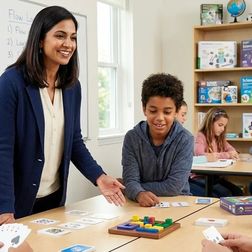
Deciding between a coding subscription box and a one-time purchase kit isn't just about the sticker price—it's about matching the purchasing model to how your child actually learns. In this episode, Dr. Priya Mehta breaks down the real costs, learning benefits, and developmental fit of each approach so parents can stop wasting money on the wrong format. Whether your child thrives on structured novelty or prefers deep, self-paced exploration, you'll walk away knowing exactly which model supports your family's goals. Subscription boxes cost $180–$480 annually and deliver curated, sequential challenges, but materials are often consumable with limited reuse value—once you stop paying, the learning pipeline stops too. One-time purchase kits range from $40–$180 upfront and offer permanent ownership, unlimited reuse, sibling hand-me-down potential, and the ability to recoup 30–50% through resale. The real value metric is cost per developmental outcome: a one-time kit used over 18 months can drop to pennies per session, while subscription engagement often fades once deliveries end. Subscriptions excel at removing friction for parents who feel uncertain about mapping computational thinking progression—someone else handles the curriculum design and pacing. External pacing can backfire: subscriptions impose a rhythm that may rush children who need more time with a concept or bore those who master skills quickly and must wait for the next box. One-time kits suit independent learners who benefit from revisiting concepts, controlling their own pace, and integrating open-ended components with other learning tools. Read the full article: https://stemlabguide.com/screen-free-coding-subscription-boxes-vs-one-time-purchase-kits

Best Unplugged Coding Games for Middle School STEM Labs
IA
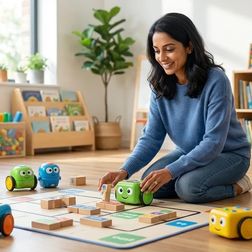
Are your middle schoolers checking out during screen-based coding lessons? You're not alone—and the solution might be going analog. In this episode, Lakshmi Venkataraman draws on years of hands-on testing in real classrooms and maker spaces to reveal which unplugged coding games actually build computational thinking skills for the 11-to-14 age group. If you're a STEM teacher or lab coordinator looking for tactile, collaborative tools that prepare students for Python and Scratch without adding to screen fatigue, this breakdown of what separates effective games from elementary-level busywork is exactly what you need. The best unplugged coding games for middle school share four essential qualities: they scale in complexity, mirror real programming constructs, support collaborative debugging, and bridge directly to text-based languages like Python. Vocabulary precision matters more than you might think—games should explicitly teach loops, conditionals, functions with parameters, and variables rather than using vague "problem-solving" language that creates misconceptions students carry into real coding. Look for games with built-in "compiler" or "debugger" roles where one student executes another's algorithm exactly as written, exposing logic flaws through physical demonstration and mirroring real-world code review practices. Middle school STEM lab materials need to survive 120+ students per year, so prioritize games with durable components like wooden pieces, laminated cards, or dry-erase surfaces over cardboard that delaminates within a semester. Games requiring paper printouts or consumables for each session can quickly exceed their initial purchase price in ongoing costs—calculate total investment before buying. Effective unplugged games should offer at least three distinct difficulty tiers with explicit skill milestones, allowing students to master sequencing before tackling conditionals, then nested structures, then optimization. Read the full article: https://stemlabguide.com/best-unplugged-coding-games-for-middle-school-stem-labs

Top Screen-Free Coding Robots for Elementary Students Ages 6-10
IA
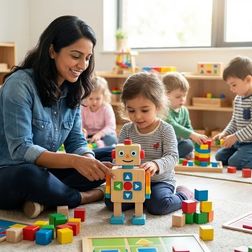
Screen time is a constant battle, but what if your child could learn real programming concepts without touching a tablet? In this episode, Dr. Priya Mehta breaks down ten coding robots designed specifically for elementary students ages six to ten that teach loops, conditionals, debugging, and algorithmic thinking through physical buttons, blocks, and hands-on manipulation. Whether you're a parent looking to build computational thinking skills or an educator searching for classroom-proven tools, this guide reveals which screen-free robots deliver genuine coding foundations—and which ones your kids might outgrow in weeks. Cubetto uses a Montessori-inspired wooden design with physical coding blocks that translate directly to programming concepts like subroutines, making it ideal for ages four to seven and durable enough for years of sibling hand-me-downs. Bee-Bot offers the simplest entry point with just seven buttons, but its forty-step memory limit becomes restrictive once children start tackling complex maze challenges. The Code & Go Robot Mouse adds spatial reasoning and engineering design by having children build their own mazes before programming solutions, though the cardboard pieces can warp if not stored properly. Botley 2.0 introduces sensor-based conditional logic—like obstacle detection and line following—bridging the gap between basic sequencing robots and more advanced programming concepts without requiring any screen interaction. Physical manipulation of coding commands builds muscle memory for algorithmic thinking that research shows transfers effectively to block-based and eventually text-based programming languages. Durability varies significantly across robots, from Bee-Bot's classroom-proven shell that withstands three to four years of daily use to cardboard maze components that require careful storage habits. Read the full article: https://stemlabguide.com/top-screen-free-coding-robots-for-elementary-students-ages-6-10

Best Screen-Free Coding Toys for Preschoolers: Building Logic Skills Ages 3-5

IA
Caught between wanting your preschooler to develop coding skills and worrying about too much screen time? This episode tackles that exact parenting dilemma head-on. Dr. Priya Mehta breaks down why children ages 3-5 actually build stronger logic and computational thinking through tactile, physical toys than through apps—and shares exactly what to look for when shopping for screen-free coding toys that will grow with your child over the next 18 months. The strongest foundational coding skills at ages 3-5 come from physical manipulation, not screens—when a child watches a robot physically respond to their programmed commands, they're learning debugging and the scientific method in real time on your living room floor. Real coding toys require planning before execution, meaning your child arranges a complete sequence of commands and then presses go—this critical gap between designing instructions and observing outcomes is what separates actual programming education from glorified remote-control cars. Scalability matters more than current skill level: look for toys that start with 2-3 step sequences but expand to 10+ step algorithms, conditional loops, and expansion packs so you're not buying an expensive dust-collector that becomes boring in three months. Durability specs are non-negotiable for preschool use—prioritize impact-resistant ABS plastic, sealed battery compartments, and rigid plastic command tiles over thick cardboard versions that need replacing within six months. The best screen-free coding toys make abstract concepts tangible, like physical loop rings that show your child how repeating commands work—building mental models they'll need when encountering for loops in middle school computer science. Consider collaborative play potential: toys with expandable mat systems, multiple robot support, or teamwork challenge cards help children develop the cooperative problem-solving skills that mirror how real engineering teams function. Read the full article: https://stemlabguide.com/best-screen-free-coding-toys-for-preschoolers
14 de 15