The Smart Home Setup Podcast

The Smart Home Setup Podcast
por My Smart Home Setup

Smart Bulb Response Times Explained: Latency, Reliability & Mesh Networks

IA
Ever flipped a smart light switch and stood there wondering if your house actually heard you? That frustrating delay between command and action is latency, and it's the hidden factor that separates smart homes that feel magical from ones that feel broken. In this episode, Chelsea Miller breaks down exactly where those delays come from after spending a year testing dozens of smart bulbs across Zigbee, Z-Wave, Thread, Matter, and Wi-Fi protocols. Whether you're troubleshooting a sluggish setup or designing a new system from scratch, you'll learn how to measure, diagnose, and eliminate the lag that makes automation feel like a downgrade. A properly configured local smart bulb setup responds in 50–200 milliseconds, while cloud-dependent systems can take over 2,500 milliseconds—that's the difference between instant and noticeably broken. Latency is a chain, not a single number: your command travels through protocol stacks, network hops, processing steps, and finally bulb execution, with each link adding precious milliseconds. Local control via Home Assistant and Zigbee delivers consistent 72–102 millisecond response times, while the same bulb routed through cloud services like Alexa fluctuates wildly between 340 and 2,340 milliseconds depending on internet conditions and server load. Mesh networks add hops that increase latency by 15–40 milliseconds each, but the tradeoff is worth it: in testing, a two-hop Zigbee route improved reliability from 60% to 99.8% over 500 commands while only adding 45 milliseconds. Protocol choice matters enormously—Thread recalculates failed routes in 100–300 milliseconds, Zigbee takes 200–500 milliseconds, and Z-Wave lags behind at 600–1,200 milliseconds due to its different routing algorithm. Most Wi-Fi smart bulbs require cloud authentication for every single command, meaning when your internet goes down, the fallback behavior is simply nothing—your lights won't respond at all. Read the full article: https://mysmarthomesetup.com/smart-bulb-response-times-explained

How to Create Smart Lighting Automations with If/Then Logic and Scenes

IA
The best smart home lighting is the kind you forget exists—lights that respond to your presence, the time of day, and your activities without you ever reaching for a switch or issuing a voice command. In this episode, Keiko Tanaka breaks down how to build invisible lighting automations using if/then logic and scenes that make your home feel atmospheric rather than technological. Whether you're working with Home Assistant, SmartThings, or another hub, you'll learn how to create layered conditions, choose the right protocols for sub-second response times, and design lighting zones that shift with the rhythm of your day. Every smart lighting automation follows the same if/then structure, but sophistication comes from stacking multiple conditions—like motion detection plus time of day plus ambient light levels—to create context-aware responses that feel intuitive. Protocol choice dramatically affects automation performance: Zigbee and Z-Wave deliver 50–150 millisecond latency, while Wi-Fi bulbs can introduce 300–800 millisecond delays due to cloud routing, breaking the seamless illusion of invisible automation. Before writing any automation rules, walk through your home at different times of day to observe how natural light shifts and when you instinctively reach for switches—this mapping process reveals the emotional temperature each space needs. Scenes stored locally on your hub execute almost instantaneously (under 100 milliseconds for a full room transition), while cloud-dependent scenes can take one to three seconds, creating perceptible lag that disrupts immersion. Each zone in your home may need multiple distinct modes—a kitchen alone might require bright task lighting for morning prep, ambient warmth for dinner, and a low nightlight path for late-night water runs. Prioritize hubs that support local processing with no cloud dependency, and consider that most hubs and sensors can be concealed in cabinetry or recessed into architecture so the only visible tech disappears into your home's design. Read the full article: https://mysmarthomesetup.com/how-to-create-smart-lighting-automations-with-if-then-logic-and-scenes

Smart Lighting Compatibility Checklist: Hub, Protocol & Device Requirements

IA
You've just unboxed your new smart bulbs, screwed them in, opened the app—and nothing happens. Compatibility problems derail more smart lighting installations than any other factor, yet most people don't know what to check before they buy. This episode walks you through every compatibility requirement you need to verify, from protocol matching and hub requirements to electrical constraints and automation platforms. Whether you're building a smart lighting system from scratch or expanding an existing setup, you'll learn exactly what works together and what doesn't before spending a dollar. Protocol mismatches cause roughly 60% of smart lighting setup failures—Zigbee bulbs need Zigbee hubs, Z-Wave needs Z-Wave controllers, and mixing them without checking compatibility is the most common mistake new users make. Z-Wave has regional frequency differences that most buyers overlook: bulbs purchased in Europe operate on 868.42 MHz and won't work with North American controllers running at 908.42 MHz. Wi-Fi bulbs seem simpler since they skip the hub, but each one occupies a DHCP address on your network—home routers often struggle when device counts exceed 40 to 50, leading to dropouts and latency spikes of 100 to 300 milliseconds. Matter-certified lighting offers true multi-ecosystem compatibility across Apple Home, Google Home, Amazon Alexa, and SmartThings, but Thread-based Matter devices require a Thread Border Router like HomePod mini, Nest Hub Max, or Echo 4th gen. Marketing claims and actual technical support often diverge at the hub level—Amazon Echo Show 2nd gen has Zigbee, but the original Show does not, despite both being sold as smart home hubs. Bluetooth-only smart bulbs cannot participate in home automation and should be skipped unless you only want basic phone control with no scheduling or voice assistant integration. Read the full article: https://mysmarthomesetup.com/smart-lighting-compatibility-checklist

Smart Light Bulb Protocols Explained: Zigbee vs Z-Wave vs Matter vs Wi-Fi
IA
Ever notice how some smart homes respond instantly while others stutter and lag? The culprit isn't usually the bulb itself—it's the invisible communication protocol running behind the scenes. In this episode, Keiko Tanaka breaks down the four major smart light bulb protocols dominating the market in 2026: Zigbee, Z-Wave, Matter, and Wi-Fi. Whether you're planning a whole-home lighting system or just trying to figure out why your current setup feels unreliable, this episode explains the technical foundations that determine whether your smart lighting feels like magic or frustration. Smart light protocols are the "languages" your devices speak—a Zigbee bulb literally cannot communicate with a Z-Wave hub, no matter how advanced either device is, because they operate on fundamentally different systems. Zigbee runs on the crowded 2.4 GHz band alongside Wi-Fi and Bluetooth, which can cause interference, while Z-Wave uses a dedicated sub-gigahertz frequency (908.42 MHz in North America) that passes through walls more reliably. Both Zigbee and Z-Wave create mesh networks where each powered device extends range and provides backup pathways, but Z-Wave caps out at 232 devices per controller while Zigbee theoretically supports thousands. When your internet goes down, Zigbee and Z-Wave automations keep running locally—but if your hub fails, the entire network collapses and bulbs freeze in their last-commanded state. Matter aims to solve the compatibility mess by acting as a translation layer that sits atop existing protocols like Thread and Wi-Fi, potentially letting devices from different ecosystems finally work together. Wi-Fi bulbs connect directly to your router without needing a hub, which sounds convenient but often leads to network congestion and higher power consumption in larger installations. Read the full article: https://mysmarthomesetup.com/smart-light-bulb-protocols-explained

How to Set Up Philips Hue Bridge with Zigbee Bulbs and Automation Rules

IA
Ever wondered what your Philips Hue Bridge is actually sending to the cloud when you flip on a smart bulb? In this episode, Chelsea Miller breaks down the complete setup process from unboxing to building local automations—all while revealing exactly which data goes where after three days of packet-sniffing her own Bridge. Whether you're a beginner looking for a step-by-step walkthrough or someone who wants to minimize cloud dependencies, this 60-to-90-minute tutorial covers hardware requirements, protocol clarifications, and privacy configurations that keep your smart lighting responsive even when your internet goes down. The Hue Bridge phones home to Signify's servers within 90 seconds of connecting, reaching out to api.meethue.com and firmware.meethue.com—but you can block these connections after initial setup while keeping all local automations functional. Wired latency from bulb command to light change averaged just 47 milliseconds in testing, compared to 130–190 milliseconds for Wi-Fi bulbs on the same network—that's the difference between instant response and noticeable lag. You can skip creating a Philips Hue account entirely, but you'll lose remote access, automatic firmware updates, and third-party integrations; manual firmware updates require downloading files and using a deprecated browser interface. The Bridge supports up to 50 Zigbee devices and 12 accessories, operates as a Zigbee 3.0 coordinator on the 2.4 GHz band, and does not support Z-Wave, Thread, or Matter natively as of early 2026. Cloud-free viability scores a 7 out of 10: schedules, sunrise/sunset rules, and local app control work without internet, but voice assistants like Alexa and Google Assistant require cloud connectivity. If you create an account, use a burner email, disable "personalized experiences," and deny location permissions unless you specifically want geofencing automations. Read the full article: https://mysmarthomesetup.com/how-to-set-up-philips-hue-bridge-with-zigbee-bulbs-and-automation-rules

Best Govee Smart Lights: Top Wi-Fi RGB Strips, Bulbs & Outdoor Lighting

IA
Looking for affordable smart lighting that won't lock you into an expensive hub ecosystem? This episode dives deep into Govee's Wi-Fi-based RGB lighting lineup, covering everything from immersive TV backlights to versatile LED strips. Host Marcus Chen draws on experience from over eighty installations to reveal which products deliver on their promises and which ones create unexpected headaches. Whether you're building out a home theater setup or adding accent lighting throughout your space, you'll learn the real-world trade-offs that most reviews skip over. All Govee lights connect via 2.4 GHz Wi-Fi only, which means no hub purchases but also no HomeKit, Matter, Thread, or Zigbee compatibility—they'll always operate as an isolated system separate from protocol-level smart home automations. The Govee Envisual TV Backlight T2's camera-based approach works with any content source without the HDMI handshake issues that plague sync boxes, but expect 50–80 milliseconds of latency that's noticeable during fast-paced gaming. Camera calibration on the T2 is highly sensitive to ambient light conditions, so windows or bright overhead lights will cause washed-out LED responses and require frequent recalibration. The adhesive backing on Govee strips tends to fail after six to eight months, especially on textured walls—plan on reinforcing with 3M Command strips for long-term installations. RGBIC strips display multiple colors simultaneously along their length, creating dynamic gradients that look dramatically better than standard single-color RGB strips for accent lighting applications. Before installing any Govee product, verify your Wi-Fi signal strength at the installation location—you need at least -70 dBm on the 2.4 GHz band, and mesh systems that aggressively push devices to 5 GHz will cause intermittent disconnections. Read the full article: https://mysmarthomesetup.com/best-govee-smart-lights

Lutron Caseta vs Philips Hue: Which Smart Lighting System Is Better?
IA
Choosing between Lutron Caseta and Philips Hue can feel overwhelming when both systems promise to make your home smarter. This episode breaks down the real-world differences between these two popular smart lighting platforms, drawing on hundreds of actual installations. Whether you're a homeowner looking for reliable whole-home dimming or a renter wanting colorful accent lighting without electrical work, you'll learn exactly which system fits your specific situation and why the protocol differences matter more than most buyers realize. Lutron Caseta uses proprietary Clear Connect RF at 433 MHz, which operates on a frequency with minimal Wi-Fi and Zigbee interference, resulting in the most consistent dimming performance and fewer failed responses. Philips Hue runs on Zigbee 3.0 and now supports Matter via bridge firmware updates, allowing you to expose your lights to Matter controllers like Apple Home or Google Home without replacing your existing bulbs. Response latency differs significantly: Caseta delivers 150–250ms from switch to light with nearly instant physical switch response, while Hue runs 200–400ms from app or voice commands with physical switches adding another 100–150ms. Caseta installation requires replacing existing switches and typically needs a neutral wire, which most homes built after 1985 have—but older homes may require an electrician or the non-dimming PD-5WS switch as a workaround. Neither system communicates directly with the other; bridging Caseta switches to Hue bulbs requires a third-party hub like Home Assistant, and cloud-based routines through Alexa or Google introduce 1–2 seconds of latency. Fallback behavior is a critical difference: Caseta's physical switches always work even when the bridge or internet fails, while Hue bulbs stay in their last state during bridge failure and standard wall switches cut power entirely. Read the full article: https://mysmarthomesetup.com/lutron-caseta-vs-philips-hue

Best Philips Hue Smart Bulbs and Lights: Complete Zigbee Buying Guide
IA
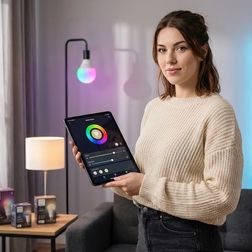
Still fumbling for light switches in the dark? This episode breaks down everything you need to know about Philips Hue smart bulbs before you buy. Marcus Chen draws on years of hands-on installation experience to explain why these Zigbee-based lights remain the gold standard in 2026, which hub setup actually makes sense for your home, and how to avoid the costly mistakes that frustrate first-time smart lighting buyers. Whether you're building out your first smart home or expanding an existing ecosystem, this guide answers the critical questions about protocols, bulb types, and real-world performance. The Philips Hue Bridge is still essential for full functionality in 2026—Bluetooth-only control sacrifices automations, remote access, and platform integrations that make smart lighting worthwhile. Most homeowners who buy expensive Color Ambiance bulbs end up setting them to warm white within a month, so unless you're planning gaming setups or seasonal displays, White Ambiance bulbs save you 40% without sacrificing daily usefulness. Each powered Hue bulb acts as a Zigbee repeater, meaning 10–12 bulbs in a typical home create enough mesh density to virtually eliminate dropout issues—but smart switches that cut power break this network. Response time runs 200–300 milliseconds from trigger to light change, which feels instant to most users but creates a noticeable difference if you're switching between dumb switches and smart bulbs. Matter support arrived via firmware update in late 2024, but this makes the Bridge a Matter bridge—the bulbs themselves remain Zigbee devices that require the hub. Brightness mistakes are common: showroom displays make 800-lumen bulbs look adequate, but kitchens and bathrooms typically need 1100+ lumens for proper task lighting. Read the full article: https://mysmarthomesetup.com/best-philips-hue-smart-bulbs-and-lights

Smart Lighting for Home Automation: Complete Guide to Zigbee, Z-Wave, Matter & Wi-Fi Systems
IA
Think your smart lights are just listening to your commands? They're also talking back—to corporate servers that log when you wake up, when you leave, and when you come home. In this episode, Chelsea Miller breaks down exactly how smart lighting protocols work at the technical level after discovering her own "smart" bulbs were phoning home every ninety seconds, even when switched off. Whether you're building a new system or auditing an existing one, this guide reveals which protocols keep your data local and which ones are quietly uploading your daily patterns to third-party analytics domains. Most commercial smart lighting from brands like Philips Hue, LIFX, and TP-Link defaults to cloud-first architecture, creating 200–800ms latency and detailed activity logs that companies monetize through data sales and targeted advertising. Zigbee and Z-Wave bulbs controlled through Home Assistant or Hubitat can operate entirely offline, with response times under 80 milliseconds and zero internet dependency. Zigbee runs on 2.4GHz channels that overlap with Wi-Fi, causing latency spikes during video calls—mapping your Wi-Fi channels and selecting Zigbee channel 15 or 25 eliminates most interference. Z-Wave operates at 900MHz with better wall penetration and no Wi-Fi interference, and Z-Wave Plus 800 series switches can achieve 40ms response times over three mesh hops. Matter's promise of cross-platform local control has a catch: Matter 1.0 required cloud commissioning, and while Matter 1.4 makes local-only commissioning mandatory, many existing devices won't receive the firmware updates needed to support it. Wi-Fi bulbs connect directly to your router without a hub, but this simplicity is exactly why they leak data so effectively—most manufacturers gate local control behind firmware that quietly enables cloud dependencies. Read the full article: https://mysmarthomesetup.com/smart-lighting-for-home-automation

Smart Device Fallback Behavior Checklist: What Happens When Wi-Fi or Hubs Fail

IA
What happens to your smart home when the internet goes down? This episode tackles the uncomfortable reality that many "smart" devices become surprisingly dumb during Wi-Fi outages or hub failures. Keiko Tanaka breaks down exactly how every category of smart device behaves when connectivity disappears—from lights and thermostats to security cameras and sensors. Whether you're building a new smart home or troubleshooting an existing setup, understanding fallback behavior is essential for creating a home that works reliably, not just impressively. Zigbee and Thread bulbs paired with local hubs like Home Assistant or Hubitat keep working during internet outages, maintaining automations with 80–150 millisecond latency because they operate on local mesh networks independent of cloud services. Wi-Fi-only smart bulbs technically still work without internet if your local network stays up, but app response times can balloon from under 200 milliseconds to 2–5 seconds, disrupting the seamless experience that makes automation feel invisible. Most smart thermostats allow manual temperature adjustments during outages but lose cloud-dependent features like geofencing and occupancy-based scheduling—meaning your "eco mode when everyone leaves" automation silently fails. Cloud-dependent security cameras without local storage become completely non-functional during internet loss—no recording, no alerts, nothing—while cameras with microSD slots continue capturing footage you can access once connectivity returns. Matter 1.4 devices maintain local control even when cloud services go down, and multi-admin support means a bulb connected to both Google Home and Apple HomeKit responds to either ecosystem during outages. Battery-backup smart switches are rarer than you'd think—most Z-Wave and Zigbee switches reset to default states after power outages and require hub reconnection before automations resume. Read the full article: https://mysmarthomesetup.com/smart-device-fallback-behavior-checklist
9 de 15