The Smart Home Setup Podcast

The Smart Home Setup Podcast

por My Smart Home Setup

Best Smart Home Devices for Beginners

IA
Think setting up a smart home means handing over your data to Amazon or Google? Think again. In this episode, Chelsea Miller walks through the best smart home devices for beginners who actually care about privacy. You'll learn which protocols keep your automation local, which devices phone home with thousands of data packets every day, and how to build a system that works even when your internet doesn't. If you're tired of apps that demand accounts just to turn on a light, this one's for you. Zigbee and Z-Wave are protocols that let your devices talk to each other directly in your home, without sending anything to the internet. Think of them like walkie-talkies that only work in your house—they're private, fast, and keep working even if your Wi-Fi goes down. A local hub is a small computer in your home that controls all your devices without needing the internet. Instead of your commands going to Amazon's computers and back, everything happens in your living room. It's like having a traffic cop inside your house instead of in another state. Many "smart" devices that say they work with Alexa are actually sending your data to company servers constantly. To find out if a device is really private, block it from the internet and see if it still works. If it throws errors or stops functioning, it's spying on you. You can build a privacy-respecting smart home for under $200. You'll need a Zigbee coordinator, something to run Home Assistant on like a Raspberry Pi or old laptop, and a few sensors. That's cheaper than most "easy" systems that then charge you monthly fees forever. Devices that run on batteries and use Zigbee are the safest bet for beginners. They don't need accounts, they work offline, and they can't be hacked from across the internet because they're not connected to it. Look for sensors, switches, and plugs that say "Zigbee 3.0" on the box. Show Links Affiliate Disclosure: As an Amazon Associate I earn from qualifying purchases. Full article SONOFF Zigbee 3.0 USB Dongle Plus Third Reality Zigbee 3.0 Smart Switch THIRDREALITY Zigbee Motion Sensor MOES Zigbee Smart Plug Philips Hue White A19 Starter Kit Aqara Door and Window Sensor Related Articles Smart Home Backup Power Solutions: Complete Guide to Uninterruptible Automation Smart Home Power Monitoring: Real-Time Energy Tracking with Matter & Zigbee Sensors Home Automation Ideas: Smart Solutions for Every Room How to Choose Smart Lighting: Protocol, Ecosystem Lock-In & Budget Guide Smart Light Bulb Protocols Explained: Zigbee vs Z-Wave vs Matter vs Wi-Fi
Home Automation Ideas: Smart Solutions for Every Room

IA
Home Automation Ideas: Smart Solutions for Every Room You don't need to surrender your data to make your home smarter. The best home automation ideas work locally, keeping your routines, schedules, and sensor data inside your network—not on someone else's cloud server. I rebuilt my entire setup after discovering my "smart" devices were phoning home with thousands of unauthorized packets daily, and I've spent the past three years testing privacy-first automation across every room in my house. This guide covers room-by-room home automation ideas you can implement without feeding the surveillance machine. What Is Home Automation? Home automation is the use of connected devices to control, monitor, and automate household functions—lighting, climate, security, energy consumption, and more—through programmed logic, sensors, and triggers. When done right, automation happens locally on your network using protocols like Zigbee, Z-Wave, Thread, or Matter, with no data leaving your property. When done wrong, you're renting convenience from a company that logs every time you turn off the bedroom light. The difference comes down to architecture: cloud-dependent systems (most Wi-Fi devices…

Smart Home Backup Power Solutions: Complete Guide to Uninterruptible Automation

IA
When the power goes out, most people worry about the lights. But if you've built a smart home, you lose something deeper—the invisible intelligence that knows when you walk in, adjusts your temperature while you sleep, and watches your doors around the clock. This episode explores how to keep your home's brain alive during blackouts, from small backup batteries tucked behind furniture to whole-home systems that power entire circuits. Whether you're protecting a simple hub-and-router setup or a complex mesh network spanning dozens of sensors, you'll learn how to design resilience that works silently in the background. Your smart home's brain needs power even when your lights don't. The hub that controls your automations and the router that connects everything are like the central nervous system of your home—if they go dark, nothing else works right, even devices with their own batteries. A small battery backup can keep your system running for hours. Called a UPS, it's like a power bank for your phone but for your router and hub. It switches over so fast that your devices never notice the power went out. Some smart devices have built-in batteries and keep working automatically. Sensors that detect motion or open doors often run on small batteries like the ones in a watch. These stay awake during outages while devices plugged into walls go silent. Smart protocol choice determines how tough your system is during outages. Zigbee and Z-Wave devices often work on batteries, while most Wi-Fi devices need constant wall power. Picking the right type is like choosing between a flashlight with batteries versus one you have to plug in. Whole-home battery systems protect everything, not just your smart gear. These big batteries, like the ones some people pair with solar panels, can keep climate control, security cameras, and other major systems running—turning a stressful blackout into a minor inconvenience. Show Links Affiliate Disclosure: As an Amazon Associate I earn from qualifying purchases. Full article: https://mysmarthomesetup.com/smart-home-backup-power-solutions-complete-guide-to-uninterruptible-automation APC Back-UPS Pro 1500VA - https://www.amazon.com/s?k=APC%20Back-UPS%20Pro%201500VA&tag=smarthomesetup-20 CyberPower CP1000PFCLCD - https://www.amazon.com/s?k=CyberPower%20CP1000PFCLCD&tag=smarthomesetup-20 Related Articles Smart Home Power Monitoring: Real-Time Energy Tracking with Matter & Zigbee Sensors - https://mysmarthomesetup.com/smart-home-power-monitoring-real-time-energy-tracking-with-matter-zigbee-sensors How to Choose Smart Lighting: Protocol, Ecosystem Lock-In & Budget Guide - https://mysmarthomesetup.com/how-to-choose-smart-lighting Device Mesh Network Reliability Explained: Zigbee vs Z-Wave vs Thread - https://mysmarthomesetup.com/device-mesh-network-reliability-explained In-Wall Smart Switches vs Surface Mount: Which Hidden Solution Works Best? - https://mysmarthomesetup.com/in-wall-smart-switches-vs-surface-mount Best Zigbee Smart Plugs vs Z-Wave Smart Plugs for Home Automation - https://mysmarthomesetup.com/best-zigbee-smart-plugs-vs-z-wave-smart-plugs-for-home-automation

Smart Home Power Monitoring: Real-Time Energy Tracking with Matter & Zigbee Sensors

IA
Even when every light is off and you're fast asleep, your home is quietly consuming electricity—phantom loads from cable boxes, routers, and appliances on standby drain power around the clock. This episode explores how smart home power monitoring systems reveal that invisible energy consumption, tracking what your home uses circuit by circuit and device by device in real time. Whether you're building a new smart home or retrofitting an existing one, you'll learn how Matter 1.4 and Zigbee sensors work together to create energy awareness that fades into the background of daily life. Smart home power monitoring shows you exactly where your electricity goes. Instead of waiting for a surprise utility bill, these systems track energy use moment by moment—like having a speedometer for your home's electricity instead of just an odometer that shows the total at the end of the month. There are three main ways to monitor power: panel clamps, smart plugs, and whole-home monitors. Panel clamps wrap around wires in your breaker box to watch entire circuits. Smart plugs sit between outlets and devices for individual tracking. Whole-home monitors use artificial intelligence to figure out which appliance is using what from the total power flow. Zigbee and Matter protocols each have trade-offs worth understanding. Zigbee is fast and reliable but needs a hub—if that hub loses power, all monitoring stops. Matter works across different brands and platforms but can be slightly slower depending on whether it uses Thread or Wi-Fi to communicate. The best invisible setups combine panel-level and device-level monitoring together. By pairing circuit clamps in your breaker box with smart plugs on high-draw appliances, you get both the big picture and the fine details without cluttering your living space with visible gadgets. True energy awareness means data that helps without demanding attention. The goal isn't constant notifications or dashboards you have to check—it's a system that learns your patterns, runs automations automatically, and only surfaces information when something actually matters. Show Links Affiliate Disclosure: As an Amazon Associate I earn from qualifying purchases. Full article: https://mysmarthomesetup.com/smart-home-power-monitoring-real-time-energy-tracking-with-matter-zigbee-sensors Emporia Vue Gen 3 Energy Monitor - https://www.amazon.com/s?k=Emporia%20Vue%20Gen%203%20Energy%20Monitor&tag=smarthomesetup-20 Sense Energy Monitor - https://www.amazon.com/s?k=Sense%20Energy%20Monitor&tag=smarthomesetup-20 Related Articles Smart Home Backup Power Solutions: Complete Guide to Uninterruptible Automation - https://mysmarthomesetup.com/smart-home-backup-power-solutions-complete-guide-to-uninterruptible-automation How to Choose Smart Lighting: Protocol, Ecosystem Lock-In & Budget Guide - https://mysmarthomesetup.com/how-to-choose-smart-lighting Device Mesh Network Reliability Explained: Zigbee vs Z-Wave vs Thread - https://mysmarthomesetup.com/device-mesh-network-reliability-explained In-Wall Smart Switches vs Surface Mount: Which Hidden Solution Works Best? - https://mysmarthomesetup.com/in-wall-smart-switches-vs-surface-mount Best Zigbee Smart Plugs vs Z-Wave Smart Plugs for Home Automation - https://mysmarthomesetup.com/best-zigbee-smart-plugs-vs-z-wave-smart-plugs-for-home-automation

How to Calculate Battery Runtime for Zigbee Hubs, Wi-Fi Routers & Z-Wave Controllers
IA
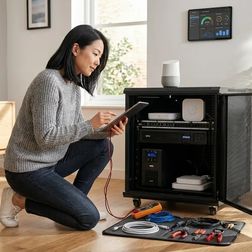
When the power goes out, your smart home doesn't just pause—it breaks. Lights freeze, thermostats go silent, and security sensors stop working because the hidden network holding everything together loses power. This episode walks you through the exact math for figuring out how long your backup battery will keep your smart home hubs running, from Zigbee coordinators to Wi-Fi routers to Z-Wave controllers. Whether you're building a new automated home or finally getting serious about backup power, you'll learn how to measure what your devices actually use and match that to the right battery size. Manufacturer specs lie about power usage. The wattage printed on the box is often wrong. A hub rated at 5 watts might actually use 2.3 watts most of the time but spike to 7 watts when adding new devices. Plug each device into a power meter for a full day to see what it really uses. Different smart home protocols use different amounts of power. Zigbee hubs sip power like a nightlight at 2 to 6 watts, while Wi-Fi mesh routers gulp it down at 8 to 22 watts. Knowing which devices are power-hungry helps you plan which ones actually need backup. Your backup battery is only as good as your weakest link. If your smart hub has battery backup but your internet router doesn't, nothing works anyway. You have to trace the chain of devices that depend on each other and protect all of them. Always plan for the worst-case power draw. Use the highest number you measured, not the average. Your battery needs to handle those moments when multiple devices spike at once, like during a network repair or software update. UPS battery ratings need translation before you can use them. Backup batteries list their capacity in confusing units like volt-ampere-hours. You need to convert everything to watt-hours, then divide by your total load to get actual runtime in hours. Show Links Affiliate Disclosure: As an Amazon Associate I earn from qualifying purchases. Full article: https://mysmarthomesetup.com/how-to-calculate-battery-runtime-for-zigbee-hubs-wi-fi-routers-z-wave-controllers Kill A Watt P3 P4400 Electricity Usage Monitor - https://www.amazon.com/s?k=Kill%20A%20Watt%20P3%20P4400%20Electricity%20Usage%20Monitor&tag=smarthomesetup-20 SmartThings Aeotec Smart Home Hub - https://www.amazon.com/s?k=SmartThings%20Aeotec%20Smart%20Home%20Hub&tag=smarthomesetup-20 Related Articles Smart Home Backup Power Solutions: Complete Guide to Uninterruptible Automation - https://mysmarthomesetup.com/smart-home-backup-power-solutions-complete-guide-to-uninterruptible-automation Smart Home Power Monitoring: Real-Time Energy Tracking with Matter & Zigbee Sensors - https://mysmarthomesetup.com/smart-home-power-monitoring-real-time-energy-tracking-with-matter-zigbee-sensors How to Choose Smart Lighting: Protocol, Ecosystem Lock-In & Budget Guide - https://mysmarthomesetup.com/how-to-choose-smart-lighting Device Mesh Network Reliability Explained: Zigbee vs Z-Wave vs Thread - https://mysmarthomesetup.com/device-mesh-network-reliability-explained In-Wall Smart Switches vs Surface Mount: Which Hidden Solution Works Best? - https://mysmarthomesetup.com/in-wall-smart-switches-vs-surface-mount

Smart Home Power Outage Preparation Checklist: UPS Sizing, Runtime & Protocol Priority

IA
When the power goes out, most smart homes turn into chaos—lights blasting on at 3 AM, locks freezing up, and sensors taking forever to reconnect. This episode walks you through building an invisible backup system that keeps your automation running smoothly during blackouts. You'll learn how to size UPS batteries correctly, understand why some protocols recover faster than others, and figure out which devices actually need backup power versus which ones handle outages on their own. If you've ever woken up to a smart home that forgot how to be smart, this checklist is for you. Your router and hub need their own backup battery with at least two hours of power. Think of your router like the brain's communication center—without it, none of your smart devices can talk to each other or the internet, so it needs to stay on longer than anything else. Zigbee and Z-Wave devices keep working locally without internet, but Wi-Fi devices usually don't. It's like the difference between walkie-talkies that work anywhere versus phones that need cell towers—local mesh protocols are the walkie-talkies of smart homes. Battery-powered sensors keep working during outages but slow down to save energy. Your motion sensor might take 5 to 15 seconds to report movement instead of instantly, which matters a lot if you're depending on it for security. Different protocols recover at different speeds when power returns. Z-Wave is like a student with organized notes who finds their place quickly, while a big Zigbee network is like a classroom of kids who need a few minutes to settle back down—expect 2 to 4 minutes for larger setups. Mixing Matter with Thread adds extra recovery time because systems reconnect in layers. Imagine a relay race where each runner has to wait for the previous one to finish—Thread starts, then Matter connects, then bridges link up, adding 30 to 90 seconds before everything works together again. Show Links Affiliate Disclosure: As an Amazon Associate I earn from qualifying purchases. Full article: https://mysmarthomesetup.com/smart-home-power-outage-preparation-checklist-ups-sizing-runtime-protocol-priority APC Back-UPS Pro 1500VA - https://www.amazon.com/s?k=APC%20Back-UPS%20Pro%201500VA&tag=smarthomesetup-20 Philips Hue Bridge - https://www.amazon.com/s?k=Philips%20Hue%20Bridge&tag=smarthomesetup-20 Related Articles Smart Home Backup Power Solutions: Complete Guide to Uninterruptible Automation - https://mysmarthomesetup.com/smart-home-backup-power-solutions-complete-guide-to-uninterruptible-automation Smart Home Power Monitoring: Real-Time Energy Tracking with Matter & Zigbee Sensors - https://mysmarthomesetup.com/smart-home-power-monitoring-real-time-energy-tracking-with-matter-zigbee-sensors How to Choose Smart Lighting: Protocol, Ecosystem Lock-In & Budget Guide - https://mysmarthomesetup.com/how-to-choose-smart-lighting Device Mesh Network Reliability Explained: Zigbee vs Z-Wave vs Thread - https://mysmarthomesetup.com/device-mesh-network-reliability-explained In-Wall Smart Switches vs Surface Mount: Which Hidden Solution Works Best? - https://mysmarthomesetup.com/in-wall-smart-switches-vs-surface-mount

Why Smart Home Devices Lose Connection During Power Failures: Mesh Network Recovery Explained

IA
Ever had the power blink off and back on, only to find your smart home completely unresponsive even though everything has electricity again? This episode dives into the hidden reason your lights, sensors, and voice commands stop working after outages—and it has nothing to do with broken devices. Keiko Tanaka explains the invisible network architecture that connects your smart home and why it struggles to wake up all at once. If you rely on home automation for daily routines, this breakdown will change how you think about power reliability. Mesh networks connect devices through each other, not just a central hub. Think of it like a group of friends passing notes in class—if one person is absent, others can still get the message through. Your smart bulbs, plugs, and sensors work the same way, relaying signals to each other instead of all talking directly to one boss device. Simultaneous reboots create traffic jams in your network. When power returns, every device wakes up and shouts "I'm here!" at the same time. It's like an entire school trying to squeeze through one doorway after a fire drill—everything slows down while devices figure out who's next to whom. Your hub might be the slowest one to wake up. The brain of your smart home can take up to ninety seconds to start working again. Until it does, no other device knows where to send its messages, so everything just waits around doing nothing. Battery-powered sensors are the last to come back online. Motion sensors and door contacts try to save their batteries by sleeping more. They might only check in every few minutes or even every hour, which is why your hallway sensor stays quiet long after the lights work again. The network takes hours or days to fully optimize itself. Right after an outage, devices use whatever connection they find first—even bad ones. Over time, they test faster routes and settle into better paths, like learning shortcuts on your drive to school. Show Links Affiliate Disclosure: As an Amazon Associate I earn from qualifying purchases. Full article: https://mysmarthomesetup.com/why-smart-home-devices-lose-connection-during-power-failures-mesh-network-recovery-explained Apple HomePod Mini - https://www.amazon.com/s?k=Apple%20HomePod%20Mini&tag=smarthomesetup-20 Tesla Powerwall 3 - https://www.amazon.com/s?k=Tesla%20Powerwall%203&tag=smarthomesetup-20 Related Articles Smart Home Backup Power Solutions: Complete Guide to Uninterruptible Automation - https://mysmarthomesetup.com/smart-home-backup-power-solutions-complete-guide-to-uninterruptible-automation Smart Home Power Monitoring: Real-Time Energy Tracking with Matter & Zigbee Sensors - https://mysmarthomesetup.com/smart-home-power-monitoring-real-time-energy-tracking-with-matter-zigbee-sensors How to Choose Smart Lighting: Protocol, Ecosystem Lock-In & Budget Guide - https://mysmarthomesetup.com/how-to-choose-smart-lighting Device Mesh Network Reliability Explained: Zigbee vs Z-Wave vs Thread - https://mysmarthomesetup.com/device-mesh-network-reliability-explained In-Wall Smart Switches vs Surface Mount: Which Hidden Solution Works Best? - https://mysmarthomesetup.com/in-wall-smart-switches-vs-surface-mount

Best Whole Home Battery Systems for Smart Automation: Tesla Powerwall, Enphase & LG Chem Reviewed
IA
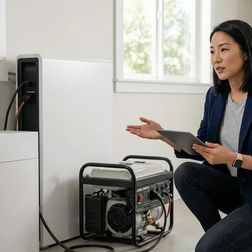
When the power goes out, your smart home shouldn't go dumb. This episode dives into the battery backup systems that keep your automated routines running smoothly during outages, from the Tesla Powerwall 3 to the Enphase IQ Battery 5P. Whether you're running Zigbee lights, Thread sensors, or a full Home Assistant setup, you'll learn which systems switch over fast enough to keep everything online and how to set them up so your smart home stays invisible—even when the grid fails. Switchover speed matters more than you think. When power drops, your battery needs to kick in almost instantly—like a relay runner grabbing the baton without slowing down. Tesla's Powerwall switches in under 10 milliseconds, which is fast enough that your smart devices never notice the grid disappeared. Your network gear must be on battery power too. If your router and Wi-Fi access points aren't plugged into the backup system, your smart home loses its brain the moment the lights flicker. Think of it like keeping the control tower running even when the airport loses power. Enphase batteries talk to each other using Zigbee. This is the same wireless language many smart bulbs use, so you need to make sure they're not interrupting each other—like making sure two radio stations aren't broadcasting on the same frequency in your neighborhood. Modular systems let you grow over time. Enphase lets you start small and add more battery units later, kind of like buying LEGO sets and snapping them together. Tesla gives you one big unit with lots of power right away. Smart batteries can prepare for storms automatically. Tesla's Storm Watch feature charges up when bad weather is coming, and you can program your system to lock in full power and alert your family—like your home putting on a raincoat before the first drop falls. Show Links Affiliate Disclosure: As an Amazon Associate I earn from qualifying purchases. Full article: https://mysmarthomesetup.com/best-whole-home-battery-systems-for-smart-automation-tesla-powerwall-enphase-lg-chem-reviewed Tesla Powerwall 3 - https://www.amazon.com/s?k=Tesla%20Powerwall%203&tag=smarthomesetup-20 Enphase IQ Battery 5P - https://www.amazon.com/s?k=Enphase%20IQ%20Battery%205P&tag=smarthomesetup-20 LG Chem RESU16H Prime - https://www.amazon.com/s?k=LG%20Chem%20RESU16H%20Prime&tag=smarthomesetup-20 Generac PWRcell M6 - https://www.amazon.com/s?k=Generac%20PWRcell%20M6&tag=smarthomesetup-20 sonnenBatterie 10 Performance - https://www.amazon.com/s?k=sonnenBatterie%2010%20Performance&tag=smarthomesetup-20 Franklin Home Power FHP - https://www.amazon.com/s?k=Franklin%20Home%20Power%20FHP&tag=smarthomesetup-20 SolarEdge Energy Bank - https://www.amazon.com/s?k=SolarEdge%20Energy%20Bank&tag=smarthomesetup-20 Electriq PowerPod 2 - https://www.amazon.com/s?k=Electriq%20PowerPod%202&tag=smarthomesetup-20 Related Articles Smart Home Backup Power Solutions: Complete Guide to Uninterruptible Automation - https://mysmarthomesetup.com/smart-home-backup-power-solutions-complete-guide-to-uninterruptible-automation Smart Home Power Monitoring: Real-Time Energy Tracking with Matter & Zigbee Sensors - https://mysmarthomesetup.com/smart-home-power-monitoring-real-time-energy-tracking-with-matter-zigbee-sensors How to Choose Smart Lighting: Protocol, Ecosystem Lock-In & Budget Guide - https://mysmarthomesetup.com/how-to-choose-smart-lighting Device Mesh Network Reliability Explained: Zigbee vs Z-Wave vs Thread - https://mysmarthomesetup.com/device-mesh-network-reliability-explained In-Wall Smart Switches vs Surface Mount: Which Hidden Solution Works Best? - https://mysmarthomesetup.com/in-wall-smart-switches-vs-surface-mount

Battery Backup vs Generator for Smart Homes: Protocol Compatibility & Switchover Latency Compared
IA
When the power goes out, your smart home faces a critical test: will it keep running smoothly or collapse into chaos? This episode breaks down the real differences between battery backup systems and generators for powering smart home technology, with a focus on what happens in those crucial seconds during the switchover. Whether you're building a new smart home or protecting an existing setup, you'll learn which backup solution keeps your automations running and which one leaves you standing in the dark. Battery backups switch over almost instantly while generators leave a gap. Battery systems restore power in less than 10 milliseconds, which is faster than a blink. Generators take 10 to 30 seconds to kick in, and during that time, every smart device in your home loses power and has to reconnect from scratch. That switchover gap breaks your smart home's invisible web of connections. Your smart devices talk to each other using radio signals that form a mesh network. When power drops for even 30 seconds, this web falls apart and can take another minute or more to rebuild, meaning your automations fail right when you need them. Different smart home protocols recover at different speeds after an outage. Z-Wave devices bounce back fastest because they remember their connections. Zigbee takes a bit longer. Thread networks are the most fragile because they depend on specific devices like HomePods that must fully reboot first. Battery systems hide easily while generators need outdoor space. A backup battery can tuck under a desk or mount in your garage where nobody sees it. Generators require a concrete pad outside your home or ventilated storage, making them harder to incorporate into a clean home design. Generators make sense for long outages but batteries win for typical blackouts. If you need power for more than 24 hours, generators can run as long as you have fuel. But for the average outage lasting a few hours, battery backups provide seamless protection without disrupting your smart home routines. Show Links Affiliate Disclosure: As an Amazon Associate I earn from qualifying purchases. Full article: https://mysmarthomesetup.com/battery-backup-vs-generator-for-smart-homes-protocol-compatibility-switchover-latency-compared Enphase IQ Battery 5P - https://www.amazon.com/s?k=Enphase%20IQ%20Battery%205P&tag=smarthomesetup-20 Related Articles Smart Home Backup Power Solutions: Complete Guide to Uninterruptible Automation - https://mysmarthomesetup.com/smart-home-backup-power-solutions-complete-guide-to-uninterruptible-automation Smart Home Power Monitoring: Real-Time Energy Tracking with Matter & Zigbee Sensors - https://mysmarthomesetup.com/smart-home-power-monitoring-real-time-energy-tracking-with-matter-zigbee-sensors How to Choose Smart Lighting: Protocol, Ecosystem Lock-In & Budget Guide - https://mysmarthomesetup.com/how-to-choose-smart-lighting Device Mesh Network Reliability Explained: Zigbee vs Z-Wave vs Thread - https://mysmarthomesetup.com/device-mesh-network-reliability-explained In-Wall Smart Switches vs Surface Mount: Which Hidden Solution Works Best? - https://mysmarthomesetup.com/in-wall-smart-switches-vs-surface-mount

How to Configure Smart Home Fallback Automations During Power Outages

IA
When the power goes out, most smart homes go dark—not just the lights, but the entire invisible layer of automation that makes modern living feel seamless. This episode tackles a problem few homeowners consider until it's too late: what happens to your carefully programmed routines when the grid fails? Host Keiko Tanaka walks through building smart home systems that gracefully step down rather than completely collapse during outages, covering everything from battery backup strategies to fallback logic design. If you've invested time creating a responsive, automated home and want it to keep working when power gets unreliable, this guide is for you. Your smart home has hidden weak points you probably haven't noticed. Just like a chain breaks at its weakest link, your automations fail wherever battery backup stops. A motion sensor might work fine, but if the light bulb it controls needs wall power, nothing happens when the grid dies. Different smart home technologies fail in different ways during outages. Wi-Fi devices stop working when your router dies, even if they have their own power. Zigbee and Z-Wave devices can keep talking to each other through a mesh network, but only if enough battery-powered devices remain to pass messages along. A simple battery backup on your main hub extends automation runtime dramatically. Think of it like keeping a flashlight by your bed—a small UPS device costing under a hundred dollars can keep your smart home brain running for four to eight hours instead of zero seconds. You need to map out which devices depend on what before problems happen. Creating a simple chart showing which automations need internet, which need wall power, and which can run on batteries helps you see exactly where your system will break during an outage. Your system needs to know power failed before it can respond appropriately. Installing a power monitoring sensor lets your smart home detect an outage and automatically switch to backup routines, like a car's dashboard warning light telling you something needs attention. Show Links Affiliate Disclosure: As an Amazon Associate I earn from qualifying purchases. Full article: https://mysmarthomesetup.com/how-to-configure-smart-home-fallback-automations-during-power-outages Related Articles Smart Home Backup Power Solutions: Complete Guide to Uninterruptible Automation - https://mysmarthomesetup.com/smart-home-backup-power-solutions-complete-guide-to-uninterruptible-automation Smart Home Power Monitoring: Real-Time Energy Tracking with Matter & Zigbee Sensors - https://mysmarthomesetup.com/smart-home-power-monitoring-real-time-energy-tracking-with-matter-zigbee-sensors How to Choose Smart Lighting: Protocol, Ecosystem Lock-In & Budget Guide - https://mysmarthomesetup.com/how-to-choose-smart-lighting Device Mesh Network Reliability Explained: Zigbee vs Z-Wave vs Thread - https://mysmarthomesetup.com/device-mesh-network-reliability-explained In-Wall Smart Switches vs Surface Mount: Which Hidden Solution Works Best? - https://mysmarthomesetup.com/in-wall-smart-switches-vs-surface-mount
6 de 15