The Smart Home Setup Podcast

The Smart Home Setup Podcast
por My Smart Home Setup

Raspberry Pi Zero Home Automation

IA
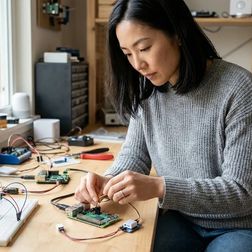
Raspberry Pi Zero Home Automation: A Design-First Approach to Invisible Control The beauty of raspberry pi zero home automation lies not in the device itself—a modest circuit board the size of a business card—but in how completely it can disappear. Over the past decade, I've watched clients grow weary of smart home setups that announce themselves: tablets mounted on walls, hubs blinking on countertops, voice assistants perched on nightstands like digital sentries. The Raspberry Pi Zero offers a different path. Tuck it behind a bookshelf, nest it inside a console table, mount it beneath a floating credenza—and from that hidden position, orchestrate lighting shifts, climate adjustments, and presence detection that feels intuitive rather than technological. This guide walks you through building a raspberry pi zero home automation system that prioritizes lived experience over visible gadgetry. You'll learn to select protocols that suit your existing architecture, configure the logic that drives daily rituals, and troubleshoot the friction points that separate reliable automation from experiments that frustrate. Expect to spend a focused weekend on initial setup—longer if you're routi…

Smart Home Tour

IA
Smart Home Tour: 10 Spaces That Prove Technology Should Be Felt, Not Seen A thoughtfully designed smart home tour reveals how automation can enhance daily life without visual intrusion—where technology recedes into architecture and routines unfold as if by instinct. The best smart home implementations disappear completely, leaving only comfort, efficiency, and the quiet satisfaction of spaces that anticipate your needs before you articulate them. This smart home tour walks through ten distinct spaces where protocol choices, sensor placement, and automation logic create environments that respond to presence, time, and context. Each room demonstrates how invisible intelligence transforms ordinary moments—morning light that shifts with circadian rhythms, climate that adjusts to occupancy, security that activates without conscious thought. The Entryway: Presence Detection That Orchestrates Arrival The front door becomes a trigger point for cascading automations when equipped with Zigbee contact sensors paired with mmWave presence detection mounted discreetly above the door frame. Unlike PIR motion sensors that require movement, mmWave radar detects stationary presence and breathing…

Budget Smart Home Under 100

IA
Budget Smart Home Under $100: The Invisible Intelligence Approach I've watched countless clients freeze when they tally the costs of their dream smart home—the mental math spiraling past a thousand dollars before they've automated a single light. But here's what I learned from a rental apartment project in Portland: a budget smart home under $100 doesn't mean compromising on the feeling of intelligence in your space. It means choosing moments over sprawl, automation over accumulation. The verdict? You can create three transformational automations that shift how a home feels—morning light that greets you gently, security that whispers rather than announces itself, and climate that adapts without fuss—all for the price of a nice dinner out. The constraint becomes the design principle. When you can't afford to wire every room, you choose the threshold moment, the transition space, the one automation that cascades into the rest of your day. What to Look For in a Budget Smart Home Starter Kit Protocol compatibility shapes everything that follows. When budgets tighten, the temptation is to grab whatever's cheapest today—but if your first device runs on Wi-Fi and your second requires …

Best Smart Home Automation Ideas For Beginners
IA
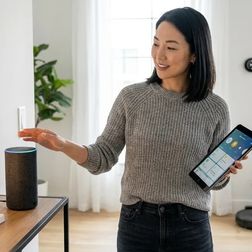
Best Smart Home Automation Ideas For Beginners Picture this: you walk through the front door at dusk, and without reaching for a single switch, the living room glows with warm light—not stark overhead glare, but pools of illumination from lamps you've never actually turned on. The thermostat has already nudged the temperature up by two degrees, anticipating your arrival. Your favorite evening playlist fades in at low volume. Nothing beeps. No app opens. You simply step into a space that knows you're home. That's what the best smart home automation ideas for beginners should deliver: environments that respond to your rhythms, not devices demanding your attention. If you're new to home automation, the goal isn't to fill your rooms with gadgets—it's to build invisible routines that make daily life feel lighter, more intentional, and surprisingly calm. Quick verdict: Start with lighting and presence detection using Zigbee or Matter devices paired with a multi-protocol hub, layer in climate automation with native smart thermostats, then add motion-activated scenes that trigger based on time, occupancy, and natural light levels. Focus on what you *feel* before you notice the tech. Wh…

How To Start Smart Home From Scratch Step By Step

IA
How To Start Smart Home From Scratch Step By Step Building a home where technology whispers rather than shouts requires a different approach than most guides suggest. This article walks you through how to start smart home from scratch step by step—not as a collection of gadgets, but as a layered system that responds to the rhythms of daily life. You'll learn to identify which spaces benefit most from automation, select protocols that work together reliably, and establish a foundation that grows with your needs without creating visual or technical chaos. Expect to invest 2-3 weekends for the initial setup, plus ongoing refinement as you observe how your household actually moves through the day. No prior technical experience required, though comfort with smartphone apps and basic Wi-Fi troubleshooting helps. The goal: a home that anticipates your needs before you consciously register them. What You'll Need - Hub or central controller (options include Apple HomePod mini for Thread/Matter, Hubitat Elevation for local Zigbee/Z-Wave, or Samsung SmartThings for multi-protocol support) - Wireless router with 2.4 GHz and 5 GHz bands (minimum Wi-Fi 5; Wi-Fi 6 preferred for Thread border r…

Future-Proof Smart Home: Building a System That Won't Be Obsolete Tomorrow

IA
Future-Proof Smart Home: Building a System That Won't Be Obsolete Tomorrow You're about to drop serious money on devices that could be paperweights in five years. I've watched homeowners invest thousands in proprietary ecosystems—only to see manufacturers shut down cloud services or abandon protocols entirely. Building a future-proof smart home means making deliberate choices about which communication standards, hub architectures, and automation approaches will survive the inevitable industry shake-ups. You'll learn exactly which protocols are built to last, how to structure your system so it adapts rather than dies, and which compatibility traps to avoid before you buy a single device. What Is a Future-Proof Smart Home? A future-proof smart home is a connected device ecosystem designed with protocol flexibility, manufacturer independence, and upgrade paths that let you add new technology without rebuilding from scratch. You're choosing devices and hubs that speak open standards rather than proprietary languages—so when Company X discontinues your smart lock, you can replace it with Company Y's model without reconfiguring your entire system. In my experience, the difference bet…

How to Build Automation Logic That Works Across Platform Updates
IA
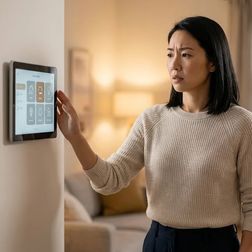
How to Build Automation Logic That Works Across Platform Updates You'll learn how to design platform independent smart home automation routines that survive firmware updates, app redesigns, and ecosystem changes. This guide covers the specific architectural decisions that keep your automations running regardless of which company pushes an update tonight. You'll need basic familiarity with your smart home platform's automation editor and about 2-3 hours to audit and restructure your existing routines. If you've ever had an automation mysteriously stop working after an update, this approach prevents that frustration. The difference between automations that break and those that endure comes down to how you structure the logic itself. I've seen homeowners rebuild the same routine four times in a year because they built it in a way that tied directly to temporary platform features. Platform independent smart home automation isn't about avoiding updates—it's about writing logic that doesn't depend on fragile connections. What You'll Need Before restructuring your automations, gather these prerequisites: - Access to your platform's automation editor (Home Assistant, SmartThings, Hubi…

Understanding Smart Home Automation Fallback Behaviors and Reliability
IA
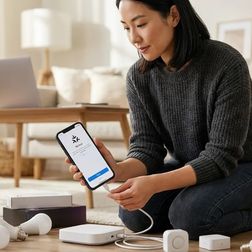
Understanding Smart Home Automation Fallback Behaviors and Reliability The most elegant automation is the one you never have to think about—until something breaks. A home that adjusts lighting as the sun sets, that anticipates your arrival and warms the space before you step through the door, creates an almost imperceptible rhythm. But when a sensor fails, when a protocol update disrupts your logic, when the internet drops at precisely the moment a routine should trigger, the illusion shatters. Smart home automation fallback behaviors determine whether your space degrades gracefully into manual control or plunges into confusion, lights frozen mid-scene, thermostats locked at inconvenient temperatures. Understanding how systems respond when the primary path fails transforms technology from a fragile dependency into a resilient layer woven quietly into the architecture of daily life. What Are Smart Home Automation Fallback Behaviors? Fallback behaviors are the predetermined responses your smart home system executes when a primary automation path becomes unavailable. They answer a deceptively simple question: what happens when the expected doesn't occur? In practical terms, this m…

How to Migrate Your Existing Smart Home to Matter Protocol
IA
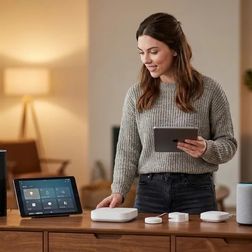
How to Migrate Your Existing Smart Home to Matter Protocol Matter arrived with a promise most of us had stopped believing was possible: devices that speak to one another regardless of who made them. For those of us who've watched clients wrestle with incompatible systems—a Philips Hue bridge that won't talk to a SmartThings hub, a Yale lock that demands its own app—the prospect of a unified protocol feels like opening windows in a room that's been sealed too long. Learning to migrate smart home to matter isn't just about updating firmware; it's about reclaiming the seamless experience that drew you to automation in the first place, without tearing out walls or abandoning devices you've already woven into your daily rhythms. This guide walks through the migration process step by step, addressing which devices can transition gracefully, how to maintain existing automations during the shift, and what to do when legacy protocols need to coexist with the new standard. Expect to invest 4-6 hours for a typical home with 15-25 devices, spread across several evenings. The technical complexity sits at intermediate level—comfortable with app navigation and basic networking, but no coding re…

Best Multi-Protocol Smart Home Hubs That Support Legacy Devices

IA
Best Multi-Protocol Smart Home Hubs That Support Legacy Devices I watched a reader spend three hours last week trying to get his 2019 Z-Wave door lock to talk to his new Matter network. His hub didn't speak Z-Wave. His automation went silent. He couldn't lock his door from bed anymore. Multi-protocol smart home hubs are the bridges between your old ecosystem and the new one, keeping your legacy Zigbee sensors, Z-Wave switches, and even ancient Wi-Fi bulbs alive while you migrate to Thread and Matter. The best ones don't just support multiple protocols—they translate between them locally, without routing your "door unlocked" events through someone else's cloud server. But most still phone home more than you'd think. I've tested every major hub released in the past two years, running packet captures on each one to see exactly where your data goes. Some hubs claim "local control" while still uploading device lists, state changes, and network topology to vendor servers. Others genuinely run automations offline—until a firmware update quietly enables telemetry. If you're coming from (/migrate-smart-home-to-matter), you need a hub that respects your privacy while keeping your investme…
2 de 15