Beaver Tools
por Chris AhrweileriMac als Bildschirm für andere Geräte nutzen
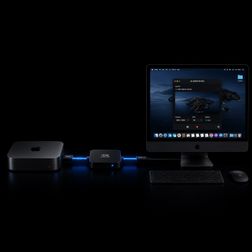
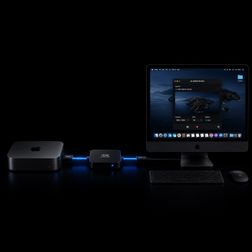
Viele Geräte laufen heute komplett ohne eigenen Monitor. Mac mini, Raspberry Pi, Linux-Server, Mini-PC oder Kamera — normalerweise greift man per Netzwerk darauf zu. Spätestens bei der Einrichtung, bei Boot-Problemen oder wenn die Netzwerkverbindung nicht funktioniert, braucht man dann aber doch wieder ein Bild. Genau dafür lässt sich ein iMac erstaunlich gut verwenden. https://medium.com/@chris.ahrweiler/imac-als-bildschirm-f%C3%BCr-andere-ger%C3%A4te-nutzen-a0a22c838f4cHow to Use an iMac as a Monitor for Headless Devices
Headless devices are everywhere now. Mac minis, Raspberry Pis, Linux systems, mini PCs, cameras, and embedded devices often run perfectly fine without a dedicated monitor attached — until you suddenly need direct access to the screen. That is especially true during setup, debugging, recovery, or when remote access is not available yet. https://medium.com/@chris.ahrweiler/how-to-use-an-imac-as-a-monitor-for-headless-devices-9de25f519fb4How to Monitor Any USB Audio or Video Device on macOS
USB cameras, microphones, HDMI capture cards, and audio interfaces are supposed to “just work” on macOS. In reality, it’s often difficult to quickly access or monitor them without opening large and complicated software. https://medium.com/@chris.ahrweiler/how-to-monitor-any-usb-audio-or-video-device-on-macos-1feeac709bf3Secure DNS Is Good. But Location Still Matters
Every time you open a website, your device asks a DNS resolver where to find it. It’s a small, invisible step — but one that happens constantly. Over time, these requests create a detailed picture of your online activity. Encrypted DNS, like DNS over HTTPS or TLS, protects these requests in transit. Your ISP can’t see them anymore, and neither can someone on public Wi-Fi. That’s a real improvement. But it’s not the full story. https://medium.com/@chris.ahrweiler/secure-dns-is-good-but-location-still-matters-732c7f39ff24ZST Compression: Why It Matters
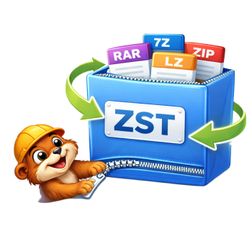
If you’ve spent any time dealing with large datasets, backups, logs, or even game assets, you’ve probably bumped into Zstandard (ZST). It’s one of those formats that quietly powers a lot of modern workflows — but doesn’t always get the spotlight it deserves. Zstandard (ZST) is a fast, modern compression algorithm developed by Facebook (Meta). It’s designed to deliver: 🔧 Flexible tuning for speed vs. size ZST gives you smaller files and faster performance. https://medium.com/@chris.ahrweiler/zst-compression-why-it-matters-99e81c845558Why Secure DNS Matters — And Why EU-Based DNS Is Gaining Attention
Most people never think about DNS. Yet every time you open a website, send a message, or launch an app, your device makes a DNS request — essentially asking: By default, these requests are often unencrypted. Classic DNS was never designed with privacy in mind. Even if the website itself uses HTTPS, the DNS lookup still leaks metadata about what you’re accessing. Modern solutions use DNS over HTTPS (DoH). This brings DNS in line with the rest of today’s secure web. https://medium.com/@chris.ahrweiler/why-secure-dns-matters-and-why-eu-based-dns-is-gaining-attention-27c85ecfed36What Is a .ZST File — And Why macOS Still Can’t Open It
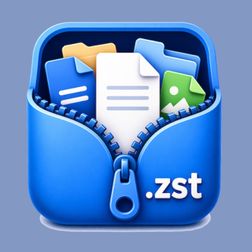
You double-click it on your Mac… nothing happens. A.zst file is a compressed archive created using Zstandard. Think of it as: ZIP, but faster and more efficient. macOS doesn’t support.zst files out of the box. No preview. No extraction. No built-in tool. Most people end up using the terminal. 👉 That’s exactly what https://unpackzst.com/ provides. By Chris Ahrweiler on April 21, 2026. Exported from Medium on August 17, 2026. https://medium.com/@chris.ahrweiler/what-is-a-zst-file-and-why-macos-still-cant-open-it-183ea1a5a5d0How to Run Zorin OS on macOS (Without the Heavy Lifting)
If you’ve ever wanted a real Linux desktop on your Mac — something like Zorin OS — without spinning up a datacenter in your ~/Downloads, you’re in the right place. This post is about what actually works on macOS today, what the tradeoffs are, and how to think about the stack so you don’t waste an evening fighting the wrong layer. https://medium.com/@chris.ahrweiler/how-to-run-zorin-os-on-macos-without-the-heavy-lifting-ba2780bc3e91A Quick Multi-Server Check Without a Full Dashboard
Sometimes you want to know whether your servers look okay right now. Which server has high load? https://medium.com/@chris.ahrweiler/a-quick-multi-server-check-without-a-full-dashboard-42f9c544a073A Simple Self-Paced EMDR Stimulation Tool
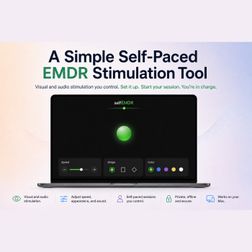
EMDR-style stimulation does not need to be complicated. For some people, the useful part is having a simple visual or audio guide they can control themselves: movement, speed, appearance, sound, and session pace. https://medium.com/@chris.ahrweiler/a-simple-self-paced-emdr-stimulation-tool-eee455b95f16